
WordPress Admin Notice Hooks Explained: How Promotional Banners Are Injected
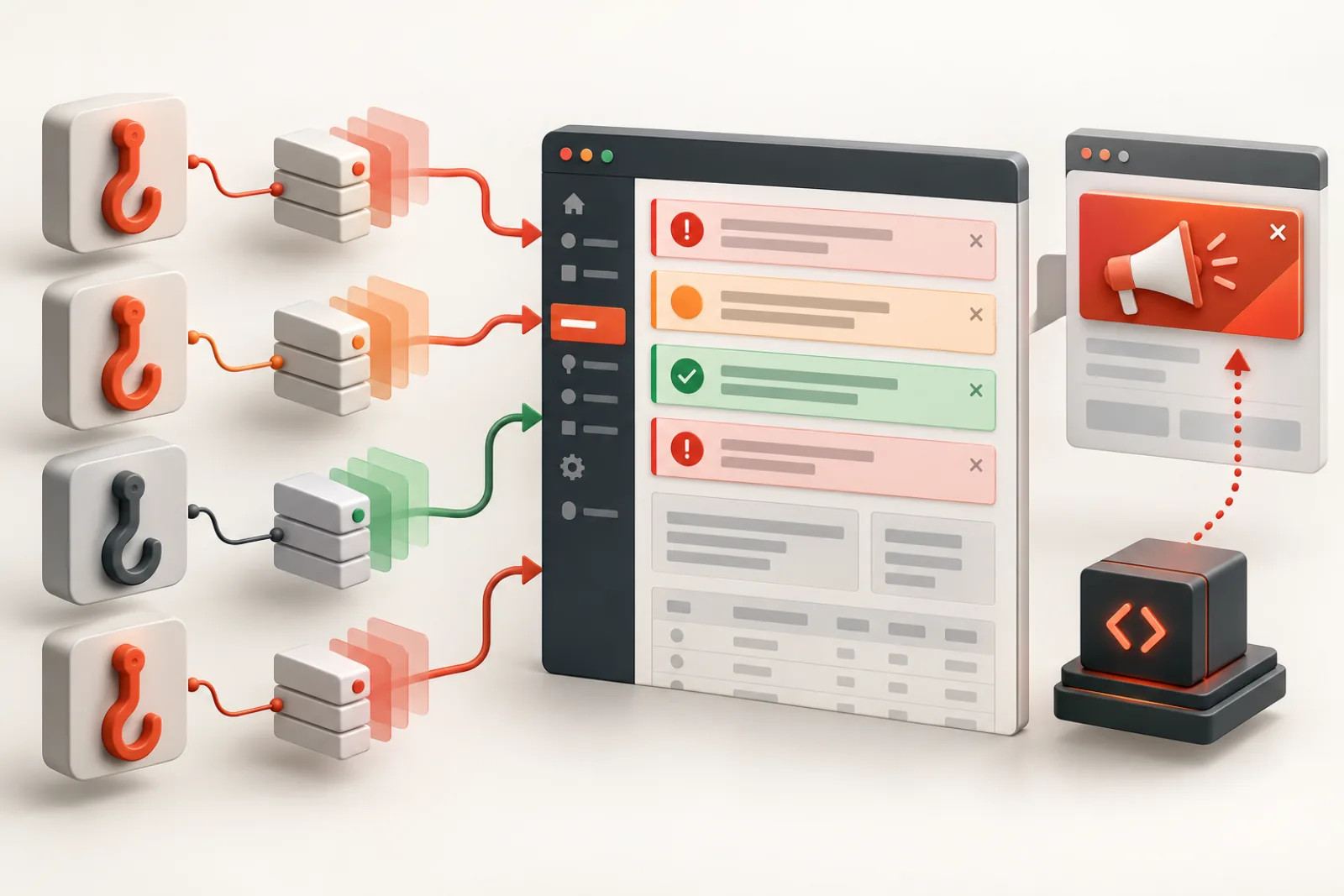
Most server-rendered WordPress admin notices enter through four actions: admin_notices, network_admin_notices, user_admin_notices and all_admin_notices. But promotional UI can also arrive as dashboard widgets, meta boxes, admin menus, plugin-row links, toolbar nodes, styles, scripts or late DOM injection. Finding the owning surface is safer than hiding every element that looks like a notice.
Know the standard notice actions
WordPress fires admin_notices on ordinary administration screens, with separate network and user-admin actions for those contexts. all_admin_notices runs for generic notices across admin screens. Plugins attach callbacks at priorities; those callbacks echo markup when the action runs.
| Surface | Common registration point | Diagnostic clue |
|---|---|---|
| Regular admin banner | admin_notices | Appears near top of wp-admin content |
| Network Admin banner | network_admin_notices | Visible only in network context |
| User Admin banner | user_admin_notices | Visible on user-admin screens |
| Cross-context banner | all_admin_notices | Appears broadly across screens |
| Dashboard card | wp_dashboard_setup | Lives in dashboard columns |
| Menu/toolbar promotion | admin_menu / admin_bar_menu | Not notice markup at all |
| Late banner | admin_enqueue_scripts plus JavaScript | Appears after initial HTML |
Inspect callbacks instead of guessing selectors
On a staging or diagnostic environment, inspect registered callbacks for the relevant action, including priority and callable name. A named function or class method often reveals the owning plugin. Anonymous closures are harder to remove safely and may require cooperation from the vendor or a later output/DOM strategy.
Callback removal must use the same callable and priority with which it was registered, and must run after registration but before execution. Removing every callback from admin_notices is not acceptable: it erases WordPress and plugin errors with the promotions.
Understand markup classes
Core conventions include notice plus notice-error, notice-warning, notice-success or notice-info. is-dismissible adds a close control, but not durable storage. These classes describe presentation and severity, not whether a message is marketing. A promotion can imitate an error style, and a real failure can be dismissible.
Dashboard widgets and meta boxes are different registries
WordPress dashboard widgets are registered through the Dashboard Widgets API and can be removed with remove_meta_box() from the correct dashboard setup hook. Edit-screen promotional panels are also meta boxes but have different screen and context identifiers. Inventory exact IDs and remove only purely promotional components; functional analytics, backups, drafts or commerce summaries may be operational.
Menus, toolbar nodes and plugin-row links
A “Go Pro” submenu is part of the admin menu tree, not a notice. Toolbar promotions are nodes in WP_Admin_Bar. Links beside Activate/Deactivate pass through dynamic plugin action-link filters. Each surface has a structured API and stable identifiers when the vendor provides them. Prefer targeted removal from the owning structure over broad CSS that leaves hidden focusable links.
Styles and output buffering are fallback tools
CSS can hide markup but the code still executes, the DOM may remain available to assistive technology, and background requests still occur. Output buffering can capture echoed notice HTML, but string/DOM classification is fragile and can damage unrelated markup. Use these only when a precise callback or component ID is unavailable, with strong tests and a documented ceiling.
Late JavaScript changes the timing
Plugins may enqueue a script on admin pages and insert a banner after the server-rendered hooks have finished. The HTML source then looks clean while the live DOM changes. Record the mutation and initiator in browser tools. A narrowly scoped MutationObserver can remove a known promotion, but first look for a vendor setting or stop the specific script from loading on irrelevant screens.
Build a classification policy
- Always retain: security, failed backups, payment failures, database migrations, compatibility and data-loss risks.
- Route: routine updates, license renewals and maintenance reminders to accountable operators.
- Suppress for client roles: rating prompts, discounts, cross-sells and repeated upgrade banners.
- Review: onboarding prompts that may be functional for new sites.
Worked example
A banner appears on every admin screen. Inspecting admin_notices finds nothing from the suspected plugin. The live DOM shows the element arriving 800 ms later, and the initiator is a script enqueued globally through admin_enqueue_scripts. The plugin already has a setting to disable product announcements; enabling it removes the script and request. A CSS selector would have hidden the symptom while retaining the network and focus-order cost.
Map the admin lifecycle before removing callbacks
Record when the plugin loads, registers its hook and renders the screen. A removal added too early does nothing because the callback does not exist yet; one added after the action fires is too late. Use the narrowest lifecycle point that consistently follows registration and precedes output.
Test ordinary admin, Network Admin and user-admin contexts separately because their actions differ.
Identify callable type and priority
A callable may be a function, static method, object method or closure. remove_action() needs the same callable identity and priority. A new instance of a class is not necessarily the registered object. Inspect actual callbacks in a diagnostic environment rather than guessing from source names.
Closures and dynamically created objects may require a vendor filter or component-level fallback.
Trace conditions inside callbacks
A plugin may attach one callback broadly but render only for a screen, role, option, license state or campaign. Read the conditions before removing it. The same callback can emit a critical setup failure and a promotional upgrade depending on state.
When mixed-purpose output cannot be separated safely, request a vendor control or classify the rendered result with strict evidence.
Use screen IDs and capabilities correctly
Admin filenames are not a complete screen model. Inspect the current screen ID and post type after the screen is initialized. Scope client policy through capabilities and screen context, not usernames or brittle URLs.
Test custom post types, WooCommerce screens, plugin pages and multisite. A rule intended for the dashboard should not alter the block editor or network updates.
Audit dashboard widget registration
Record widget ID, title, callback, context and priority. Classify operational summaries, activity, drafts, commerce, backups and promotions separately. Remove the exact meta box on the correct screen and context so hidden widgets do not leave layout or user-option residue.
Verify Screen Options and keyboard navigation after removal.
Audit admin menu structure
Identify parent slug, submenu slug, required capability and callback. Removing a promotional submenu should not orphan the main settings page or block direct access needed by administrators. Avoid CSS-only hiding because links can remain focusable and accessible by URL.
Test deep links, permissions and active menu highlighting for intended roles.
Audit toolbar nodes
Toolbar promotions may be added late with parent-child relationships. Remove the exact node after it is registered, and check whether child nodes remain. Preserve account, update and site-management items required by the role.
Test frontend and backend toolbar contexts because a node can appear in both.
Audit plugin-row and update-page promotions
Links beside Activate or Deactivate and banners on update screens use different filters and markup from admin notices. Keep changelog, update and compatibility information that operators need. Classify upgrade sales separately from license failure or security remediation.
A clean plugin list should still allow authorized users to update, configure and seek support.
Understand output buffering risk
Buffering an entire notice region can alter unrelated markup, headers or error handling. DOM parsing may normalize HTML unexpectedly. If it is unavoidable, constrain the buffer to one known hook, preserve unmatched output and test malformed third-party markup.
Mark the heuristic’s known ceiling and review it after plugin updates. Prefer removal at registration whenever possible.
Handle JavaScript mutation carefully
Observe the parent, added node and script initiator. Stop a known promotional script on irrelevant screens when safe, or remove only the verified node. A broad observer that scans every admin mutation can add performance cost and delete legitimate dynamic errors.
Disconnect observers when no longer needed and keep interactive descendants out of the accessibility tree.
Preserve notices created after user actions
Save failures, import results and security warnings may appear only after a form submission or AJAX action. Include those states in tests. A rule that looks safe on initial dashboard load can erase the only explanation for a failed operation.
Maintain fixtures or repeatable scenarios for critical notice classes and plugin-specific failures.
Check dismissal and nonce security
Persistent dismissals need capability and request verification, correct user/site scope and safe stored values. Do not remove those checks to make a promotion disappear. Inspect endpoint failures separately from rendering.
Ensure shared caches never serve one user’s personalized notice state to another.
Build an allowlist and review queue
Always retain known security, backup, payment, migration, compatibility and data-loss messages. Route uncertain new notices to administrators and log their source. Suppress only classified promotional surfaces for intended roles.
Review unknown volume after plugin updates; a sudden increase can signal changed callbacks or markup.
Use a regression matrix
Test dashboard, post editor, plugin list, update screen, settings, WooCommerce, Network Admin and frontend toolbar across administrator and client roles. Include successful and failed operations plus late JavaScript. Record expected visible and suppressed components.
Run the matrix after WordPress and major plugin releases. Keep it small enough to repeat.
Worked case: one callback mixes setup and promotion
A plugin’s callback displays a required API configuration error until connected, then switches to a Pro upsell. Removing the callback globally hides the configuration failure on new sites. The team instead keeps the callback for administrators and suppresses only the verified promotional state for client roles.
Onboarding, failure and connected states become separate regression fixtures.
Worked case: CSS leaves a hidden focus trap
An agency hides a banner with display:none on its outer visual panel, but a script moves the CTA link into a floating container later. Keyboard users still encounter an unexplained link. The fix stops the known promotional component at its registration and script source.
Accessibility and network tests confirm the entire surface is gone.
Definition of done
Every removed surface traces to a stable source and classified purpose. Operational notices pass fixture and failure tests, permissions remain least-privilege, hidden content leaves no focus or network residue, and ordinary, network, update and dynamic screens match policy. Rules have owners, rollback and release review triggers.
Inspect hook registries without changing them
Use a staging diagnostic that lists callback identity and priority for the relevant action. Keep the first pass read-only and restrict access to administrators because paths and class names expose implementation details. Compare before and after the suspected plugin activates.
Do not dump every hook on a production page; the volume and sensitive data create risk.
Understand callback ownership in dependency containers
Modern plugins may register object methods through service containers or factories. The class name suggests ownership, but removing a newly constructed instance will not match the registered object. Prefer a vendor filter, stored service reference or documented setting.
If neither exists, treat output classification as a limited fallback and document the ceiling.
Preserve error severity and semantics
Visual classes can be wrong or promotional code can mimic a warning. Evaluate source, condition and consequence. Database migration, payment failure, backup failure and security messages should remain visible even if branded or dismissible.
Route them to the responsible role and preserve accessible status semantics so assistive technology announces urgent changes appropriately.
Audit admin footer and contextual links
Promotional text may enter the admin footer, help tabs or contextual screen links. These use separate filters and screen APIs. Remove only the vendor marketing while keeping version, privacy, documentation and support paths required by policy.
Test direct keyboard access and ensure headings or landmarks do not become empty.
Check enqueued assets by screen
A plugin may enqueue promotional CSS and JavaScript across all wp-admin even when the banner appears on one page. Inventory handles, dependencies and screens. Dequeue only assets proven unnecessary and only after confirming they do not also power settings, validation or security messages.
Measure editor and dashboard behavior with the exact plugin version.
Handle REST-fed admin applications
Some plugin pages render promotions from API responses inside a JavaScript app. Classify the response field and component; do not block the entire API if settings or license status share it. A vendor preference is the safest control.
Test error and offline states because removing one component can expose unhandled assumptions.
Test localization and wording changes
Keyword heuristics behave differently across languages and plugin translations. A promotion may evade an English pattern, while a translated operational warning may match it accidentally. Include priority locales in regression tests and weight stable source identifiers above text.
Never translate a heuristic list blindly without native review of false positives.
Review performance impact of filters
A classifier that parses every admin page, scans a large keyword list or observes the entire DOM can create the slowdown it aims to reduce. Measure execution and mutation volume. Cache stable rule configuration and exit early on irrelevant screens.
Keep critical-message allowlists fast and deterministic.
Coordinate with support workflows
When client roles cannot see a suppressed promotion, administrators should still have a documented way to reach plugin support, license and settings. Do not leave users with a broken feature and no escalation route. Provide agency-owned help content where appropriate.
Operational alerts should name the responsible team, not simply reappear for every client.
Prepare rollback and emergency bypass
Store prior settings and rule version, and provide an administrator-only way to disable suppression temporarily during diagnosis. The bypass must not be exposed to unauthorized roles. After use, compare surfaces and re-enable deliberately.
When a site enters recovery or migration, consider suspending promotional filtering so new critical messages can be classified.
Report policy coverage
Show known promotional components suppressed, critical fixtures retained, unknown surfaces awaiting review, target roles and last plugin-version test. Counts alone are insufficient; one hidden payment failure outweighs many removed rating prompts.
Publish owners and review dates so rules do not become permanent unaudited code.
Test hook priority changes across releases
A vendor can move registration or output to another priority, causing removal code to run too early or late. Keep a diagnostic assertion for the expected callback and fail visibly to administrators when the rule no longer applies. Do not escalate to removing the whole action.
Review changelogs and registry output after updates, then adjust the smallest targeted rule.
Handle anonymous closures safely
A closure registered without an exposed reference is difficult to remove with ordinary APIs. Look for a plugin setting, filter or component gate. Reflection or wholesale registry mutation is brittle and can break unrelated callbacks.
If markup classification is unavoidable, constrain it to the known screen and signature, preserve unknown content and document that a vendor change requires review.
Audit multisite network surfaces
Network notices, subsite notices, network plugin rows and per-site dashboards have different audiences. A super administrator may need migration and license information that site administrators should not manage. Test network activation, site activation and mapped-domain contexts.
Store policy at the correct level and avoid duplicating rules on every site when one network configuration owns the component.
Preserve update failure messages
Plugin update screens can show filesystem credential errors, compatibility warnings, rollback results and package validation failures near promotions. Build fixtures for failed and successful updates. Remove only the classified sales component.
Verify the administrator can still reach changelogs, retry safely and understand rollback status.
Review admin accessibility after changes
Navigate headings, landmarks, notices, menus, toolbar and dashboard widgets by keyboard and screen reader. Confirm focus does not move to a removed node and status messages still announce after actions. CSS visibility alone can produce confusing discrepancies.
Use semantic source removal or accessible component configuration whenever possible.
Measure network and execution savings separately
Removing a callback can prevent rendering but may leave globally enqueued scripts or remote requests. Compare server callback time, DOM size, script handles and network calls. Only claim performance savings supported by the measured layer.
Keep essential update and security communications even when they have a small cost.
Maintain a rule ownership manifest
For each rule, store plugin/version, surface, callable or identifier, target roles, reason, allowed critical states, tests, owner and expiry. Link to vendor issue or native opt-out when applicable. This prevents anonymous snippets from surviving long after their assumptions expire.
Review manifests during site handoff and plugin removal.
Verify removal under real failure states
Trigger safe staging fixtures for failed backup, invalid configuration, expired license, update error and successful action. Confirm the policy keeps messages required to recover the system while removing only classified marketing. Include a newly created client user and a full administrator.
After verification, remove fixture data and restore normal integrations. Retain the expected hook, screen and role results as a compact regression artifact for the next WordPress or plugin release.
How MeNoAds helps
MeNoAds addresses the broader admin surface: known promotional callbacks on standard notice actions, dashboard widgets, meta boxes, menus, toolbar nodes, plugin-page links, update-page promotions, footer text and late JavaScript notices. The controls can be toggled individually, including through its WP-CLI commands.
Limitations: callback names, widget IDs and promotional wording change between plugin releases. Heuristic keywords can misclassify a functional message. Run the current version on staging, maintain an allowlist/exception process, and verify operational warnings after each rule or major plugin update.
Technical verification checklist
- The owning hook, component or script is identified.
- Removal targets a stable callable, ID, slug or narrow signature.
- Critical notice fixtures still render on ordinary and network screens.
- Hidden controls are removed from keyboard and accessibility trees.
- No required request or functionality is accidentally disabled.
- Rules survive relevant priority/order changes.
- Regression tests cover updated plugin versions.
Related WPStack guides
Frequently asked questions
What is the difference between admin_notices and all_admin_notices?
The former is for regular admin screens; the latter prints generic notices across admin contexts. Network and user-admin screens also have dedicated actions.
Can I remove a notice with remove_action()?
Yes when you know the exact callable and priority and run at the correct time. Broadly removing all callbacks is unsafe.
Why is a banner absent from page source?
A script may inject it after load. Inspect the live DOM, mutations and script initiator.
Is CSS a safe notice filter?
It is presentation-only and can leave hidden interactive content or background work. Prefer structured removal when possible.
Are dashboard widgets admin notices?
No. They use the dashboard/meta-box registry and should be classified and removed through that surface.
References
- WordPress action reference
- WordPress admin_notices hook
- WordPress wp_dashboard_setup hook
- WordPress script enqueuing

Aditya Bhimrajka is a technology entrepreneur, product strategist, and software solutions expert with over a decade of experience building scalable web and mobile applications. His expertise spans SaaS, AI, cloud technologies, custom software development, and digital transformation. Passionate about solving real-world business challenges through technology, Aditya shares practical insights on WordPress, plugins, software development, startup growth, product strategy, and emerging technologies. At WPStack, he writes actionable, experience-driven content that helps developers, businesses, and website owners build secure, high-performing, and future-ready WordPress solutions.