
MeNoAds
Keep wp-admin clean by removing promotional banners, upgrade nags, review requests, and other plugin-injected noise—without disabling plugin functionality.
Email me important plugin updates
Optional. Get security notices and meaningful release updates for MeNoAds. The download does not require an email or account.
About the plugin
MeNoAds is a focused WordPress dashboard-cleanup plugin that removes promotional clutter while leaving legitimate system notices and plugin functionality intact. It intercepts the common server-side hooks and browser-side injection patterns used for upgrade banners, review requests, marketplace offers, and other admin advertising.
Its modular controls cover notices, dashboard widgets, footers, meta boxes, menus, the admin toolbar, plugin screens, and update screens. A live MutationObserver catches promotional content injected after page load, and every detection set can be extended through documented WordPress filters.
What it helps you do
Nine focused blocking modules
- Admin Notices: removes promotional callbacks, filters rendered notice markup, and watches for JavaScript-injected notices.
- Dashboard Widgets: removes 25+ known promotional widget IDs from popular plugin vendors.
- Footer Text: strips promotional attribution and optionally suppresses the WordPress version display.
- Meta Boxes: removes purely promotional boxes while preserving functional controls such as SEO analysis and product data.
- Admin Menu: hides submenu entries that lead to add-on stores, license upsells, and setup promotions.
- Admin Toolbar: removes promotional toolbar nodes without affecting functional tools.
- Plugins Screen: hides “Go Pro” links and promotional banners on the installed-plugins page.
- Updates Screen: strips promotional pricing and premium links from update rows.
- Live DOM Observer: removes qualifying notices inserted after the original page response.
Three-layer notice defence
- Unhooks known promotional callbacks before they render.
- Uses output-buffer filtering for promotional HTML that reaches the notice regions.
- Applies a debounced MutationObserver for late JavaScript injections.
- Targets promotional language and known vendor patterns rather than blindly hiding every notice.
Safe by design
- Does not deactivate plugins, modify vendor files, or delete database records.
- Preserves legitimate errors, security warnings, update information, and functional admin interfaces.
- Secures settings with WordPress capabilities, nonces, sanitization, and escaping.
- Offers independent module toggles so each site can choose its preferred level of cleanup.
Developer-friendly extension API
- Provides filters for promotional callbacks and class-prefix matching.
- Allows custom dashboard widget IDs, notice patterns, observer selectors, footer keywords, meta-box IDs, menu targets, toolbar nodes, and upsell keywords.
- Supports overriding the active module list and extending side-context meta-box detection.
- Uses standard WordPress hooks so site-specific integrations remain update-safe.
WP-CLI and multisite
- Inspect status with
wp meno-ads status. - Toggle an individual module with
wp meno-ads toggle <module>. - List available blockers with
wp meno-ads list. - Declares network compatibility while retaining per-site settings for multisite installations.
Plugin screenshots
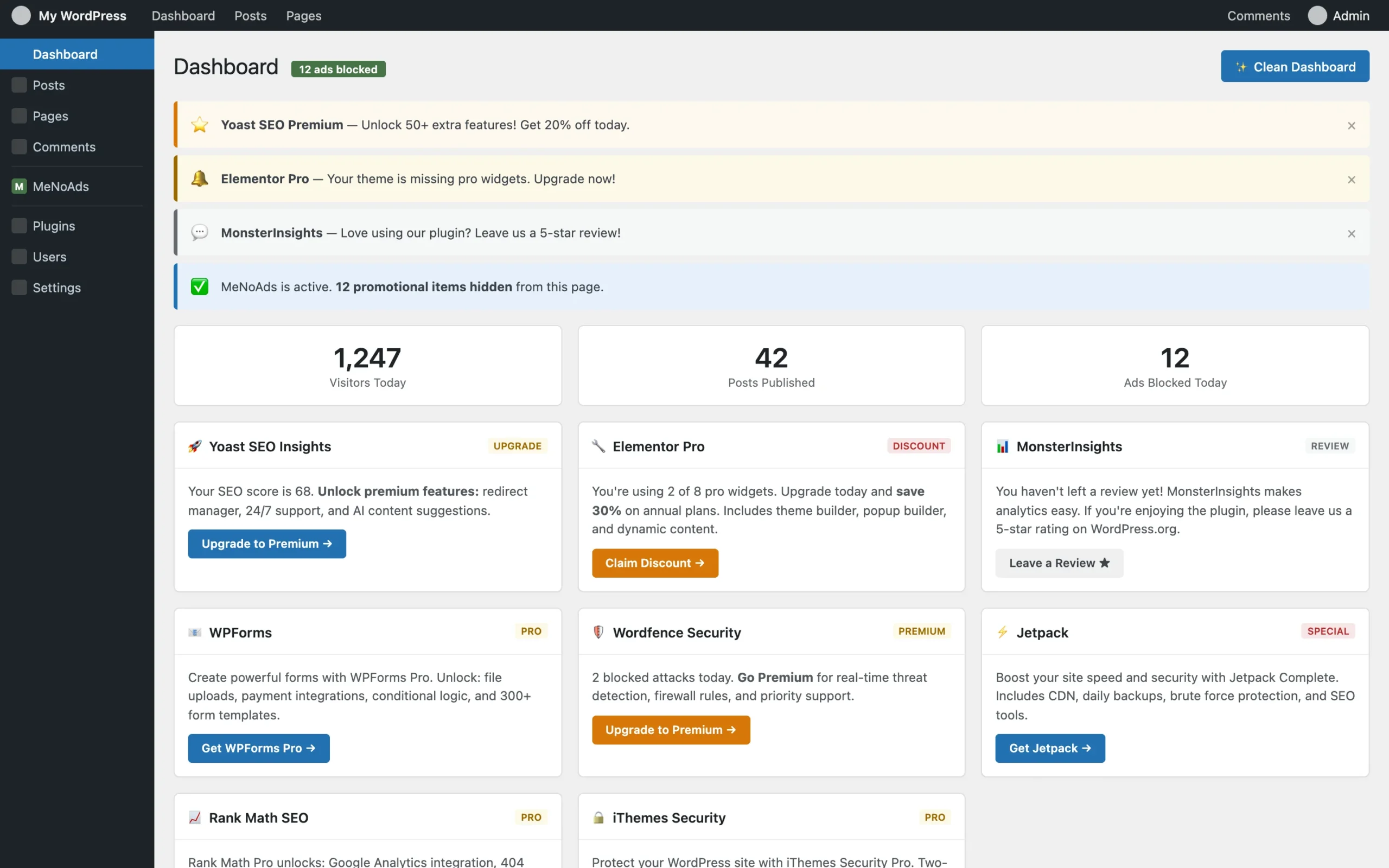
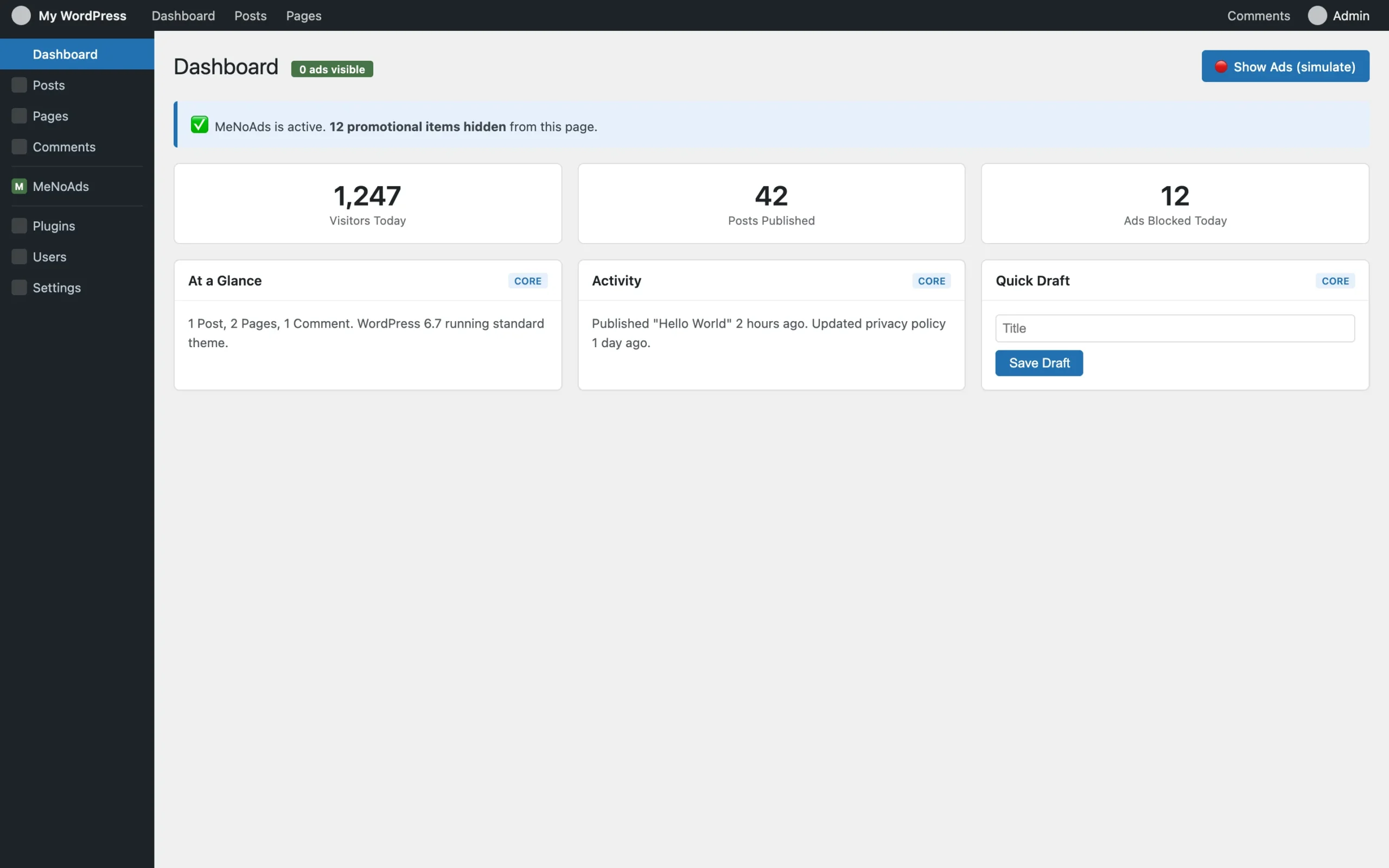
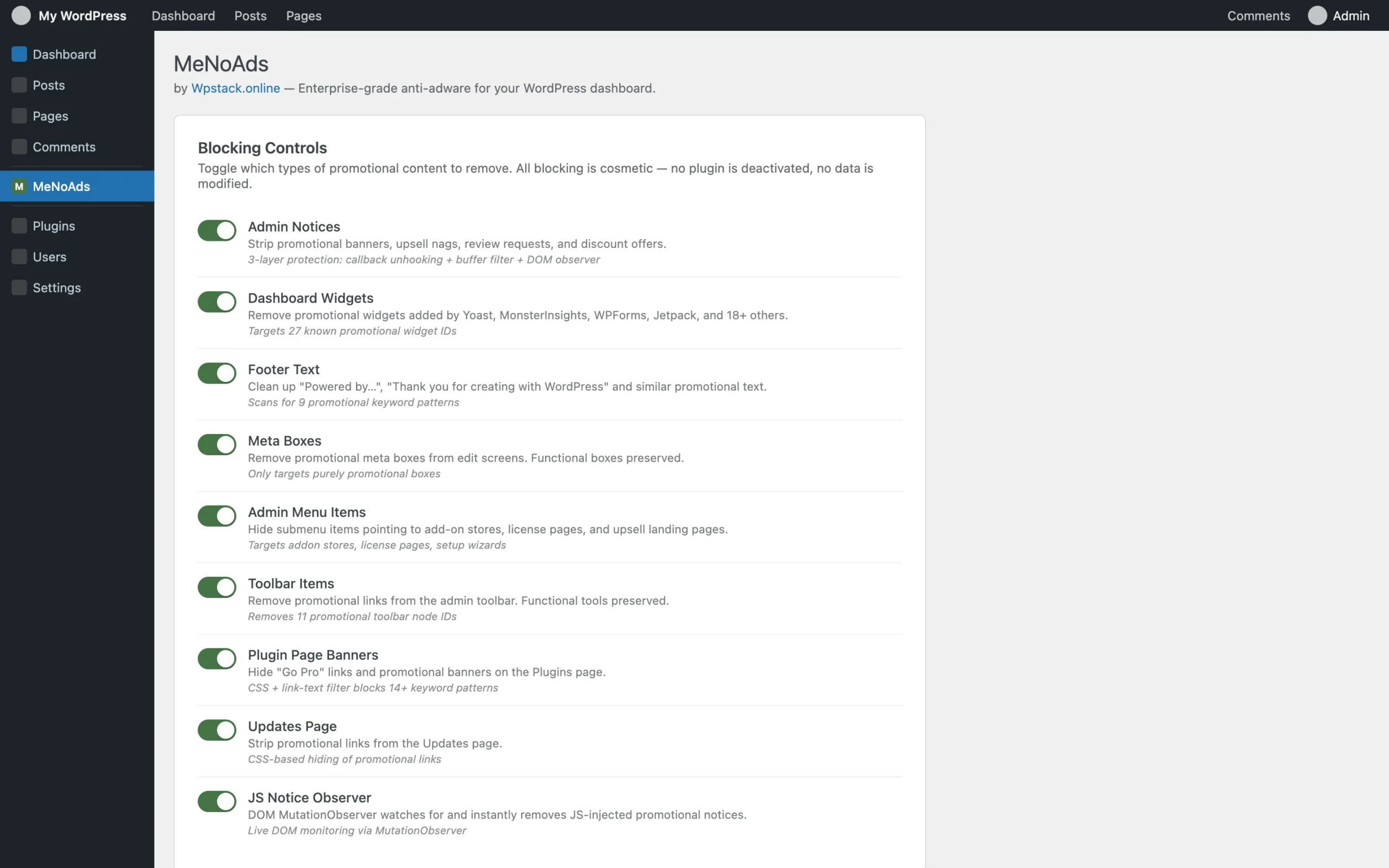
Installation
- Download me-no-ads-2.0.1.zip.
- In WordPress, open Plugins > Add New Plugin > Upload Plugin.
- Select the ZIP, install it, and activate MeNoAds.
- The cleanup modules are enabled immediately with safe defaults.
- Open Settings > MeNoAds to review or toggle individual blocking modules.
- On multisite, configure the preferred module set separately for each site.
Changelog
2.0.1
- Redesigned the settings page with cards, toggle switches, and a status summary.
- Fixed output-buffer hook priorities so server-side notice filtering runs correctly.
- Improved nested HTML matching with recursive PCRE patterns.
- Added class-prefix matching for promotional callbacks.
- Reindexed menu arrays after removals to avoid rendering glitches.
- Narrowed plugin-row filtering to URL targets and the Plugins screen.
- Expanded promotional selectors for Plugins and Updates screens.
- Optimized meta-box cleanup and protected existing v2 settings during upgrades.
- Debounced the MutationObserver and disconnects it during page unload.
2.0.0
- Rebuilt the plugin around a modular, namespaced architecture.
- Added three-layer admin-notice removal and live DOM observation.
- Added WP-CLI commands, multisite support, internationalization, security hardening, and a documented filter API.
- Added automatic migration from 1.x settings.
1.0.0
- Initial release.
Support and usage notes
Related reading: How to remove admin notices without hiding critical warnings and the WordPress plugin maintenance checklist.
MeNoAds FAQs
Does MeNoAds disable other plugins?
No. MeNoAds suppresses selected promotional admin notices, widgets, links, and interface elements without disabling the plugins that created them.
Will important WordPress security and update notices remain visible?
MeNoAds is designed to preserve functional notices such as security, update, error, and operational messages while targeting promotional noise. Review the enabled modules after installation on your own plugin stack.
Can I control which types of admin promotions are hidden?
Yes. Its focused modules cover admin notices, dashboard widgets, footer text, promotional meta boxes, menu items, toolbar nodes, and promotional elements on the Plugins screen.
Does MeNoAds affect the public website?
Its purpose is to clean the WordPress administration experience. It does not redesign or remove content from the public-facing website.