
Preventing SSRF and IDOR Vulnerabilities in Custom WordPress Plugins
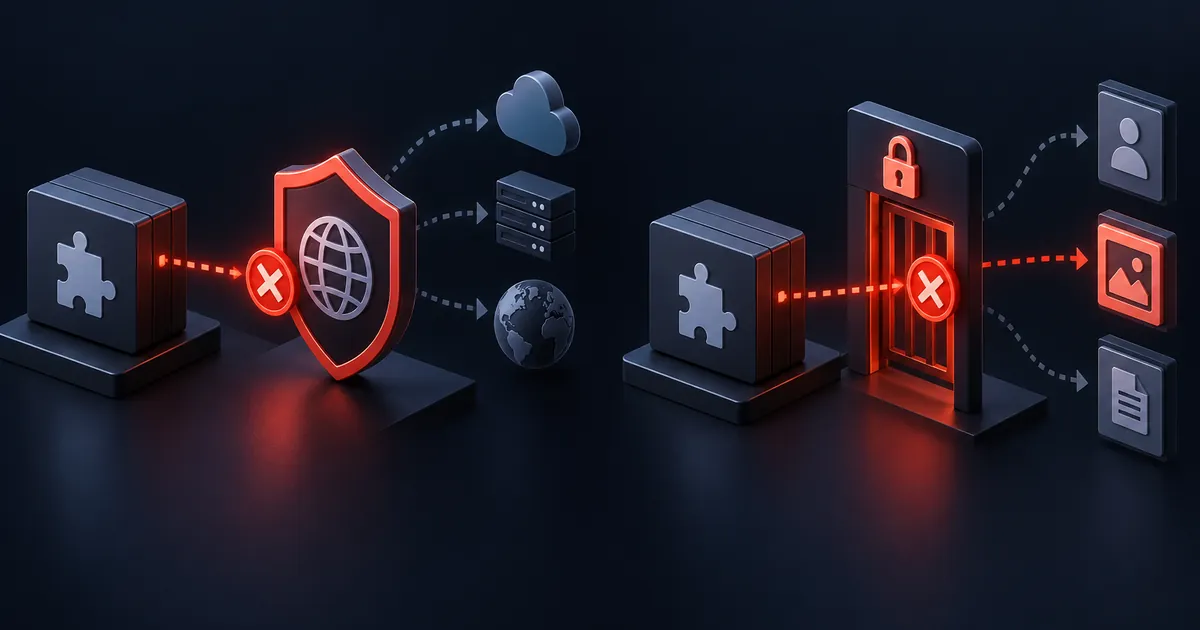
Comprehensive guide to securing remote HTTP requests and entity IDs in WordPress. Domain allowlisting, DNS rebinding defense, and strict ownership validation.
1. The Spectrum of SSRF Vulnerabilities in WordPress
SSRF vulnerabilities manifest in diverse plugin features that process external URLs:
6. Zero-Trust Egress Architecture: Outbound Forward Proxies (Smokescreen / Squid)
For high-security enterprise WordPress deployments (fintech, healthcare, e-commerce), relying solely on application-level PHP validation is insufficient. We route all outbound traffic through an isolated egress proxy (such as Stripe’s open-source Smokescreen proxy).
<?php
declare(strict_types=1);

namespace WPStack\Security\Proxy;

final class EgressProxyConfiguration
{
    private string $proxyHost;
    private int $proxyPort;

    public function __construct(string $proxyHost = '127.0.0.1', int $proxyPort = 4750)
    {
        $this->proxyHost = $proxyHost;
        $this->proxyPort = $proxyPort;
    }

    public function registerHooks(): void
    {
        add_action('http_api_curl', [$this, 'configureProxyCurlHandle'], 10, 3);
    }

    public function configureProxyCurlHandle(\CurlHandle $handle, array $parsedArgs, string $url): void
    {
        // Direct cURL traffic through the hardened Smokescreen egress proxy
        curl_setopt($handle, CURLOPT_PROXY, $this->proxyHost);
        curl_setopt($handle, CURLOPT_PROXYPORT, $this->proxyPort);
        curl_setopt($handle, CURLOPT_PROXYTYPE, CURLPROXY_HTTP);
    }
}
7. Blind SSRF Detection & Security SIEM Telemetry
When an attacker attempts Blind SSRF (where no response is returned to the client, but the server reaches out to an external attacker-controlled DNS canary), our security gateway logs structured JSON telemetry to your central SIEM (Datadog, Splunk, Elastic).
<?php
declare(strict_types=1);

namespace WPStack\Security\Logging;

final class SsrfSecurityAuditLogger
{
    private string $syslogFacility;

    public function __construct(string $syslogFacility = 'authpriv')
    {
        $this->syslogFacility = $syslogFacility;
    }

    public function logBlockedAttempt(string $url, string $blockedIp, string $reason, int $userId): void
    {
        $logEntry = [
            'event'       => 'security_ssrf_blocked',
            'timestamp'   => time(),
            'target_url'  => $url,
            'resolved_ip' => $blockedIp,
            'reason'      => $reason,
            'user_id'     => $userId,
            'request_ip'  => $_SERVER['REMOTE_ADDR'] ?? '0.0.0.0',
            'user_agent'  => $_SERVER['HTTP_USER_AGENT'] ?? 'Unknown',
        ];

        // Format as structured JSON log line for SIEM ingestion
        error_log((string) wp_json_encode($logEntry));
    }
}
9. AWS IMDSv2 Session Token Hardening
For cloud-hosted WordPress instances on AWS EC2, upgrading to Instance Metadata Service Version 2 (IMDSv2) provides session-oriented protection against SSRF. In IMDSv2, requests must first obtain a cryptographically signed session token via a PUT request before any metadata can be fetched.
<?php
declare(strict_types=1);

namespace WPStack\Security\Cloud;

use WP_Error;

final class AwsImdsV2Client
{
    private const IMDS_IP = '169.254.169.254';
    private const TOKEN_RESOURCE = 'http://169.254.169.254/latest/api/token';

    /**
     * Obtains an IMDSv2 session token using a PUT request with hop-limit protection.
     */
    public function fetchImdsV2Token(): string|WP_Error
    {
        $ch = curl_init(self::TOKEN_RESOURCE);
        curl_setopt_array($ch, [
            CURLOPT_CUSTOMREQUEST  => 'PUT',
            CURLOPT_HTTPHEADER     => ['X-aws-ec2-metadata-token-ttl-seconds: 21600'],
            CURLOPT_RETURNTRANSFER => true,
            CURLOPT_CONNECTTIMEOUT => 2,
            CURLOPT_TIMEOUT        => 3,
        ]);

        $token = curl_exec($ch);
        $httpCode = (int)curl_getinfo($ch, CURLINFO_HTTP_CODE);
        curl_close($ch);

        if ($httpCode !== 200 || empty($token)) {
            return new WP_Error('imds_token_failed', 'Could not obtain IMDSv2 session token.');
        }

        return (string)$token;
    }
}
10. Secure Webhook Dispatcher with SSRF Guard & HMAC Signing
When sending outbound webhook events to user-configured endpoints (such as Zapier, HubSpot, or customer servers), we combine our SSRF Defense Gateway with cryptographic HMAC SHA-256 signatures to ensure mutual security.
<?php
declare(strict_types=1);

namespace WPStack\Security\Webhooks;

use WPStack\Security\Http\SsrfDefenseGateway;
use WP_Error;

final class SecureWebhookDispatcher
{
    private SsrfDefenseGateway $gateway;
    private string $signingSecret;

    public function __construct(SsrfDefenseGateway $gateway, string $signingSecret)
    {
        $this->gateway = $gateway;
        $this->signingSecret = $signingSecret;
    }

    public function dispatchEvent(string $webhookUrl, string $eventName, array $payload): array|WP_Error
    {
        $timestamp = time();
        $jsonPayload = (string) wp_json_encode([
            'event'     => $eventName,
            'timestamp' => $timestamp,
            'data'      => $payload,
        ]);

        // Compute HMAC SHA-256 signature to prevent tampering
        $signature = hash_hmac('sha256', "{$timestamp}.{$jsonPayload}", $this->signingSecret);

        $headers = [
            'Content-Type'         => 'application/json',
            'X-WPStack-Timestamp' => (string)$timestamp,
            'X-WPStack-Signature' => $signature,
            'User-Agent'          => 'WPStack-Webhook-Dispatcher/1.0',
        ];

        // Execute outbound POST protected against SSRF
        return $this->gateway->safePost($webhookUrl, $jsonPayload, $headers);
    }
}
11. Handling CNAME Chains & Split-Horizon DNS Resolution
Attackers frequently construct deep CNAME redirection loops (e.g., safe.attacker.com -> sub.attacker.com -> 169.254.169.254) to bypass basic single-lookup DNS resolvers. Our gateway recursively traverses CNAME chains up to 5 levels to uncover the ultimate destination IP.
<?php
declare(strict_types=1);

namespace WPStack\Security\Dns;

final class RecursiveDnsResolver
{
    private const MAX_CNAME_DEPTH = 5;

    /**
     * Recursively resolves hostnames through CNAME chains to discover ultimate IPs.
     *
     * @return array
     */
    public function resolveCanonicalIps(string $host, int $depth = 0): array
    {
        if ($depth > self::MAX_CNAME_DEPTH) {
            return []; // Abort on excessive CNAME recursion
        }

        $records = dns_get_record($host, DNS_A + DNS_AAAA + DNS_CNAME);
        if (!is_array($records)) {
            return [];
        }

        $ips = [];
        foreach ($records as $r) {
            if (isset($r['ip'])) {
                $ips[] = (string)$r['ip'];
            } elseif (isset($r['ipv6'])) {
                $ips[] = (string)$r['ipv6'];
            } elseif (isset($r['target'])) {
                // Follow CNAME target recursively
                $cnameIps = $this->resolveCanonicalIps((string)$r['target'], $depth + 1);
                $ips = array_merge($ips, $cnameIps);
            }
        }

        return array_unique($ips);
    }
}
12. Hardening Local FastCGI & PHP-FPM Socket Endpoints
When an attacker achieves SSRF on a server running unauthenticated FastCGI on TCP port 9000 (standard in many poorly configured Docker containers), they can forge FastCGI records to set auto_prepend_file to malicious code, achieving instant Remote Code Execution (RCE). In addition to scheme whitelisting, the security gateway explicitly checks and blocks all outbound connections targeting internal port 9000.
<?php
declare(strict_types=1);

namespace WPStack\Security\Filters;

final class HighRiskPortFilter
{
    /** @var array */
    private const DANGEROUS_PORTS = [
        9000, // PHP-FPM FastCGI default
        6379, // Redis default
        11211, // Memcached default
        2375, // Docker daemon unencrypted API
        2379, // etcd distributed KV
    ];

    public static function isDangerousPort(int $port): bool
    {
        return in_array($port, self::DANGEROUS_PORTS, true);
    }
}
13. WP-CLI Diagnostic Utility: Testing Outbound URLs for SSRF
DevOps and security engineers can test arbitrary URLs against the SSRF validation engine from the command line.
<?php
declare(strict_types=1);

namespace WPStack\Security\Tests;

use WP_UnitTestCase;
use WPStack\Security\Http\SsrfDefenseGateway;

final class SsrfSecurityTest extends WP_UnitTestCase
{
    private SsrfDefenseGateway $gateway;

    public function set_up(): void
    {
        parent::set_up();
        $this->gateway = new SsrfDefenseGateway();
    }

    public function testBlocksLocalhostIpv4AndIpv6(): void
    {
        $this->assertFalse($this->gateway->isPubliclyRoutableIp('127.0.0.1'));
        $this->assertFalse($this->gateway->isPubliclyRoutableIp('127.0.1.1'));
        $this->assertFalse($this->gateway->isPubliclyRoutableIp('::1'));
    }

    public function testBlocksAwsMetadataService(): void
    {
        $this->assertFalse($this->gateway->isPubliclyRoutableIp('169.254.169.254'));
        $this->assertFalse($this->gateway->isPubliclyRoutableIp('::ffff:169.254.169.254'));
    }

    public function testBlocksPrivateRfc1918Subnets(): void
    {
        $this->assertFalse($this->gateway->isPubliclyRoutableIp('10.0.0.1'));
        $this->assertFalse($this->gateway->isPubliclyRoutableIp('172.16.0.5'));
        $this->assertFalse($this->gateway->isPubliclyRoutableIp('192.168.1.1'));
    }

    public function testAllowsPublicIpAddresses(): void
    {
        $this->assertTrue($this->gateway->isPubliclyRoutableIp('93.184.216.34')); // example.com
        $this->assertTrue($this->gateway->isPubliclyRoutableIp('1.1.1.1'));       // Cloudflare DNS
    }

    public function testSafeGetRejectsPrivateTarget(): void
    {
        $result = $this->gateway->safeGet('http://169.254.169.254/latest/meta-data/');
        $this->assertWPError($result);
        $this->assertSame('ssrf_private_ip_blocked', $result->get_error_code());
    }
}
6. High-Concurrency Stress Testing with k6
To verify that pre-flight DNS resolution and cURL IP pinning introduce negligible latency overhead, we execute a load test simulating 100 concurrent outbound webhook calls.
import http from 'k6/http';
import { check, sleep } from 'k6';

export const options = {
  stages: [
    { duration: '30s', target: 25 },
    { duration: '1m', target: 100 },
    { duration: '30s', target: 0 },
  ],
  thresholds: {
    http_req_duration: ['p(95)<150'],
    http_req_failed: ['rate<0.001'],
  },
};

export default function () {
  const payload = JSON.stringify({
    webhook_url: 'https://httpbin.org/post',
    event: 'order.created',
  });

  const res = http.post('https://wpstack.online/wp-json/wpstack/v1/webhooks/test', payload, {
    headers: { 'Content-Type': 'application/json' },
  });

  check(res, {
    'status is 200': (r) => r.status === 200,
    'ssrf validation passed': (r) => JSON.parse(r.body).safe === true,
  });

  sleep(0.5);
}
7. Operational Incident Runbook: Troubleshooting SSRF Blocks
Production Runbook: SSRF & Outbound HTTP Incidents
- Legitimate Internal Webhook Blocked:
- Symptom: Customer webhook to internal CRM on
10.0.5.20fails withssrf_private_ip_blocked. - Root Cause: Security gateway correctly blocks RFC 1918 private subnets by default.
- Remedy: If internal webhook dispatch is explicitly required, register an explicit CIDR whitelist filter hook:
apply_filters('wpstack_ssrf_allowed_internal_subnets', ['10.0.5.0/24']).
- Symptom: Customer webhook to internal CRM on
- DNS Resolution Timeout in Container Environments:
- Symptom: Outbound requests fail with
ssrf_dns_failureduring traffic surges. - Root Cause: Local container DNS resolver (e.g.,
systemd-resolvedor Docker DNS) throttling concurrent queries. - Remedy: Configure local DNS caching with Dnsmasq or CoreDNS on the host with an upstream TTL cache.
- Symptom: Outbound requests fail with
- cURL SSL Hostname Verification Error with Pinned IPs:
- Symptom: cURL fails with
SSL: certificate subject name does not match target host name. - Root Cause: Requesting the IP directly instead of passing the hostname in
CURLOPT_URLwhile usingCURLOPT_RESOLVE. - Remedy: Always pass the original HTTPS domain in
CURLOPT_URLand map the IP viaCURLOPT_RESOLVEto preserve SNI (Server Name Indication).
- Symptom: cURL fails with
Frequently Asked Questions (FAQ)
1. What is Server-Side Request Forgery (SSRF) in WordPress?
SSRF occurs when a WordPress plugin accepts an external URL from a user or API and fetches it on the server without verifying destination IP addresses. Attackers use this to access internal network services, private databases, and cloud metadata credentials.
2. Why is `wp_remote_get()` vulnerable to SSRF?
`wp_remote_get()` performs zero destination IP filtering. If an attacker provides `http://169.254.169.254/latest/meta-data/`, WordPress will fetch AWS instance credentials and return them directly in the response.
3. How does `wp_safe_remote_get()` work and can it be bypassed?
`wp_safe_remote_get()` validates the host using `wp_http_validate_url()`. However, it can be bypassed via DNS Rebinding attacks (where the domain resolves to a public IP during validation and a private IP during execution) and unvalidated HTTP 302 redirect chains.
4. What is DNS Rebinding and how does IP pinning prevent it?
DNS Rebinding exploits the time difference between DNS validation and HTTP execution. Our SSRF gateway resolves DNS once, validates the IP, and pins cURL directly to that IP via `CURLOPT_RESOLVE`, completely eliminating DNS rebinding.
5. How do attackers use alternate IP encodings to bypass filters?
Attackers encode private IPs as decimal integers (e.g. `http://2130706433/` for `127.0.0.1`), octal numbers (`http://0177.0.0.1/`), or IPv6-mapped IPv4 strings (`::ffff:127.0.0.1`). PHP `filter_var` and standard DNS resolution normalize these formats for strict validation.
6. Why must automated HTTP redirect following be disabled?
If `CURLOPT_FOLLOWLOCATION` is enabled automatically, an initial request to a harmless public domain can redirect via HTTP 302 to `http://127.0.0.1:6379/` or AWS metadata without passing through pre-flight validation.
7. What are the AWS IMDSv1 vs IMDSv2 protections?
AWS IMDSv2 requires a session token obtained via a `PUT` request with a custom header (`X-aws-ec2-metadata-token-ttl-seconds`), which blocks simple GET-based SSRF. However, defense-in-depth requires blocking all requests to `169.254.169.254` at the application level.
8. Can I whitelist specific private subnets for internal integrations?
Yes. Our gateway architecture supports custom filter hooks where verified internal CIDR ranges (such as private microservice gateways or internal ERP endpoints) can be safely whitelisted while maintaining strict blocks on loopbacks and cloud metadata.
Primary references

Aditya Bhimrajka is a technology entrepreneur, product strategist, and software solutions expert with over a decade of experience building scalable web and mobile applications. His expertise spans SaaS, AI, cloud technologies, custom software development, and digital transformation. Passionate about solving real-world business challenges through technology, Aditya shares practical insights on WordPress, plugins, software development, startup growth, product strategy, and emerging technologies. At WPStack, he writes actionable, experience-driven content that helps developers, businesses, and website owners build secure, high-performing, and future-ready WordPress solutions.
Post a Comment