
A WordPress Dashboard Standard for Agencies Managing Client Sites
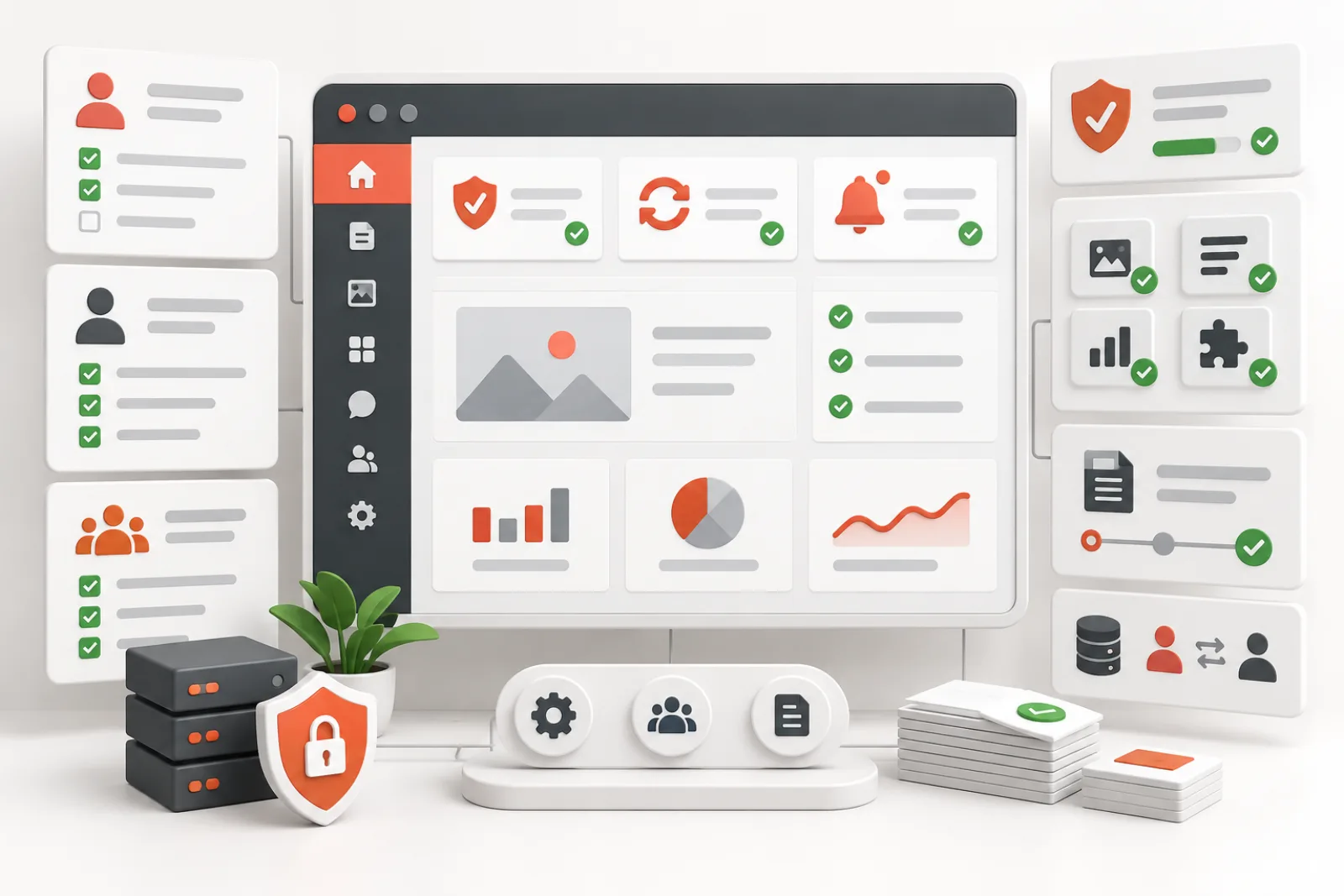
An agency WordPress dashboard standard should reduce client confusion without hiding the evidence needed to operate the site safely. Define what each role must see, who owns each alert, which promotional surfaces may be removed, how exceptions are approved, and how every change is tested after plugin updates.
Start from jobs, not aesthetics
A client editor needs to publish content, manage approved forms or products, and understand actionable errors. A site administrator needs update, backup, security, integration and capacity signals. An agency operator needs cross-site maintenance evidence and escalation paths. “Clean” means the right information reaches the right owner—not an empty dashboard.
| Surface | Client editor | Site administrator | Agency operator |
|---|---|---|---|
| Security/data-loss alert | Simple escalation if action is required | Full actionable detail | Tracked across portfolio |
| Backup failure | Usually routed | Visible with recovery owner | Central monitoring and SLA |
| Plugin update | Hidden unless client maintains | Visible under policy | Staged and scheduled |
| Rating/upgrade promotion | Suppress | Suppress or route | Review only when commercially relevant |
| Content workflow | Visible and simplified | Visible | As needed |
| Developer diagnostics | Hide | Restricted | Available on demand |
Inventory every admin surface
Review more than the top-of-screen notices. Include dashboard widgets, admin menus/submenus, toolbar nodes, plugin-row links, update-page promotions, edit-screen meta boxes, footer branding, welcome panels and late popups. Capture screenshots by role on a staging copy and list the owning plugin, business purpose and consequence of removal.
Create a four-way decision
- Keep: the role must act and the message is clear.
- Route: the message matters, but another team owns it.
- Suppress: it is promotional or irrelevant for that role.
- Replace: the raw message is necessary but confusing; provide a safer workflow or agency help panel.
Do not classify by color or CSS class. A yellow notice may be a critical payment configuration issue; a red banner can be a sales tactic. Use source, consequence and ownership.
Use capabilities before presentation hacks
Give users the minimum WordPress role and capabilities required for their work. Hiding a menu does not remove the underlying permission, and showing a menu does not grant authorization. Use supported role/capability controls for access, then simplify presentation. Test direct URLs and REST/AJAX actions, not just the sidebar.
Define the minimum operational signal set
- failed or stale backups;
- security incidents and known vulnerable components;
- failed scheduled jobs or integrations;
- commerce/payment and email-delivery failures;
- database migrations or maintenance modes;
- license/update issues only when they affect security or operation;
- storage, quota or service expiration risks.
Every retained signal needs an owner, response time and link to a safe runbook. A dashboard full of alerts nobody owns is not governance.
Separate client help from vendor promotions
A small agency help widget can explain support contacts, publishing rules and emergency escalation. It should not become another advertisement. Keep it role-specific, concise, accessible and maintained. Use the Dashboard Widgets API and a stable widget ID so the component can be tested or removed cleanly.
Standardize exceptions
Some clients manage their own updates; others must not. Some ecommerce managers need order-system warnings that content editors do not. Store exceptions as policy data: site, role, surface, decision, reason, approver, start date and review date. Avoid one-off CSS pasted into themes because it is invisible to operations and likely to break.
Roll out safely across a portfolio
- Build the baseline in staging with notice fixtures.
- Pilot on low-risk internal sites.
- Verify each client role and direct URL permissions.
- Deploy in small groups with rollback.
- Capture before/after screenshots and critical-alert tests.
- Monitor support tickets and missed operational events.
- Re-audit after WordPress, theme or major plugin updates.
Measure whether the standard works
Track time for clients to find routine actions, promotional surfaces removed, critical alerts successfully routed, false suppressions, support tickets caused by navigation and policy drift after updates. Do not use “number of hidden notices” as the primary metric. A clean dashboard that conceals a failed backup is a failed standard.
Worked example
An agency manages 60 sites. Client editors see eight upgrade banners and three dashboard widgets but miss a form-delivery failure. The agency maps each surface, routes email and backup failures to operations, retains a concise escalation notice for clients, suppresses rating/cross-sell promotions, and hides developer tools through capabilities. Quarterly fixtures confirm that security and payment failures still appear. Support requests drop without sacrificing incident visibility.
Define dashboard users and jobs
List client editors, shop managers, support staff, site administrators and network operators. For each role, document daily jobs, urgent incidents and escalation path. A store manager needs order and payment visibility; a content editor needs publishing status; an agency operator needs backups, updates and security.
Do not design one minimal screen for everyone. Use capabilities and responsibility to shape the standard.
Create a notice severity taxonomy
Classify data-loss, security, payment, backup, compatibility and migration failures as mandatory operational signals. Route routine maintenance and license renewals to owners. Treat rating prompts, discounts and cross-sells as promotions. Onboarding needs review because it may be essential for a new site and noise later.
Document examples and uncertain-state handling. When classification is unclear, retain for administrators.
Standardize menu architecture
Keep the routes each role needs to complete work and support requests. Remove duplicate upgrade submenus and irrelevant vendor pages, but preserve direct access for authorized operators. Test current-menu highlighting, deep links and keyboard navigation.
Use stable slugs and capabilities rather than CSS that only hides visual rows. A hidden link must not remain focusable or accessible to an unauthorized role.
Govern dashboard widgets
Inventory widget ID, owner, data source, audience and cost. Retain site health, drafts, commerce, backup or support widgets only where actionable. Remove promotional and duplicate summaries. A widget that runs expensive remote queries for every client login needs a performance and privacy review.
Test Screen Options, responsive layout and newly created users whose saved layout is empty.
Define the minimum operational signal set
Every managed site should expose current backup health, security incidents, failed jobs, update risk, storage or capacity warnings and business-specific failures to the accountable operator. Clients need a clear agency support route and status for tasks they own.
A clean dashboard that suppresses a failed backup or checkout error is worse than a noisy one. Build fixtures and confirm each signal renders.
Separate branding from navigation
Agency branding can clarify ownership, but it should not disguise WordPress or plugin responsibilities during support. Keep product names where they identify the system producing an error. Avoid replacing every footer and icon if it makes documentation or troubleshooting harder.
Check contrast, text alternatives, focus states and mobile admin layout. Branding must not reduce accessibility.
Create a role capability matrix
Map actions—publish, install, update, manage users, view orders, restore backups and change security—to capabilities and owners. Presentation follows that boundary. Removing a menu does not revoke an endpoint, and granting Administrator to solve a missing page creates excessive access.
Test direct URLs, REST/AJAX actions and nonces with each role. Least privilege is part of dashboard quality.
Control plugin-page promotions
Promotions can appear as notices, cards, tabs, footer links, toolbar nodes or upgrade screens inside a plugin application. Classify by source and purpose. Prefer vendor opt-outs or stable component controls, and keep update, license and support functions accessible to administrators.
Review after plugin releases because callbacks and markup change.
Handle JavaScript-injected surfaces
Some banners arrive after initial HTML through a remote campaign or bundled script. Capture the DOM mutation and initiator. Stop the known promotional source on irrelevant screens when safe, or remove the exact node with a narrow observer.
Do not scan every mutation with a broad keyword filter. Preserve dynamic errors and accessible live regions.
Version the dashboard policy
Store standard version, settings, role mappings, approved exceptions and test results. A site should report which version it follows and why it differs. This makes fleet drift visible and supports rollback after a bad rule.
Changes require a reason, owner and rollout cohort. Do not push an untested global setting across every client site.
Use an exception register
Record site, plugin, surface, reason, target roles, approving owner and review date. A membership site may keep a vendor widget because support relies on it; a commerce site may expose a license renewal only to the agency. Exceptions should be explicit, not silent configuration drift.
Retire exceptions when the workflow or plugin changes.
Roll out through representative cohorts
Start with staging, then a low-risk internal site, a brochure site, commerce, membership and multisite samples. Test normal login, first login, editing, updates, failed backups, payment errors and support links. Observe at least one plugin update cycle before broad deployment.
Keep automatic rollback or a documented emergency bypass for administrators.
Build fleet verification
Collect standard version, expected settings, missing critical fixtures, unknown promotions and last test date without copying private notice contents. Flag drift and failed checks. A site that cannot be reached should remain unknown, not compliant.
Route findings to owners and avoid a daily report that nobody acts on.
Design client onboarding
Explain what the client can do, what the agency manages, where critical warnings appear and how to request help. Provide a concise dashboard module or help tab rather than leaving vendor onboarding banners. Test with a newly created account.
When responsibilities change, update role, navigation and documentation together.
Prepare for plugin and WordPress updates
Run the regression matrix after major releases. Check new menus, widgets, notices, REST applications and JavaScript mutations. Confirm retained operational messages still appear and suppression rules still target only promotions.
Remove obsolete hooks promptly; stale code can collide with future components.
Measure outcomes
Track client task completion, support requests caused by navigation, promotions removed, critical alerts preserved, unknown surfaces, admin load time and policy drift. Do not use menu count as the success metric. A slightly larger dashboard can be better when every item has an owner and purpose.
Review qualitative client feedback alongside technical checks.
Definition of done
Roles and jobs map to capabilities, critical signals have passing fixtures, promotional surfaces follow documented policy, navigation is keyboard-accessible and direct endpoints remain secure. The site reports a standard version, exceptions have owners, and update, backup, payment, edit and support journeys pass. Rollback and fleet revalidation are repeatable.
Audit direct access, not only visible menus
For every removed menu, request the underlying URL and action as each role. WordPress capability checks must deny unauthorized work independently of presentation. If a client still needs a workflow through a custom support link, keep the capability narrow and route intentional.
Test REST and AJAX endpoints because modern plugin pages can bypass traditional admin menus entirely.
Preserve publishing safety
Editors need revision, autosave, post-lock, scheduled-post and moderation signals. A dashboard policy should not hide failed publication, expired sessions or workflow queues. Test draft, scheduled, pending review, published and failed-update states with realistic roles.
Route editorial exceptions to the agency without forcing clients to inspect infrastructure notices.
Preserve commerce operations
Store dashboards require payment failures, order backlog, tax or shipping configuration and scheduled-job health. Distinguish these from product upgrade campaigns. Test checkout failure and webhook delay fixtures so suppression cannot conceal lost revenue.
Limit access to customer data while ensuring the accountable store role can act.
Preserve backup and security operations
Verify failed backup, stale backup, malware, account lockout, vulnerable plugin and certificate or integrity warnings. Some are delivered outside standard hooks or through remote applications. Keep an administrator emergency view that bypasses promotional suppression safely.
Document escalation and response ownership beside the dashboard standard.
Design support and help surfaces
Provide one clear support route, site owner, maintenance scope and emergency contact. Remove competing vendor sales links only when authorized operators retain documentation and product support access. Help text should be concise and specific to client responsibilities.
Test links, permissions and keyboard order with a new client account.
Manage multisite differences
Network operators, site administrators and editors have different menus and warnings. Store network policy centrally where appropriate, but allow documented per-site business exceptions. Test network activation, site activation and mapped-domain contexts.
A subsite standard must not hide network update or cleanup failures from super administrators.
Control configuration drift
Compare expected switches, roles and exception hashes regularly. Treat unreachable sites and unknown plugin versions as unverified. Do not overwrite local exceptions automatically without an approved migration path.
Report drift by consequence and owner rather than sending raw option dumps.
Build a rollback procedure
Retain prior settings and rule versions, plus an administrator-only emergency bypass. Roll back the cohort when critical fixtures disappear, navigation breaks or admin latency regresses. Verify restoration with a fresh user session.
Do not rely on browser cache to restore removed components; reverse the source policy and clear only affected caches.
Review performance and privacy
Measure admin page time, remote campaign requests, script bytes and widget query cost before and after. Avoid logging notice bodies, customer details or licenses in fleet telemetry. A cleaner dashboard can also be faster, but claim only measured savings.
Apply data retention and access controls to audit reports.
Use an acceptance matrix
| Journey | Client expectation | Operator expectation |
|---|---|---|
| Login | Clear tasks and support | Security events visible |
| Publish | Autosave and status | Failures actionable |
| Commerce | Permitted order work | Payment/webhook health |
| Updates | No sales clutter | Risk and rollback visible |
Audit the first-login experience
Create a new account for each client role and record every notice, tour, modal, widget and menu. Long-lived administrators often have dismissed state that hides the real onboarding experience. Preserve necessary consent, password and profile steps while consolidating competing product tours into agency guidance.
Repeat after clearing only the test user’s state, and confirm no global setting changed another role.
Design for incident mode
During outages, operators may need normally hidden diagnostics and vendor details. Provide a controlled administrator view or emergency bypass that restores all surfaces without granting clients new capability. Log its use and automatically return to standard policy after the incident.
Test the bypass before it is needed; a hidden switch inside a broken plugin page is not a recovery plan.
Coordinate dashboards with maintenance contracts
The visible experience should match what the agency actually manages. If the agency owns updates and backups, route those warnings to its operators and tell clients how status is handled. If the client owns commerce configuration, retain actionable payment and shipping signals.
Review the matrix when contracts, staffing or site ownership change.
Keep accessibility as a release gate
Navigate the dashboard with keyboard, screen reader and zoom. Confirm headings remain ordered, skipped widgets do not leave empty regions, menu focus is predictable and dynamic status messages announce correctly. Color and icons cannot be the only severity signal.
Include accessibility in the cohort rollout rather than treating it as a later cosmetic review.
Document the standard for handoff
Give the next operator the policy version, role matrix, critical-signal fixtures, exceptions, support route, rollback and last verified plugin versions. Avoid undocumented theme snippets and per-user manual dismissals. A standard is only useful when another maintainer can reproduce it.
During site transfer, decide which agency branding and controls should be removed or reassigned.
Review the standard on a cadence
Run light drift checks monthly or after major plugin changes and a deeper role/journey audit quarterly or during contract review. Use incidents and client questions to update examples. Expire temporary exceptions and confirm native vendor controls have not replaced local rules.
Close each review with owners and dates, not a general promise to clean the dashboard later.
Close the rollout with client evidence
Ask representative clients to complete their publishing, commerce or support tasks without coaching, then capture missing routes and confusing labels. Verify operators can still diagnose updates, backups and security from their own role. Update the standard from observed work rather than aesthetic preference.
Record acceptance by site cohort, policy version and date. Remaining exceptions need owners and review triggers. This makes the dashboard a maintained operating interface instead of a one-time cleanup that drifts after the next plugin release.
Recheck the same journeys carefully after cache expiry and with a newly created user. Saved per-user layout and dismissal state can make an established administrator’s dashboard look compliant while every new client receives the old clutter.
Also test the standard during a real maintenance window on a low-risk site. Confirm the agency can find update progress, a failed task, backup status and rollback guidance without restoring every vendor surface. Record the final screen, role and response owner in the acceptance evidence.
Include a site-health review from the client role and the operator role. Clients should receive understandable consequences and a support route; operators should see diagnostic detail, timestamps and the system that owns remediation. Avoid duplicating the same warning across dashboard, toolbar and plugin screens unless each placement supports a different urgent action.
After acceptance, take a protected configuration snapshot and document how to rebuild the policy on a replacement site. This ensures a hosting migration or administrator reset does not silently restore promotional clutter or remove essential alert routing.
How MeNoAds helps
MeNoAds separates multiple promotional surfaces into individual blockers: notices, dashboard widgets, footer text, meta boxes, menu items, toolbar nodes, plugin-page banners, update-page promotions and JavaScript-injected notices. This makes it usable as one implementation layer within an agency standard instead of one global “hide everything” switch.
It does not replace governance or permissions. Known IDs and promotional patterns can drift, and the plugin cannot decide which alert your contract assigns to whom. Maintain role policies, exception records, operational monitoring and regression tests around the current release.
Agency acceptance checklist
- Every role has a documented job and minimum capabilities.
- All major admin surfaces are inventoried.
- Security, backup, payment and integration failures have owners.
- Promotions are suppressed by narrow source-aware rules.
- Direct URL and API permissions were tested.
- Exceptions have approvers and expiry/review dates.
- Critical notice fixtures pass after updates.
- Deployment and rollback are documented across the portfolio.
Related WPStack guides
Frequently asked questions
Should clients see plugin update notices?
Only if they own update decisions. Otherwise route updates to the agency while keeping client-facing consequences visible when action is required.
Is hiding a menu a security control?
No. Enforce capabilities and authorization. Menu hiding is presentation.
Should every site use exactly the same dashboard?
Use a common baseline with documented role and business exceptions. Commerce and membership sites need different operational signals.
How often should the standard be reviewed?
After major plugin/platform changes and on a regular portfolio schedule, such as quarterly, using critical-alert fixtures.
What is the best success metric?
Reliable task completion and alert routing with fewer distractions—not the largest number of hidden elements.
References
- WordPress roles and capabilities
- WordPress Dashboard Widgets API
- WordPress wp_dashboard_setup hook
- WordPress admin_bar_menu hook

Aditya Bhimrajka is a technology entrepreneur, product strategist, and software solutions expert with over a decade of experience building scalable web and mobile applications. His expertise spans SaaS, AI, cloud technologies, custom software development, and digital transformation. Passionate about solving real-world business challenges through technology, Aditya shares practical insights on WordPress, plugins, software development, startup growth, product strategy, and emerging technologies. At WPStack, he writes actionable, experience-driven content that helps developers, businesses, and website owners build secure, high-performing, and future-ready WordPress solutions.