
WordPress 6.6+ Autoload Values Explained: on, off, auto-on and auto-off
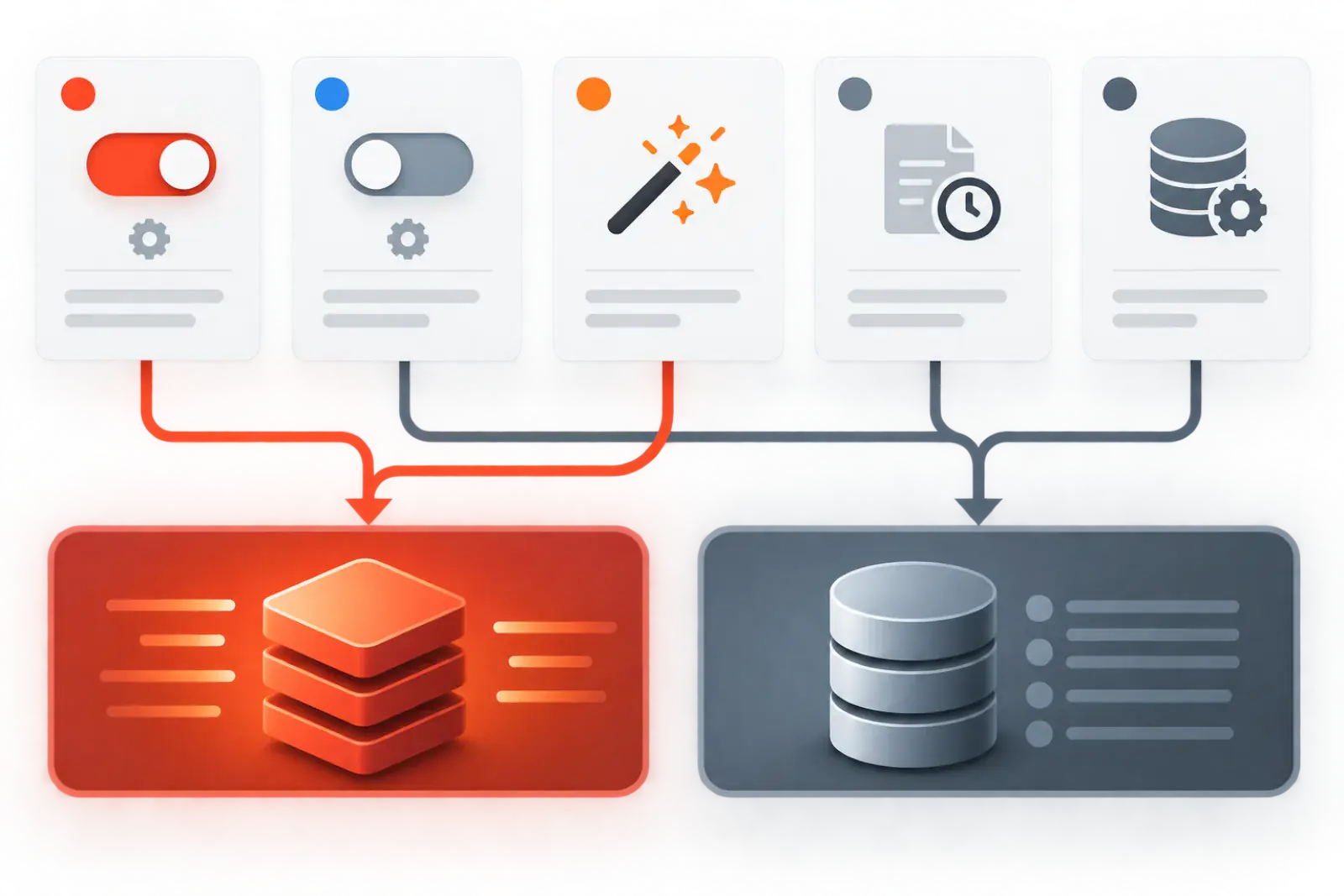
WordPress 6.6 expanded the database values used to describe option autoload behavior. The old yes and no values still work, but new or updated rows may contain on, off, auto, auto-on or auto-off. SQL that checks only autoload = 'yes' can therefore undercount the data WordPress actually loads.
The five current states
| Database value | Meaning | Current behavior |
|---|---|---|
on | Caller explicitly passed true | Must autoload |
off | Caller explicitly passed false | Must not autoload |
auto | No explicit preference | WordPress applies its default policy |
auto-on | Dynamic policy chose true | Should autoload |
auto-off | Dynamic policy chose false | Should not autoload |
Legacy yes behaves like on, and no behaves like off. WordPress did not rewrite every historical row during upgrade, so mixed values are normal.
Why the change exists
The default $autoload argument for add_option() and update_option() changed to null. This lets core distinguish an explicit decision from a caller that leaves the decision to WordPress. Under the WordPress 6.6 policy, a newly written value larger than 150,000 bytes is not autoloaded automatically unless the caller explicitly requires it.
The policy is extensible. Developers should use the public Options API rather than treating the database strings as a permanent contract.
Audit with WordPress’s own value list
Core provides wp_autoload_values_to_autoload() to return the values currently considered autoloaded. Tools and custom maintenance code should use that function when running inside WordPress. If an external report must use SQL, obtain the active value list from the matching WordPress version rather than hard-coding yes.
How older queries fail
Consider a site with 300 KB under yes, 400 KB under on, 250 KB under auto and 500 KB under auto-off. A legacy query counting only yes reports 300 KB. WordPress may actually autoload 950 KB: yes, on and auto. Counting every non-no row would be wrong in the other direction because it includes auto-off.
Guidance for plugin developers
- Pass
trueonly for small settings required on most requests. - Pass
falsefor large, rare or admin-only values. - Use
nullwhen WordPress should choose. - Do not write raw database strings directly.
- On deactivation, consider turning off autoload for settings that are preserved for reactivation.
- On activation, restore intentional autoload behavior.
- Test on sites containing both legacy and new states.
Guidance for site owners
Do not normalize every row to yes or no. You would erase the distinction between explicit and automatic decisions and may fight future core policy. Update WordPress, use a current audit tool, snapshot changes and focus on oversized values whose ownership and runtime need are understood.
API behavior versus stored representation
Plugin code should express intent with booleans or null; core chooses the stored representation. That separation matters because the database column is an implementation detail that evolved in 6.6. A migration that writes auto-on directly may look correct today but bypasses validation, option-cache handling and future policy.
When updating an existing option’s autoload behavior, use wp_set_option_autoload() or the batch functions introduced in WordPress 6.4. When adding or changing a value through the Options API, pass an intentional autoload argument. Test both creation and update paths; they may encounter legacy rows.
Correct reporting logic
A reliable report shows three separate numbers: values core currently treats as autoloaded, values explicitly off, and values delegated to automatic policy. It should also show total serialized bytes and the WordPress version used to interpret the states. This makes reports comparable without pretending every state has identical intent.
If a remote monitoring system cannot bootstrap WordPress, export the active value list from the application and version it with the report. Never assume a future WordPress release will preserve the 6.6 treatment of auto.
Compatibility test cases
- A legacy
yesrow remains counted. - A legacy
norow remains excluded. - Explicit true stores and loads as required.
- Explicit false stays available on demand.
- A large null-autoload value follows current dynamic policy.
- Changing state invalidates the all-options cache correctly.
- Reports agree with
wp_autoload_values_to_autoload().
Distinguish caller intent from core policy
An explicit true says the caller requires the value on the autoload path. An explicit false says it should be fetched on demand. null delegates the choice to WordPress. The stored value records the result and, for automatic states, the origin of that decision.
This distinction is useful during debugging. An oversized on value points to a deliberate caller choice that the plugin owner should justify. An oversized auto or auto-off value points to dynamic policy and the conditions under which it was last written. Neither state proves whether the business needs the data.
| Caller argument | Intent | Review question |
|---|---|---|
true | Always load | Is the value small, stable and required on most requests? |
false | Fetch on demand | Does the owning route handle the lookup efficiently? |
null | Let core decide | Does current policy suit this value and version? |
Understand when automatic decisions are made
Dynamic policy is evaluated when a value is added or updated through the Options API under applicable conditions. Upgrading WordPress does not necessarily revisit every historical row. A row can therefore retain a legacy or prior automatic state until a later write.
Do not expect merely shrinking a value in the database to recalculate autoload behavior. Use supported APIs and verify stored state after the owning write. Test creation, update with changed data, update with unchanged data and deactivation or activation lifecycle.
Build version-aware audit code
Inside WordPress, call wp_autoload_values_to_autoload() and use its returned list in the query. Record the WordPress version and list alongside totals. For older versions where the function is unavailable, use a compatibility branch matching that version’s documented behavior rather than calling a missing function.
External database tools should not invent semantics from column values. Ask the application to export the active list, or clearly label the report as storage-only. A mixed-version fleet needs one result per site’s core version; a central hard-coded query can undercount one generation and overcount another.
Report intent and behavior separately
Show explicit-on bytes, automatic-on bytes, explicit-off bytes, automatic-off bytes and legacy states. Then show the combined set core currently autoloads. This allows maintainers to see both request cost and how the state was chosen.
Add largest rows, cumulative distribution and ownership. A total of 900 KB spread across legitimate small settings differs from one 700 KB automatic report. Site Health is an investigation signal; ownership and runtime use determine remediation.
Use public functions for state changes
For existing options, use the single or batch autoload functions supported by the installed WordPress version. For new and updated values, pass an explicit boolean when the plugin knows the correct behavior, or null when it intentionally delegates. Validate return values and cache invalidation.
Avoid SQL updates to the column. The all-options cache can retain old data, direct strings may become invalid in a future version, and application hooks or ownership logic are bypassed. Database access remains useful for read-only evidence and emergency recovery under a tested runbook.
Developer example: a large admin-only report
A plugin stores a 400 KB serialized diagnostics report displayed only on its settings page. Passing true forces every request to carry it. Passing null may allow current dynamic policy to keep a large newly written value off, but the clearest design is explicit false because the owner knows the route is rare.
The report screen can call get_option() on demand and cache its derived presentation separately. Better still, the plugin may move volatile diagnostic history out of the Options API. Autoload flags cannot repair a data model that rewrites a growing report on every request.
Developer example: small shared configuration
A 2 KB feature configuration is read on every public request and changes only during deployment. Explicit true may be reasonable. Disabling it could replace one grouped load with repeated individual lookups. Measure the full request and object-cache behavior before changing a correct explicit choice.
Document the reason in code and tests. Future maintainers then know the value is intentionally on, not a legacy accident.
Handle plugin activation and deactivation
Plugins often retain configuration during deactivation so reactivation works. If the inactive plugin’s settings are no longer needed on every request, the developer can use the autoload functions to turn them off without deleting data. Activation can restore the explicit state needed by active routes.
Test both transitions with legacy rows. Do not assume an option created years ago will already use on or off. Uninstall is a separate, potentially destructive decision and should follow documented user intent.
Plan cache and concurrency tests
Changing autoload state invalidates or rebuilds shared option caches. Test with and without a persistent object cache, cold and warm states, and concurrent requests. Confirm that one worker does not serve stale data after another changes the state.
Monitor object-cache errors, database queries, PHP memory and response timing. A correct stored state is necessary, but the operational result must also be stable under the site’s cache topology.
Worked migration from a legacy report
An audit tool counts only yes and reports 280 KB. The current WordPress list includes yes, on, auto-on and auto, bringing the total to 1.1 MB. The tool is updated to obtain the active list from core and segment stored states.
The team does not normalize the database. It identifies a 600 KB admin-only value under auto, confirms its owner, changes it through the public API after staging tests and records the original state. The report now matches runtime behavior without erasing historical intent.
Test across a mixed WordPress fleet
Managed hosts and agencies may run several supported core versions during rollout. Build fixtures containing legacy yes/no and new states, then execute the application’s own policy on each version. Do not write a fixture state that the target version does not understand unless the test explicitly covers downgrade behavior.
Before a core downgrade or database copy to an older environment, review whether newer stored values remain compatible. Use a tested migration path and full backup rather than assuming the column is interchangeable. Record the source and destination versions with the data.
Operational checklist for site owners
- Record WordPress version and current autoload value list.
- Measure total and largest serialized bytes using that list.
- Group stored states by explicit, automatic and legacy intent.
- Identify owners and runtime use for large candidates.
- Snapshot exact values and states before changes.
- Use supported APIs on staging and clear relevant caches.
- Test public, admin, REST, cron, login and revenue routes.
- Deploy a small batch, monitor and retain exact rollback data.
Repeat after major WordPress and plugin upgrades. The goal is not uniform column values; it is a small, intentional and explainable request-wide payload.
Troubleshoot why a state changed unexpectedly
First identify the last write path. A plugin update, settings save, scheduled refresh or activation hook may call update_option() with a different autoload argument. Add narrowly scoped instrumentation in staging around the option and capture the caller, argument, old state and new state without logging the value.
Check whether the value itself changed size enough to trigger automatic policy, whether the plugin started passing an explicit boolean, and whether a direct database tool modified the column. Purge the relevant object cache and re-read through WordPress before concluding the state is stale.
If the plugin repeatedly overwrites a deliberate site-owner change, resolve the intent in the plugin. A scheduled script that flips the column back every hour is not a stable configuration.
Test cache coherence after a state transition
Prime the all-options cache, change one option through the supported API, and verify another request sees the new behavior. Test with multiple PHP workers and the production object-cache backend. Then reverse the state and repeat. This catches stale shared caches and custom drop-ins that do not follow expected invalidation.
Compare the value returned by get_option() before and after. Autoload behavior should change loading strategy, not data. If the business value changes, the test or update path touched more than intended.
Audit new plugin releases for explicit intent
During code review, flag large or growing values added without an intentional autoload argument. Ask where the value is read, how often it changes, maximum expected size and whether it contains volatile status. Small configuration used everywhere can be explicit on; admin reports and caches should usually be explicit off or redesigned.
Add tests that install the plugin on a clean database, upgrade from a legacy row, deactivate and reactivate. Assert both stored behavior and functional routes. This prevents a refactor from changing the argument accidentally.
Do not confuse thresholds with contracts
The 150,000-byte dynamic threshold described for WordPress 6.6 and the Site Health total threshold are defaults and signals, not permanent application guarantees. Filters, future releases and explicit caller choices can change outcomes. Code should ask core; operations should record the installed behavior.
A value slightly below a threshold can still be a poor autoload candidate, and a larger value can be intentionally required. Thresholds prioritize investigation. Runtime need, ownership and measured cost decide the change.
Worked case: an audit undercounts after core upgrade
An agency dashboard reports 420 KB on every site because its SQL selects autoload = 'yes'. After upgrades, several plugins create on and auto rows. Site Health reports more than 1 MB, creating an apparent contradiction.
The agency updates its collector to call the site’s wp_autoload_values_to_autoload(), exports the returned values and recalculates serialized bytes. It retains separate columns for stored state and active behavior. Historical charts receive a methodology annotation rather than being silently backfilled with incomparable logic.
Worked case: automatic off is mistaken for deletion
A support engineer sees auto-off and assumes WordPress no longer uses the option. They delete it, breaking a rare settings screen. The state only meant the value was fetched on demand, not that it was obsolete.
Recovery restores the exact option and state from snapshot. The runbook is corrected to separate loading behavior, ownership and retention. Reports rename the column from “disabled” to “not autoloaded” to reduce the semantic error.
Use clear terminology in tools and tickets
Say “autoloaded by current core policy,” “explicitly on,” “explicitly off,” “automatic state,” “legacy state,” and “option deleted.” Avoid vague labels such as enabled, disabled, active or inactive unless the interface explains what they control. An off-autoload option remains valid and readable.
Include the WordPress version in screenshots and exports. Without it, another operator cannot interpret automatic behavior confidently. When a tool simplifies the UI, keep raw state available in details.
Security and privacy considerations
Option values can contain salts, tokens, webhook URLs, email configuration and customer-derived settings. Audit tools should calculate size and hashes without displaying full contents by default. Restrict exports and redact vendor support packages.
Changing autoload does not secure a secret; it only changes when WordPress loads it. Move sensitive material to an appropriate secrets design where possible, apply least privilege and rotate exposed credentials. Do not publish database samples simply to explain an autoload issue.
Definition of done for a compatible audit
- The report obtains the active autoload value list from the installed WordPress version.
- Legacy and modern states are represented without forced normalization.
- Explicit and automatic intent are shown separately from current behavior.
- Total and largest serialized bytes reconcile with the application’s load set.
- State changes use public APIs and preserve option values.
- Cold, warm and concurrent cache tests pass.
- Documentation records methodology, version and rollback evidence.
Plan for imports, clones and environment changes
When copying a database between environments, carry the WordPress version and active policy with the audit record. A staging site on a newer core version may interpret automatic states differently from production. Align versions before comparing totals or testing a state change.
After import, clear persistent option caches through the supported integration and verify values through WordPress. Do not normalize states as part of a generic search-and-replace. If a downgrade is required, test a copy with the destination core and plugin versions, then use a documented migration rather than guessing which strings are accepted.
Monitor automatic-state drift
Store periodic counts and bytes by raw state, active behavior and owner. A jump in auto may reflect a new plugin release, while movement to on may reveal an explicit caller change. Alert on material payload growth and repeated state flapping.
Investigate the write path before correcting the database. If the owner keeps writing a large value with explicit true, a one-time site operation will not hold. Fix or configure the source, then verify state and cache coherence after its next scheduled update.
Document changes to the audit methodology in release notes. Include the returned value list, serialization method, database prefix and exclusions so another tool can reproduce the total. If two reports disagree, compare definitions before assuming the database or cache is corrupt.
Retain a small compatibility fixture in automated testing with every supported stored state and representative sizes. Run it against each supported WordPress version. The fixture should fail when core policy and the reporting tool diverge, making semantic changes visible before customer audits become misleading.
How Autoloaded Options Manager helps
Autoloaded Options Manager is designed to present the current autoload state alongside byte size and owner clues. This prevents the common mistake of trusting a legacy yes-only report. Changes should still be staged and verified because the state describes loading behavior, not business importance.
Record the decision for future WordPress changes
For every option changed, keep its name, owner, original value, measured size, call evidence, previous autoload state, new state and rollback command. Recheck after plugin and WordPress upgrades because dynamic autoload behavior and ownership can change. Another operator should be able to explain the choice and restore it without guessing.
Related WPStack guides
Frequently asked questions
Should auto be counted as autoloaded?
Under the WordPress 6.6 default it is included, but code should ask wp_autoload_values_to_autoload() because policy can evolve.
Why do I still see yes and no?
Existing rows were not mass-migrated. Legacy values remain supported.
Is auto-off the same as explicit off?
Both currently avoid autoloading, but one is a dynamic decision and the other an explicit caller choice.
Can I update the column with SQL?
Prefer public WordPress functions. Direct writes can bypass cache handling and future compatibility.
References
- Options API changes in WordPress 6.6
- wp_autoload_values_to_autoload()
- WordPress 6.6 performance improvements

Aditya Bhimrajka is a technology entrepreneur, product strategist, and software solutions expert with over a decade of experience building scalable web and mobile applications. His expertise spans SaaS, AI, cloud technologies, custom software development, and digital transformation. Passionate about solving real-world business challenges through technology, Aditya shares practical insights on WordPress, plugins, software development, startup growth, product strategy, and emerging technologies. At WPStack, he writes actionable, experience-driven content that helps developers, businesses, and website owners build secure, high-performing, and future-ready WordPress solutions.