
WordPress Duplicate Images: Exact vs Visual Duplicates and Safe Consolidation
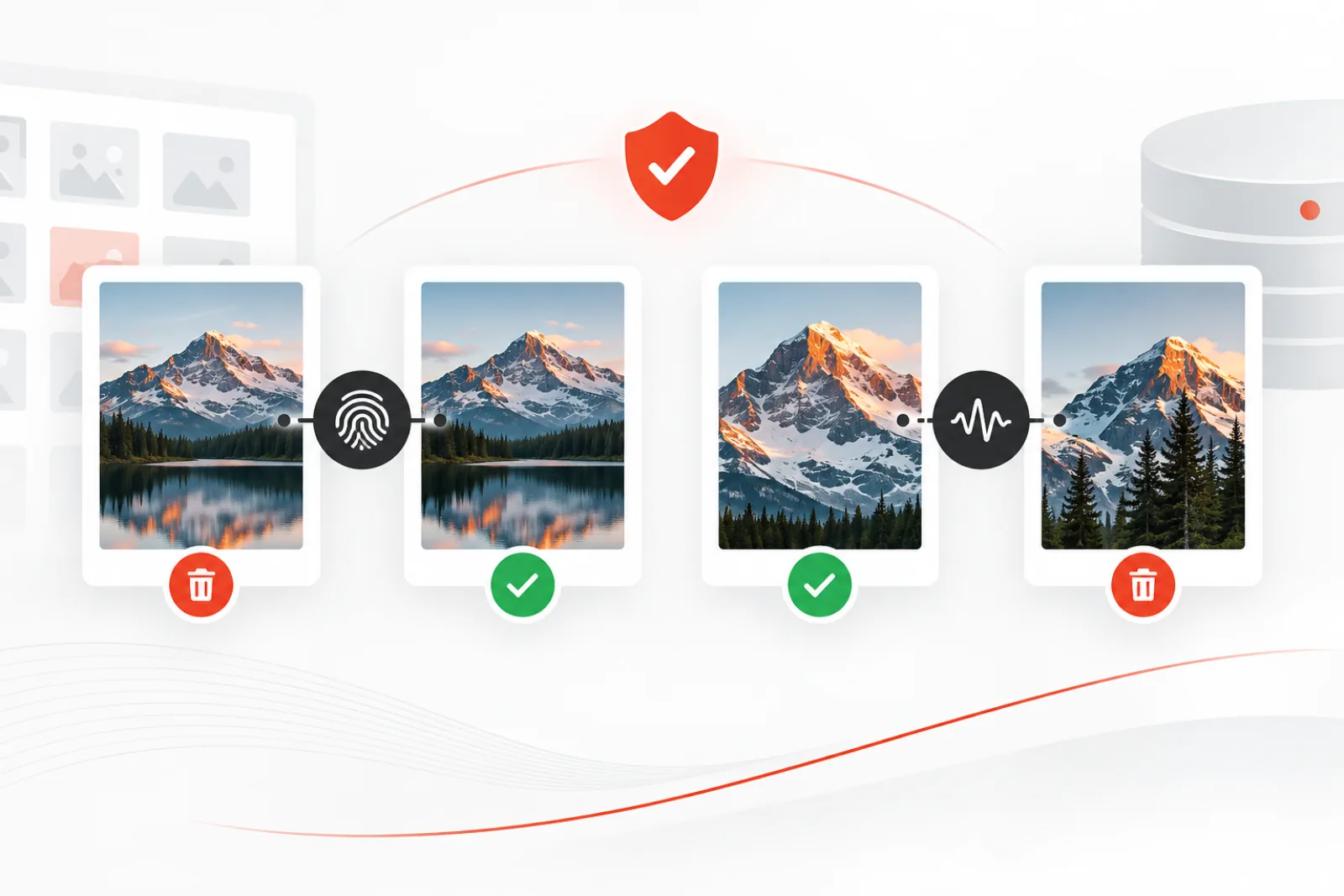
Duplicate images in WordPress are not all the same problem. Two attachments can contain identical bytes under different filenames, while two files can look nearly identical after cropping, resizing or recompression. The first case is safe to group automatically; the second needs human judgment. Treating both as “duplicates” is how a storage cleanup becomes a broken page.
This guide gives site owners a repeatable method to inventory duplicates, select a canonical attachment, replace references and verify the site before deleting anything.
Why duplicate images accumulate
Editors re-upload files because search is difficult, agencies import the same assets with migrations, page builders create new references, and optimization tools may write alternate formats. WordPress also creates intermediate sizes for an upload. Those generated files are derivatives of one attachment, not separate Media Library duplicates, and should not be deleted individually from the filesystem.
Exact duplicates versus visual duplicates
| Signal | What it proves | Safe response |
|---|---|---|
| Same content hash | The file bytes are identical | Choose a canonical attachment, replace references, then remove the redundant record |
| Same filename | Names collide, but content may differ | Open and compare; never delete by filename alone |
| Similar perceptual hash | The pictures probably look alike | Review crop, resolution, licensing and intended use |
| Same dimensions | Only the canvas size matches | Use as a filter, not proof |
A cryptographic or content hash is deterministic for identical bytes. A perceptual hash deliberately tolerates visual changes, so it is a candidate generator rather than a deletion rule. A hero crop, square social crop and original photograph may be visually similar but serve different layouts.
Build an evidence-first duplicate report
- Back up both the database and
wp-content/uploads. - Freeze large imports and editorial uploads during the review window.
- Group exact matches by content hash.
- Group likely visual matches separately and record the similarity threshold.
- For every candidate, capture attachment ID, URL, file path, dimensions, MIME type, upload date and parent.
- Search references in post content, block markup, featured-image metadata, galleries, custom fields, widgets, options, theme files and commerce records.
The attachment’s post_parent is not a usage counter. An unattached image may still appear in block content, a site option or a CSS file. Conversely, an attached image may no longer be rendered anywhere.
Choose the canonical attachment
Prefer the record with the best original file, correct licensing provenance, useful title and alt text, stable URL, and the widest set of valid references. Do not automatically keep the oldest or newest. A newer upload may be the approved color-corrected asset; an older one may own the URL embedded in years of content.
For visual matches, compare composition and detail at full size. Check whether transparent backgrounds, focal points, EXIF orientation, color profiles or aspect ratios differ. If two versions have different editorial purposes, keep both and label them clearly.
Consolidate without breaking pages
Replacing a duplicate is a reference-migration task, not a file-deletion task. On staging, update each known reference from the redundant attachment ID or URL to the canonical one. Regenerate only the sizes that belong to the canonical attachment when necessary. Clear relevant page, object and CDN caches, then test the affected URLs at desktop and mobile breakpoints.
Use WordPress deletion functions instead of deleting files directly. The official wp_delete_attachment() path removes the attachment and its related metadata and generated files. Direct filesystem deletion can leave a Media Library record pointing to nothing, while deleting only the database record can leave orphaned files.
A practical verification checklist
- Open every page, product and template found in the reference report.
- Confirm featured images, galleries, lightboxes, responsive variants and social previews.
- Check source HTML for references to the removed attachment ID and URL.
- Test logged-in and logged-out views.
- Verify image sitemaps and CDN URLs after cache expiry.
- Keep the backup through a defined observation period.
Handle page builders, commerce and offloaded media
Modern sites often store image references outside ordinary post content. Elementor templates, ACF repeaters, WooCommerce variations, multilingual translations, reusable blocks and theme options can all point to an attachment ID or a URL. Offload plugins may replace local URLs with object-storage or CDN URLs while retaining a local attachment record. Your inventory should therefore search both identifiers and known URL variants.
For a commerce site, check catalog thumbnails, variation galleries, cart and checkout fragments, order emails and feed exports. For multilingual sites, verify every translation rather than assuming one attachment mapping serves all languages. When an offload layer is present, confirm whether WordPress deletion also removes the remote object and whether object versioning or retention makes rollback possible.
Prevent duplicate images from returning
Cleanup has limited value without an upload policy. Give editors a searchable naming convention, preserve useful titles and folders or taxonomies, and explain when to reuse an existing attachment. Add a pre-publication check for campaign teams and define who owns canonical brand assets. Where technically justified, show a hash or similarity warning during upload—but allow an editor to keep a purposeful crop or licensed variant with a recorded reason.
Track exact duplicate bytes and review-accepted visual variants over time. A rising exact-duplicate rate suggests workflow friction; a large visual-variant library may be legitimate for responsive campaigns. The goal is not zero similarity. It is a library where every retained variant has a known purpose.
Worked example: three files that look the same
Suppose a scan finds team-photo.webp, team-photo-1.webp and team-photo-square.webp. The first two have identical content hashes; the square file has a different hash and a high visual-similarity score. Reference checks show the first image in the About page, the second unused, and the square version in an author card.
The correct action is to replace any hidden reference to the second attachment with the first, verify the About page, and delete only the byte-identical redundant record. The square crop stays because its composition is intentional. Record the decision so a future reviewer does not reopen the same candidate.
Map every place WordPress can store an image reference
A useful duplicate report answers two different questions: which files match, and where each attachment is used. The first question is a file-analysis problem. The second is a content-model problem, and it changes with the site. WordPress core stores featured images as attachment IDs, block and classic content may contain IDs and URLs, and galleries can serialize collections of IDs. Themes and plugins add their own fields, JSON documents, options and tables.
| Reference location | Common representation | Verification method |
|---|---|---|
| Post and page body | Image block markup, HTML URL, shortcode or gallery IDs | Search both attachment ID and every known URL form; render the page |
| Featured image | _thumbnail_id metadata | Query by attachment ID and inspect cards, archives and social output |
| Page-builder template | Serialized or JSON field containing an ID or URL | Use the builder’s supported replacement path and reopen the editor |
| Custom field | ID, array, URL or provider-specific object | Inspect the field definition before changing its stored value |
| Theme or site option | Logo, icon, background or design setting | Check Customizer, Site Editor and front-end output |
| Commerce data | Product image, variation gallery, email or feed URL | Test catalog, product, cart, email and export contexts |
| Stylesheet or code | Hard-coded relative or absolute URL | Search the active theme and custom code, then rebuild generated CSS |
Search for the original URL, encoded URL, scheme-relative URL, CDN hostname and relative uploads path. A replacement that finds only one form can leave a mobile source set, cached builder document or feed pointing at the soon-to-be-deleted file. When records contain serialized PHP data, do not use an unrestricted text replacement that can corrupt string lengths. Use the owning plugin’s API, a serialization-aware tool or a carefully tested migration.
Create a confidence model before changing anything
Not every candidate deserves the same workflow. Assign confidence based on independent evidence instead of collapsing everything into “duplicate” or “not duplicate.” Exact bytes plus a complete reference inventory can enter a controlled consolidation queue. Visual similarity without byte equality should enter a review queue. A filename match alone belongs in an investigation queue.
| Evidence | Confidence | Default action |
|---|---|---|
| Same strong content hash, same MIME type and successful file reads | High that the files are byte-identical | Review references, select canonical attachment and stage replacement |
| High visual similarity, different dimensions or compression | Medium that the subject is duplicated | Compare intended placement, crop, quality and usage rights manually |
| Same base filename or title | Low | Use only to narrow the review list |
| No discovered references | Uncertain, not proof of non-use | Check unsupported fields, code, feeds, logs and recent editorial activity |
Record why a group received its confidence level and what scanners were in scope. This matters because “no references found” only means none were found by the checks you ran. A custom booking plugin, headless front end or external email platform can use a media URL without writing that relationship into a standard WordPress field.
Calculate the real benefit before taking the risk
The Media Library may show two records, but reclaimed storage depends on physical files. For each redundant attachment, total the original and its generated sizes that are not shared or externally managed. Then include backup replicas and object-storage versions only if your retention policy will actually remove them. CDN cache copies do not normally become billable origin savings immediately.
Prioritize groups with a meaningful operational return: large exact duplicates repeated across imports, obsolete campaign exports, or redundant high-resolution originals. Ten identical 12 MB files with several derivatives justify more attention than a hundred 30 KB icons. Conversely, a small asset used across critical checkout templates can carry more replacement risk than its storage saving warrants.
A simple review record can show physical bytes recoverable, number of affected references, business-critical surfaces, rollback readiness and operator estimate. This makes the decision transparent. Cleanup should reduce cost or confusion without creating a larger verification burden than the result is worth.
Run the consolidation as a reversible migration
- Declare the batch. List candidate and canonical IDs, hashes, paths, references, reason codes and an accountable reviewer.
- Back up the exact scope. Preserve database records, attachment metadata, originals and derivatives. Test retrieval before proceeding.
- Protect active work. Exclude recent uploads and coordinate with editors so new references do not appear halfway through the migration.
- Change references on staging. Use a method appropriate to each field type. Save a before-and-after value for every change.
- Render affected experiences. Check templates, responsive breakpoints, structured data, feeds and generated documents, not merely the Media Library.
- Re-scan immediately before deletion. A candidate that gained a new reference must be skipped or reviewed again.
- Delete through WordPress. Let the platform and integrated storage plugin handle registered metadata and file lifecycle.
- Observe and retain the backup. Watch 404s and support reports through cache expiry and at least one normal editorial cycle.
Separate replacement from deletion when the site is important. First migrate references and leave the redundant attachment available for an observation window. Delete only after pages and logs remain clean. This two-stage approach consumes less courage because rollback is simply restoring references, not rebuilding missing objects.
Test responsive images, crops and modern formats
A desktop screenshot can hide a broken consolidation. Browsers choose candidates from srcset according to viewport width and device density, so a missing intermediate size may affect only phones or high-density screens. Inspect the rendered src, srcset and sizes attributes at representative breakpoints. Confirm the chosen resource returns an image with the expected dimensions and MIME type.
Do not assume WebP or AVIF files are independent duplicates of JPEG originals. An optimization layer may generate modern formats dynamically, store them beside originals, or rewrite delivery at the CDN. Learn which component owns those variants before deleting them. If the canonical attachment lacks an important crop, regenerate through the same registered WordPress image-size workflow and visually inspect focal points. A mechanically regenerated crop can technically load while cutting off a face or product detail.
Handle SEO, accessibility and rights during consolidation
Choosing a canonical record also chooses metadata. Preserve the best accurate alternative text for each context; do not blindly copy a generic filename or stuff a keyword into every reuse. WordPress attachment alt text belongs to the attachment, while some block editors allow contextual overrides. After replacement, verify that meaningful images retain useful text and decorative images remain appropriately empty.
Check captions, credits, license source, consent restrictions and expiry dates. Two visually identical photographs can have different permitted territories or campaign terms. A hash proves content equality, not legal interchangeability. Where provenance differs, escalate to the content owner and preserve both records until rights are reconciled.
For search visibility, verify canonical page rendering, Open Graph and social images, schema image URLs and any image sitemap entries. Redirecting an old media URL may be useful when it has external links, but do not create thousands of speculative redirects without evidence. Prefer stable canonical URLs and update the references you control.
Worked example: an imported product catalog
A retailer imports product data nightly. The supplier feed names every product image main.jpg, and the importer uploads it again even when the bytes are unchanged. A scan finds 640 exact-match groups consuming 18 GB across originals and generated sizes. Many duplicates are attached to discontinued variations, but a subset appears in order emails and marketplace feeds.
The team first fixes the importer to reuse an attachment when the supplier identifier and strong hash match. It then selects batches by product family, retains the attachment referenced by active products, rewrites supported variation fields, and tests category pages, product galleries, cart thumbnails, transactional emails and feed exports. References discovered after the initial scan are rechecked just before deletion. The result is durable because the ingestion defect is fixed before the historical cleanup.
Measure success beyond deleted attachment count
Report exact duplicate groups reviewed, files and bytes safely reclaimed, references migrated, candidates skipped by safety checks, broken-image responses, restore tests and time spent per batch. A large deletion number can disguise poor work if editors immediately upload the same assets again or customers encounter missing images.
Re-run the inventory after one and four weeks. A clean 404 log and stable duplicate growth rate are stronger evidence than a successful deletion message. If duplicate bytes return, investigate the uploader, migration, feed or editorial workflow responsible. Prevention is the final stage of remediation.
Diagnose common cleanup failures
| Symptom after cleanup | Likely cause | First response |
|---|---|---|
| Image works on desktop but not mobile | A responsive derivative or srcset URL still points to the removed attachment | Inspect the selected mobile resource, restore it, then regenerate or rewrite deliberately |
| Page looks correct but social preview is blank | Open Graph or schema metadata retained the old URL | Restore the asset, update metadata, clear SEO and edge caches, then re-scrape |
| Builder editor fails while front end is cached | Serialized builder data references a deleted ID | Restore first; use the builder’s supported migration path rather than raw replacement |
| Old image returns after the next import | The source importer still creates attachments instead of reusing the canonical asset | Pause cleanup and fix identity matching in the ingestion workflow |
| Storage usage barely changes | Remote versions, backups or regenerated derivatives still consume space | Reconcile the authoritative storage inventory and retention policy |
Restore service before investigating blame. If the original record and files are available, put them back so cached and uncached experiences converge. Preserve logs and the failed batch manifest, then identify whether detection, reference discovery, replacement or deletion was wrong. That classification points to the control that needs strengthening.
Build an editorial reuse workflow
Editors create duplicates when reuse costs more time than upload. Improve Media Library search with descriptive titles, consistent brand terms and useful ownership metadata. Maintain a small approved-assets collection for logos, team photography and evergreen product art. Tell contributors which variants are masters, which are crops and when a new upload is justified.
At upload time, an exact-hash match can safely warn that identical bytes already exist. The interface should show the existing attachment, its usage and an option to reuse it. A visual-similarity warning should be softer because a purposeful crop may be valid. Allow an exception with a short reason, and keep that decision so the same pair is not repeatedly reviewed.
For automated imports, define a stable external asset key and compare content hashes before creating attachments. Decide what happens when the supplier replaces bytes behind the same key: update the existing asset, create a versioned record, or require review. This identity policy prevents both uncontrolled duplication and silent replacement of historically important images.
Assign ownership for exceptions. Marketing can approve campaign crops, commerce can approve supplier variants, and legal can resolve rights conflicts. A named decision owner keeps technical operators from making editorial or licensing judgments merely to finish a cleanup queue.
What not to do
- Do not delete files directly from
uploadsbased on disk names. - Do not assume “unattached” means unused.
- Do not replace an attachment URL without checking ID-based references.
- Do not merge assets with different licenses or consent restrictions.
- Do not clear all candidates in one batch before verifying representative pages.
How Mediachecker helps
Mediachecker separates filename collisions, byte-identical content hashes and visually similar images. Its perceptual-hash scan runs server-side, while multi-signal reference checks, dry runs, recent-upload protection, delete-time rechecks, backups and an activity log support a safer consolidation workflow.
No detector can understand every custom field, remote asset pipeline or hard-coded theme reference. Treat its results as evidence, review ambiguous groups, test on staging and keep a rollback path.
Related WPStack guides
Frequently asked questions
Are WordPress thumbnail sizes duplicates?
No. They are normally derivatives registered in one attachment’s metadata and used for responsive delivery. Manage them through WordPress rather than deleting individual files.
Can I delete every image with the same filename?
No. WordPress may suffix filenames, and matching names do not prove matching content or purpose. Compare hashes and references.
Is a high perceptual similarity score enough to delete?
No. It only prioritizes review. Crops, licensed variants and different resolutions can look similar while serving distinct uses.
What should I measure after cleanup?
Storage reclaimed, broken-image checks, affected URL status, CDN errors and restore success—not merely the number of deleted attachments.
References

Aditya Bhimrajka is a technology entrepreneur, product strategist, and software solutions expert with over a decade of experience building scalable web and mobile applications. His expertise spans SaaS, AI, cloud technologies, custom software development, and digital transformation. Passionate about solving real-world business challenges through technology, Aditya shares practical insights on WordPress, plugins, software development, startup growth, product strategy, and emerging technologies. At WPStack, he writes actionable, experience-driven content that helps developers, businesses, and website owners build secure, high-performing, and future-ready WordPress solutions.