
How to Automate WordPress Media Audits Without Automating Unsafe Deletion
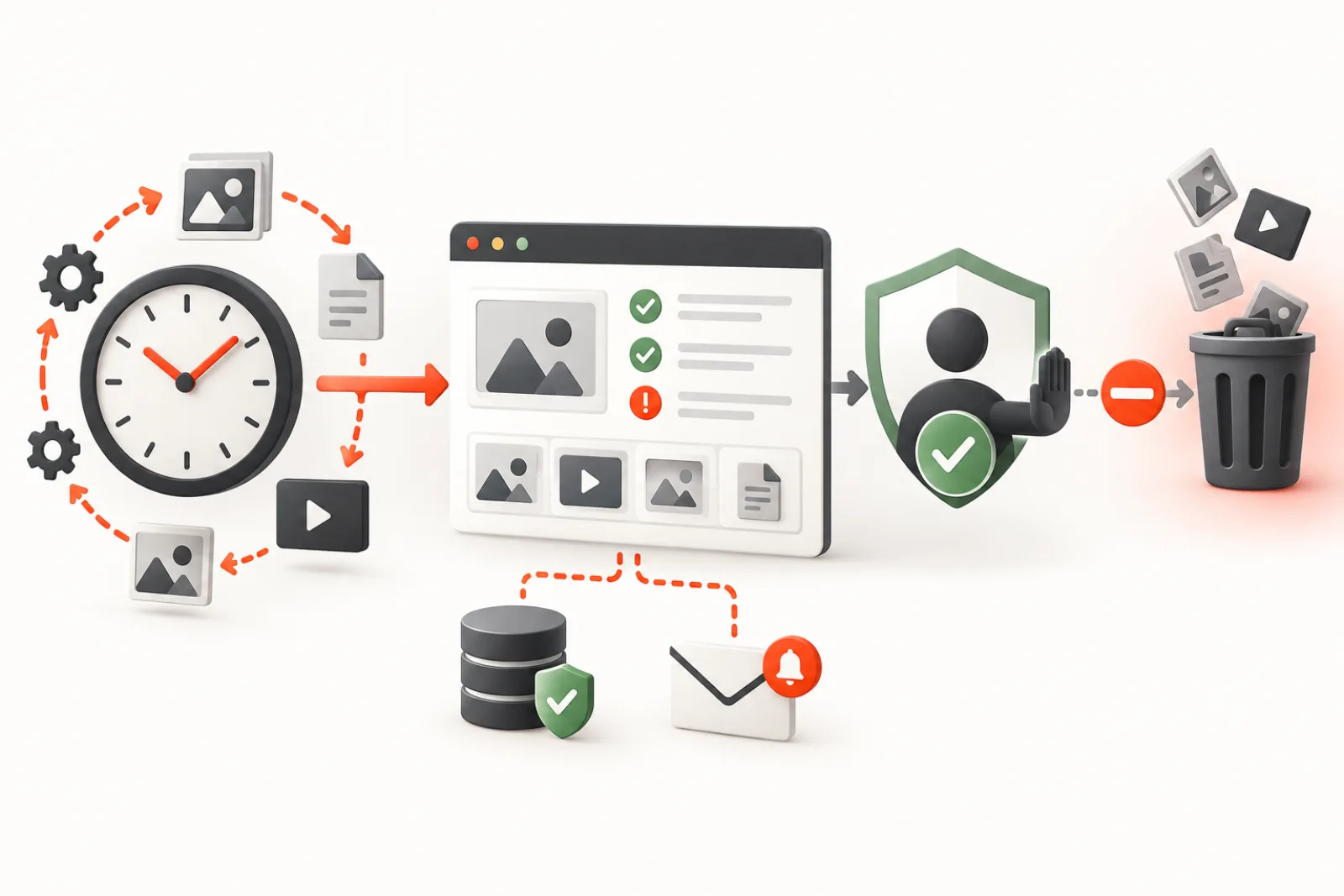
Automate WordPress media evidence collection, not permanent deletion. A safe recurring workflow can scan references, compare results, alert on meaningful thresholds and prepare a human review queue. It should never turn “no reference found” into “safe to erase” without context, a current recheck, a backup and an accountable approval.
Why audit automation and deletion automation are different
A scanner observes a site at one moment using the reference patterns it understands. WordPress media may also be used in custom tables, theme files, widgets, options, generated CSS, private content, external apps or runtime code. Scheduled posts and drafts can reference an asset that public-page crawling does not see. Recent uploads may be waiting for an editorial launch.
Automating a scan is reversible: you can discard a report. Permanent deletion removes the attachment record, metadata, taxonomy relationships and physical files. WordPress’s deletion function may also remove generated sizes. That asymmetry calls for a deliberate approval gate.
| Stage | Automate? | Control |
|---|---|---|
| Inventory and reference scan | Yes | Documented scope and version |
| Compare with previous scan | Yes | Stable identifiers and retained evidence |
| Threshold alert | Yes | Noise-resistant rules and owner |
| Candidate classification | Assist | Explain signals and uncertainty |
| Approval | No | Named human reviewer |
| Backup and dry run | Trigger after approval | Tested restore and immutable copy |
| Permanent deletion | Small reviewed batch | Final reference recheck and audit log |
Design the recurring scan
Set frequency from upload volume and risk, not habit. A busy newsroom or store may need daily or weekly evidence; a stable brochure site may only need monthly review. Define scan scope, timeout, batch size, resource ceiling and excluded storage classes. Run heavy work away from predictable traffic peaks.
WordPress WP-Cron is request-driven: scheduled work runs when a visit occurs after its due time. On low-traffic sites, jobs can run late; on overloaded sites, they may overlap or fail. For reliable timing, many operators invoke WordPress cron from a real system scheduler while preventing duplicate request-driven runs. Whatever the mechanism, make each scan restartable and safe if invoked twice.
Collect evidence that can be compared
A useful scan result includes timestamp, site and environment, plugin/scanner version, attachment ID, path, byte size, upload date, parent, each reference signal, duplicate group, confidence or reason, and scan errors. Keep unknown and skipped states separate from unused. If a table could not be read or the scan timed out, the correct result is incomplete—not zero references.
Compare new results with the prior successful baseline:
- newly missing originals or derivatives;
- new broken URLs or storage errors;
- new candidates that have remained unreferenced across multiple scans;
- large jumps in uploaded bytes or attachment count;
- duplicate groups added by a broken import or integration;
- scan coverage or duration regressions.
Create alerts that lead to action
A daily email saying “1,248 unused files” becomes background noise. Alert on change and consequence: 50 new candidates since the last successful scan, any missing image on a priority page, storage growth above a defined budget, or scan failure for two consecutive runs. Include the comparison window, evidence link, uncertainty and named owner. Never attach secrets, private filenames or personal data unnecessarily.
Protect drafts, scheduled posts and recent uploads
Reference scanning should include non-public content that your workflow considers active. A future scheduled campaign may be invisible to a public crawl but fully valid in WordPress content. Apply a minimum-age hold—for example, 30 days—to reduce risk from assets uploaded before their posts are assembled. Age is a safety buffer, not evidence of use; older assets can still be critical.
Build a review queue, not a trash queue
Group candidates by evidence and risk:
- Repair: referenced attachment with a missing file or failed URL.
- Consolidate: proven exact duplicate with a selected canonical record.
- Review: visual duplicate, uncertain custom reference or licensing question.
- Hold: recent upload, scheduled content, campaign asset or legal retention.
- Eligible: repeatedly unreferenced, outside the hold window, manually checked and backed up.
The reviewer should see why an item was classified, where the scanner looked and what it could not inspect. Approval should record reviewer, time, batch and recovery location.
Use a two-person rule for high-risk sites
Commerce, membership, multilingual and large editorial sites have more hidden references and higher breakage cost. Let one person prepare the candidate batch and another approve it. Separate permission to run scans from permission to delete when the tooling allows. Keep nonces, capability checks and an activity log, but remember that an authorized mistake is still a mistake without recovery.
Back up both the record and the bytes
A filesystem copy without attachment metadata may not restore titles, alt values, parent relationships or generated-size mappings. A database backup without media bytes cannot recreate a lost original. Retain both, protect the backup location from public access and keep it outside the same failure domain when possible. Test restoration on a small attachment before the first cleanup cycle.
Delete in small batches with a final recheck
Between the scheduled scan and approval, an editor may reuse an asset. Re-run reference checks immediately before deletion. Start with a small, low-risk batch and use dry-run output to confirm the exact attachments and expected actions. After deletion, crawl priority templates, inspect application logs, compare broken-image counts and observe support channels before continuing.
Worked workflow
A publisher schedules a weekly scan for Sunday. Monday’s report shows 80 new candidates, but 55 are only ten days old and 12 belong to scheduled posts. Those enter the hold queue. Eight are exact duplicate imports; an editor chooses canonical attachments and updates references. Five older files remain unreferenced across three scans. The team backs up their metadata and bytes, dry-runs the batch, performs a final scan, deletes them, and verifies priority pages. Automation reduced the search space from thousands of assets to five defensible decisions without making the destructive decision itself.
How Mediachecker supports this model
Mediachecker supports recurring WP-Cron scans at configurable intervals and threshold email notifications. Its scan combines several usage signals and can export results for review. Recent-upload protection defaults to a 30-day window, while dry-run behavior, a force opt-in, delete-time reference re-verification, backups and activity logs add controls around approved actions.
Limitations: WP-Cron timing depends on site requests unless infrastructure invokes it externally; scans can miss custom or remote references; and backups stored on the same server are not a complete disaster-recovery strategy. Scheduled scans should remain reporting automation. Keep deletion explicitly reviewed and recoverable.
Model the audit as a restartable pipeline
Split work into inventory, reference collection, integrity checks, duplicate analysis, classification and reporting. Give each stage a cursor and store the last completed item so a timeout does not force a complete restart. A run should identify its site, scope, configuration and scanner version; otherwise two partial runs can be mistaken for one complete baseline.
Write stage results to temporary or versioned records and publish the report only after required stages complete. If one optional source fails, mark its coverage missing. Never replace the last successful report with an apparently empty result from an aborted scan.
Prevent overlapping and duplicate runs
Use an atomic lock with an owner, start time and expiry. A simple option that is read and then written in two separate steps can allow two workers to start together. The expiry must exceed normal runtime but still permit recovery after a crashed worker. Log lock contention and provide a safe administrative release path that first checks whether work is still active.
Make each item idempotent. Reprocessing attachment 123 should update the same run result rather than creating a second candidate or notification. Queue messages need stable identities and retry limits so transient storage errors do not multiply expensive image work.
Give the scan a resource budget
Set maximum items, elapsed seconds, memory use, database query volume and remote requests per batch. Hashing a large local file, fetching an offloaded object and running perceptual analysis have different costs; schedule them separately. Pause when front-end latency, PHP worker occupancy or queue age crosses an operational threshold.
Record skipped files and the reason. Large videos, private documents or inaccessible objects should not silently disappear from totals. Resume from the cursor in a later batch and expose persistent failures to an owner.
Store snapshots with stable identities
Attachment IDs are stable within one database but may change after migration. Combine the ID with original relative path, storage key and a content hash when available. Keep raw observations separate from classifications so improved rules can re-evaluate old evidence without rescanning every byte.
Retain enough history to distinguish a one-run anomaly from a persistent condition. Define expiration for detailed results and longer retention for aggregated trends, approvals and destructive action logs. Protect reports because filenames, captions and storage paths can expose sensitive information.
Design explainable candidate rules
A useful candidate carries reason codes such as “no supported reference found,” “original missing,” “exact hash duplicate” or “old hostname requested.” Include positive matches, sources checked and sources not checked. Avoid a mysterious score with no path to verification.
If a score helps sort review, make its inputs visible and never let it authorize deletion. Recent upload, scheduled content, external reference uncertainty, legal hold and backup failure should act as hard stops regardless of score.
Handle failures and retries by class
| Failure | Retry? | Required behavior |
|---|---|---|
| Temporary object-store timeout | Bounded retry with backoff | Preserve cursor and avoid duplicate work |
| Permission denied | Not repeatedly | Alert owner without exposing credentials |
| Malformed attachment metadata | After repair | Quarantine finding and continue safely |
| Resource budget reached | Resume next batch | Mark run partial until complete |
| Scanner code error | After release or rollback | Keep last successful report active |
Send notifications that are actionable and quiet
Notify on a meaningful state change: a priority-page image begins failing, a scan remains incomplete, recoverable storage crosses a budget or an approved action needs review. Include run ID, affected scope, comparison baseline, reason and owner. Link to protected evidence instead of sending large inventories by email.
Deduplicate recurring alerts until the state changes, while escalating an unresolved critical failure by policy. Record delivery failure for the alert itself. A perfect scanner that no responsible person sees is not an operational control.
Include multisite and remote storage explicitly
For multisite, lock and report per site unless storage operations are deliberately network-wide. Preserve blog ID with attachment identity and respect per-site permissions. Shared files or domain mapping can make identical URLs mean different things; test the actual configuration.
For offloaded media, inventory object key, bucket, region, version and local-copy state. Use bounded HEAD or metadata calls rather than downloading every original merely to prove existence. Account for API cost and rate limits, and distinguish an inaccessible object from a missing one.
Protect security and privacy boundaries
Run scans with the least capability needed. Validate paths before filesystem access, prevent traversal outside approved media roots and treat metadata as untrusted input. Escape report output and restrict deletion, restore and backup download actions with capabilities and request verification.
Do not send signed URLs, access tokens, personal filenames or private captions to logs or external AI services. If visual analysis leaves the site, document the processor, retention, allowed asset classes and opt-out. Private customer uploads may need to be excluded entirely.
Test recovery as part of every destructive workflow
A backup badge is not proof of recovery. Randomly select a low-risk approved attachment, restore its post, metadata, original and derivatives into a test environment, then render the page. Measure restore time and record any dependency on the deleted site’s database, encryption key or plugin version.
Before a production batch, confirm backup completion and checksum. Afterward, retain the action manifest through the observation period. If restore cannot be demonstrated, the deletion gate remains closed.
Run failure drills before relying on automation
Test duplicate scheduler invocation, process termination mid-batch, database unavailability, object-store throttling, full temporary storage, expired credentials and notification failure. Confirm the run becomes partial or failed, the cursor remains usable and no deletion begins from incomplete evidence.
Also test editorial races: upload a file during scanning, schedule a post after the baseline and add a reference immediately before an approved deletion. The final recheck should retain the asset and explain why the batch changed.
Govern configuration changes
Thresholds, exclusions, age holds, reference sources and schedules are production configuration. Record who changed them, why and when. Compare report coverage before and after a change; a sudden fall in candidates may indicate safer rules or a disabled source.
Review the workflow after migrations, builder changes, new commerce integrations or storage offload. Add newly introduced reference locations before the next cleanup decision. Safe automation improves as the site’s data model evolves.
Define the audit state machine
Use explicit states such as queued, inventorying, scanning, partial, complete, review-ready, approved, action-running, verified and failed. Only a complete successful scan may produce a new review baseline. Approval must bind to a specific immutable candidate set; a later scan cannot quietly alter what a reviewer authorized.
When content changes after approval, move the affected item back to review. State transitions should record actor, time and reason so operators can understand whether a missing item was resolved, excluded or merely skipped.
Keep scanning separate from remediation permissions
The scheduled worker needs read access to inventory content and storage, but it should not automatically inherit permission to delete attachments or restore backups. Use separate capabilities or execution paths. A compromised reporting token should not become a destructive media-management credential.
Administrative screens must validate scope, capability and request intent for every batch action. Show exact counts and exclusions before approval, and reject identifiers outside the frozen candidate set.
Design retention and evidence lifecycle
Keep the last successful baseline, recent detailed runs, aggregate trends, approval manifests and destructive logs according to a documented policy. Expire temporary thumbnails, remote response bodies and intermediate hashes when they are no longer needed. Legal holds and incident evidence may require longer retention.
Deletion backups need an expiry that begins after verification, not before. Notify the owner before recovery data expires for unresolved batches. A restore promise without retained bytes and metadata is misleading.
Control cache and indexing side effects
A scan should not purge page caches simply because it reads attachments. A remediation can invalidate only the pages, feeds, sitemap entries and CDN paths that changed. Site-wide purges during peak traffic can turn a small media action into origin overload.
If attachment URLs change, update controlled references and generate redirects deliberately. Monitor old-host and missing-path requests through the observation window rather than immediately removing the previous delivery route.
Build an operator dashboard around decisions
Show last successful run, current stage, coverage, duration, new findings, oldest unresolved critical issue, review queue, approved actions, backup health and restore-test date. Separate current totals from changes since baseline. Let operators drill from a number to the evidence and affected pages.
Avoid celebratory “space saved” totals that include unapproved candidates or versioned objects that remain billed. Report identified, approved, deleted and physically reclaimed bytes separately.
Worked failure: a timeout publishes an empty report
A site scans 100,000 attachments but its request ends after 30 seconds. The job clears the previous table first, writes 5,000 rows and sends an email claiming a 95% reduction in unused media. An operator assumes the library is clean.
The corrected pipeline writes to a run-specific snapshot, checkpoints its cursor and keeps the last complete report visible. The partial run shows coverage and resumes later. Notifications fire only after completion or a repeated failure.
Worked failure: cleanup races an editor
An editor adds a previously unused photograph to a scheduled campaign after Monday’s scan. A Friday cleanup uses the old candidate list and deletes it. The attachment was valid when approved but no longer safe when acted on.
The workflow binds approval to the candidate, then performs a delete-time reference and modification check. The new post reference moves the asset to retained status and records the changed reason. No deletion occurs.
Define acceptance criteria for the automation
- A killed job resumes without duplicate findings or lost baseline.
- Overlapping invocations result in one owner and visible contention.
- Incomplete sources remain visible as coverage gaps.
- Scheduled, draft, private and recent media follow explicit policy.
- Approval cannot expand after the reviewer acts.
- Backup and restoration succeed for a representative attachment.
- Critical alerts reach an owner without exposing private data.
- Production resource use stays within the documented budget.
Review the system after every cleanup cycle
Compare predicted and actual reclaimed bytes, false positives, assets rescued by the final recheck, restoration time, scan duration and operational load. Investigate why candidates were created: an import may duplicate files, a builder may hide references or editorial policy may encourage one-off uploads.
Feed those lessons into rules, integrations and training. The strongest automation reduces the number of future candidates while keeping uncertainty visible; it does not merely make a destructive queue run faster.
Operational checklist
- Define scope, frequency, resource limits and a named owner.
- Preserve incomplete and error states in reports.
- Compare against the last successful scan, not only totals.
- Include drafts, scheduled content and relevant private content.
- Apply a recent-upload hold and documented exclusions.
- Alert on meaningful changes and repeated scan failures.
- Require approval, record the decision and final-recheck references.
- Back up metadata and files and prove a restore works.
- Delete small batches and run post-change crawl and visual checks.
- Review thresholds from real false positives and missed incidents.
Related WPStack guides
Frequently asked questions
Can WP-Cron run a media audit at an exact time?
Not by itself. WP-Cron checks due events when requests arrive. A system scheduler can invoke it more predictably, but jobs still need overlap and failure controls.
Is a file safe after three scans find no references?
Repeated absence increases confidence but does not prove safety. Custom code, remote systems and future editorial use may remain invisible. Human review and recovery are still required.
Should scheduled posts be excluded from scanning?
No. They are a strong reason to retain their media. Include scheduled and other active editorial states in reference checks.
Can I automatically delete exact duplicates?
Identical bytes do not prove identical purpose, attachment metadata, URLs or licensing. Select a canonical record and update all references before any reviewed deletion.
Where should media backups be stored?
Use access-controlled storage and, for meaningful recovery, a separate failure domain from the live server. Define retention and periodically test restoration.
References
- WordPress: understanding WP-Cron scheduling
- WordPress: wp_schedule_event()
- WordPress: wp_next_scheduled()
- WordPress: wp_delete_attachment()

Aditya Bhimrajka is a technology entrepreneur, product strategist, and software solutions expert with over a decade of experience building scalable web and mobile applications. His expertise spans SaaS, AI, cloud technologies, custom software development, and digital transformation. Passionate about solving real-world business challenges through technology, Aditya shares practical insights on WordPress, plugins, software development, startup growth, product strategy, and emerging technologies. At WPStack, he writes actionable, experience-driven content that helps developers, businesses, and website owners build secure, high-performing, and future-ready WordPress solutions.