
How to Seed Realistic WordPress Plugin Demo Data Without Exposing Customers
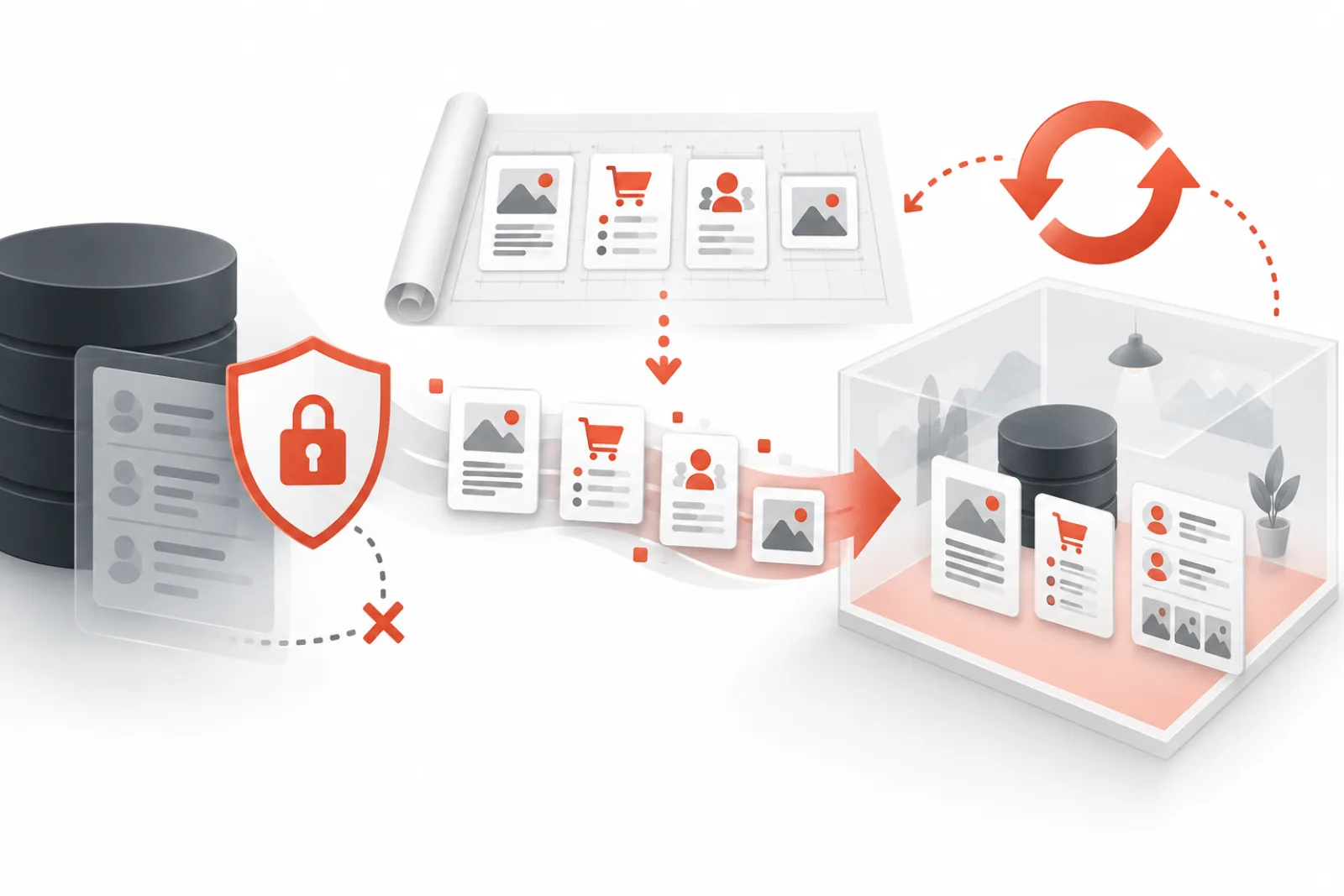
A convincing WordPress plugin demo needs realistic structure, not copied customer data. Production exports contain names, emails, addresses, order notes, media metadata, tokens and hidden custom fields that are easy to miss. “Anonymizing” visible records does not make a database safe.
The better approach is deterministic synthetic seeding: define the scenarios a buyer must test, generate purpose-built records, validate privacy constraints and reset the environment to a known baseline after every session.
Design scenarios before records
List the decisions a visitor should be able to make. A booking plugin might need available, full, cancelled and timezone-edge appointments. A WooCommerce extension might need simple and variable products, tax classes, coupons, failed payments and refunded orders. Every seeded record should support a demo story.
| Dataset | Realistic shape | Privacy rule |
|---|---|---|
| Users | Roles, account ages, order histories | Generated names and non-deliverable email domain |
| Orders/forms | Statuses, totals, dates, edge cases | No copied addresses, notes or identifiers |
| Media | Product, editorial and error-state assets | Owned or licensed demo-only files; stripped metadata |
| Settings | Feature combinations and safe defaults | No production keys, webhooks or endpoints |
Use a seed blueprint
Keep the baseline as code or a versioned manifest: plugin versions, theme, settings, users, content, taxonomies, media and expected counts. Use stable identifiers so tests and screenshots can find the same records after every reset.
A seed run should be idempotent. Running it twice must not double products or users. Either recreate the temporary site from a clean template or use upsert logic keyed by deterministic markers.
Remove external side effects
- Block outbound email or route it to a sink.
- Replace payment, CRM, analytics and webhook credentials with test endpoints.
- Restrict uploads and executable file types.
- Block unnecessary outbound HTTP requests.
- Use temporary low-privilege accounts.
- Prevent indexing and exclude sandboxes from production analytics.
Test data can still create real consequences if a copied webhook URL or API key remains active. Scan database values and environment configuration for secrets before the blueprint is accepted.
Validate the seed
- Create a new sandbox from the blueprint.
- Verify record counts and required edge cases.
- Search for production domains, emails, phone patterns, tokens and customer names.
- Confirm outbound email and HTTP restrictions.
- Complete the primary demo journeys with the restricted visitor role.
- Reset the sandbox and repeat.
- Compare the resulting state with the expected baseline.
Build media specifically for the demo
Use original or properly licensed visuals sized for the scenarios being shown. Remove camera location, author and device metadata where it is not required. Avoid stock imagery that contradicts the product context; a security plugin should demonstrate real security states, not a random padlock photograph.
Generate responsive sizes through WordPress so the sandbox behaves like a normal site. Keep a manifest containing source, license, alt text and intended records. That makes media reproducible and prevents an editor from quietly replacing it with production files.
Represent failure and edge cases
A perfect happy path is not enough for a technical buyer. Seed validation errors, empty states, large lists, permission boundaries and recoverable failures without connecting to real services. Label destructive actions and provide a reset route so visitors can explore safely.
Do not seed fake failures by corrupting the database. Create them through supported states or controlled fixtures, then include assertions that prove the sandbox is healthy after reset.
Release the seed with the plugin
Version the blueprint against compatible plugin and WordPress versions. Run creation, journey and deletion checks in the release process. When schema changes, migrate or replace the blueprint before the public demo is updated. Visitors should never evaluate a new plugin build against stale data that hides or misrepresents features.
Example blueprint for a WooCommerce extension
A useful seed might contain twelve products across simple, variable, virtual and out-of-stock states; three synthetic customers; orders in pending, processing, refunded and failed states; two tax zones; a constrained coupon; and one intentionally disconnected test gateway. All names, addresses and emails are generated, media is demo-licensed, and every integration credential points to a non-production service.
The visitor journey should state exactly what to try: open a variable product, apply the coupon, inspect the extension’s output and reset. After reset, assertions confirm the twelve products, expected order statuses and gateway state are restored.
Threat-model the demo data pipeline
- A developer accidentally commits a production export.
- A copied option contains an API secret or webhook.
- An uploaded file includes a real person or GPS metadata.
- A temporary user gains more capability than the journey requires.
- A failed cleanup leaves a searchable site or user behind.
- A seed update creates duplicate records on every reset.
Turn each threat into an automated or operational control: secret scanning, domain allowlists, metadata stripping, capability assertions, noindex checks, deletion reconciliation and idempotency tests.
Plan for reset and deletion
A demo that resets visually but leaves users, files or scheduled events behind is not disposable. Define session expiry, cleanup ownership, retry behavior and an alert for stuck deletions. Periodically reconcile active sites and users against the session registry.
Classify every field before creating the seed
Build a data dictionary for users, posts, orders, form entries, comments, taxonomy terms, options, custom tables, files and integration settings. For each field, record purpose, format, relationship, allowed values, privacy sensitivity, generation rule and validation. Synthetic data is safe only when the generator understands hidden fields as well as visible screens.
| Field class | Generation approach | Control |
|---|---|---|
| Identity | Invented names and non-deliverable addresses | Block real domains and known customer matches |
| Transactions | Deterministic totals, statuses and dates | No real payment tokens, addresses or order notes |
| Content | Purpose-written copy tied to the demo journey | No production excerpts or confidential product plans |
| Media | Owned, licensed or generated demo assets | License manifest and metadata stripping |
| Integration configuration | Mocks, test endpoints or disabled connectors | Allowlist hosts and scan for secrets |
| Operational state | Supported fixtures for success and failure | Reset assertions and no destructive corruption |
Do not derive synthetic values by shuffling a production column. Rare names, exact totals, timestamps and combinations can still identify people. Generate from approved vocabularies and validate that output does not collide with known real records.
Use reserved domains and unreachable contact data
Demo email addresses should use a domain reserved for documentation, such as example.com, or an organization-controlled sink that cannot reach third parties. Random-looking addresses at real consumer domains are unsafe; one may belong to a person. Phone numbers and postal addresses need the same jurisdiction-aware treatment.
If the product must demonstrate delivery, route all mail to a captured inbox owned by the demo environment. Display the captured result inside a controlled viewer and clear it on reset. Never let a visitor supply an arbitrary recipient unless abuse prevention, consent and rate limits are explicitly designed.
Build determinism without making every session identical
Use a versioned seed plus a documented random seed. Core records retain stable IDs or markers for automation, while controlled variation can demonstrate sorting, date ranges or localization. Record the generator version and seed used by each sandbox so a support report can be reproduced.
Idempotency needs tests. Create the data twice and assert that counts and identifiers remain stable. Interrupt creation halfway, retry, and confirm partial records are reconciled rather than duplicated. Reset should remove visitor-created records and restore the known baseline without accumulating media derivatives, cron events or users.
Scan for secrets and production identifiers
Inspect database strings, serialized values, environment configuration, files and media metadata for production domains, API-key patterns, webhook URLs, email domains, phone numbers and customer identifiers. Decode supported serialized and JSON values for inspection rather than searching only raw SQL. Keep the scanner’s patterns and allowed test values in version control.
A negative scan is one control, not proof. Review plugin-specific tables and settings with the product owner. Some credentials are encrypted at rest and will not match common patterns; the safe seed should create fresh test configuration rather than copy and redact a production row.
If a secret reaches a demo, remove the environment from service, revoke the credential at its provider, preserve incident evidence and rebuild from a corrected blueprint. Deleting the visible value does not revoke access or clear logs and backups.
Constrain the temporary user
Start with the tasks the visitor must perform and grant only the capabilities they require. Remove plugin installation, theme editing, user management, unrestricted uploads, arbitrary HTML, export, network administration and settings unrelated to the journey. Enforce authorization on the server; hidden menus are not security.
Use unique temporary accounts or sessions, short expiry and credentials that cannot be reused outside the sandbox. Test direct URLs and API endpoints, not just visible navigation. Confirm one visitor cannot see or alter another sandbox, enumerate users across the network or access the parent site.
Control outbound and asynchronous work
Allowlist only services required for the demo and point them to test tenants. Block unexpected HTTP destinations, outbound email and webhooks. Review DNS and redirects so an allowed hostname cannot redirect requests to a production service. Set timeouts and rate limits to prevent a visitor from turning the sandbox into a relay.
Inventory WP-Cron events, action queues and background workers created by the plugin. Reset or deletion must cancel jobs tied to the temporary site. A queued webhook can fire after the visible sandbox disappears, so cleanup success must include asynchronous state.
Create truthful content for the product’s decisions
A demo should reveal both value and limits. Seed enough volume to show search, pagination, empty states and meaningful reports without making the interface sluggish for artificial reasons. Include recoverable errors that teach the visitor how the product responds, but label fixtures so nobody mistakes them for live failures.
Use product vocabulary a buyer recognizes. A media-audit plugin needs duplicates, variants, references and recent uploads; a performance monitor needs scheduled load, slow external calls and baseline periods. Generic lorem ipsum makes the screen full but does not help evaluation.
Manage media provenance and accessibility
For every asset, record creator or source, license, permitted use, modification, expiry if any, alt text and intended demo records. Strip GPS, device, author and editing metadata unless required to demonstrate a feature. Do not use employee or customer photographs without explicit demo rights.
Generate registered WordPress sizes and test responsive delivery. Provide correct contextual alternatives, captions where provenance matters, and accessible equivalents for charts or screenshots. Demo quality includes keyboard, screen-reader and reduced-motion behavior; synthetic data should exercise those states.
Test reset as a transaction
- Record the active session, site, user, files, database rows, background jobs and external test objects.
- Create visitor changes across every permitted feature.
- Trigger reset and capture each cleanup stage.
- Assert the baseline counts, hashes, options and demo journeys.
- Assert visitor-created users, files, orders, jobs and remote objects are gone.
- Run the reset again and confirm it remains safe and idempotent.
- Interrupt deletion, retry it, and reconcile the registry with actual network state.
Define success from final state, not a “reset requested” response. Keep failed jobs visible to operations and prevent an unhealthy sandbox from returning to the visitor pool.
Worked example: analytics plugin demo
An analytics plugin needs thirty days of traffic, referrals, campaigns and conversion events. Copying a customer’s event table would expose URLs, query strings and behavior. The seed generator instead creates deterministic daily totals for five approved channels, three campaigns and two conversion types, including one missing-day gap and one tracking outage fixture.
The visitor can compare periods, filter a campaign and diagnose the fixture. Every URL uses the demo domain, no IP or user identifier exists, and the reset restores the same series. A manifest contains expected totals so screenshots and automated tests can verify the dashboard.
Worked example: form builder without real submissions
A form plugin demo includes contact, registration and support forms. Synthetic submissions use reserved email domains, generated messages and safe attachments created for the demo. Spam, validation error and consent-withdrawn states are represented through supported fields. Email routes to a local capture inbox and webhooks target a mock receiver.
The temporary role can edit fields and preview entries but cannot export the full user list, install add-ons or change delivery credentials. Reset deletes new forms, uploads, submissions, queued notifications and the capture inbox. Tests confirm the baseline and direct permissions.
Operate a seed release checklist
Pin compatible WordPress, PHP, theme and plugin versions; build from a clean environment; run secret and privacy scans; verify record assertions; complete every visitor journey; test permissions and outbound controls; exercise reset and deletion failures; inspect accessibility; and obtain product-owner approval. Store the resulting manifest and checksums with the release.
Monitor launch failures, seed duration, reset failures and visitor-reported inconsistencies. When a plugin schema changes, fail the build rather than silently skipping records. A public demo is part of the product surface and deserves the same release discipline as documentation.
Handle schema changes and plugin upgrades
Do not assume an old database snapshot will migrate correctly forever. Build the seed through public product APIs or supported import paths where practical, then test the upgrade path separately. Pin the blueprint to a plugin version and record expected schema, option and table versions. A mismatch should stop publication and identify the missing migration.
Test a fresh install, an upgrade from the previous supported release and a reset after upgrade. Verify that deterministic identifiers survive when required and that obsolete fixtures are removed. If the plugin changes its business rules, revise the demo story and validation assertions instead of preserving data that is technically accepted but misleading.
Plan volume and capacity honestly
Choose record counts that demonstrate the feature and approximate a credible workload without exhausting shared sandbox capacity. A search plugin should show pagination and filtering; a reporting plugin should show trends; a bulk tool should process enough items to expose progress and failure handling. Keep a separate stress environment for extreme scale.
Measure seed time, database growth, media bytes, PHP peak memory, background jobs and reset duration. Set per-session limits and global capacity from these values. If one plugin needs a heavier blueprint, reserve a smaller concurrent pool rather than allowing it to destabilize every demo.
Separate public demonstration from sales personalization
Do not insert a prospect’s real data merely to make the demo feel relevant. Provide configurable synthetic scenarios by industry, locale or company size using approved vocabularies. If a private sales demonstration genuinely needs customer-supplied data, use a separate controlled environment, written purpose, access restrictions, retention and deletion verification.
Public sessions should reset to the same neutral baseline. Avoid embedding tracking identifiers or personalized secrets in the seed. A demo’s trust value disappears if visitors suspect that another customer’s information could surface in their sandbox.
Validate isolation between simultaneous visitors
Launch two sessions in parallel and create distinct changes. Confirm database rows, files, caches, nonces, cookies, background jobs and object-storage paths remain scoped to the correct site and user. Attempt direct URLs from one session against the other. Test a logged-out browser and expired session as well.
Shared caches need site-aware keys, and external test services need session or site identifiers that cannot collide. Reset one sandbox while the other is active and verify the surviving visitor’s state remains intact. Isolation is a property to test, not an assumption inherited from Multisite.
Create an incident response for leaked or harmful data
If a visitor reports real personal data, a secret or an unsafe outbound action, stop new launches for the affected blueprint. Preserve minimum evidence, remove active sandboxes, revoke credentials, identify every release and session that used the seed, and notify the responsible security or privacy owner. Do not wait for the normal expiry window.
Rebuild from known synthetic sources, rerun scans and isolation tests, and document root cause. Add a regression rule matching the leaked field or pathway. Restore service only after the blueprint, existing templates and backup copies are assessed.
Define acceptance evidence
A releasable blueprint has a versioned manifest, deterministic counts, successful repeat creation, no detected production identifiers, verified outbound restrictions, least-privilege role tests, accessible journeys, reset and deletion reconciliation, licensed media, measured capacity and a named approver. Store test results with the seed version.
Re-run the evidence after any change to the plugin, theme, generator, sandbox manager, integrations or role policy. A passing screenshot is not enough; the result must prove privacy, function and lifecycle together.
Keep a human-readable inventory beside machine assertions. Product support should be able to explain why every unusual record exists, which visitor action it demonstrates and how the baseline is restored. Delete obsolete scenarios when product behavior changes; accumulated fixtures can confuse buyers and increase reset cost.
Finally, test the public instructions against the seed. Every named product, status, button and outcome must exist in a fresh sandbox. Documentation and data should ship as one versioned experience, with a rollback to the previous known-good blueprint.
Archive the complete validation report with the release so a future incident can identify exactly which blueprint, generator, environment and controls produced each public session.
Record the final blueprint checksum and reviewer with every release.
How WPStack Sandbox Manager helps
WPStack Sandbox Manager creates isolated temporary sites on WordPress Multisite, seeds sample content, activates configured demo plugins and signs visitors into restricted temporary accounts. It also restricts uploads, email and external requests, applies visitor and capacity limits, and automatically deletes temporary sites and users after expiry.
The manager supplies lifecycle controls; the product owner still defines a truthful, licensed and privacy-safe seed blueprint. Do not import production content simply because the sandbox will later be deleted.
Related WPStack guides
Frequently asked questions
Is masking customer names enough?
No. Emails, notes, addresses, metadata, IDs, filenames, API keys and behavioral combinations can still identify people or expose secrets.
Should demo data be random?
Use generated data but keep it deterministic. Stable scenarios make QA, screenshots and support reproducible.
Can demo sites send email?
They should normally block or sink outbound email unless delivery is the feature being tested through an explicitly safe test service.
How often should the blueprint be reviewed?
After product schema changes and on a regular release cadence. A stale demo can misrepresent current capabilities.
References
- WordPress Multisite
- WordPress hardening
- WordPress privacy developer handbook
- OWASP Web Security Testing Guide

Aditya Bhimrajka is a technology entrepreneur, product strategist, and software solutions expert with over a decade of experience building scalable web and mobile applications. His expertise spans SaaS, AI, cloud technologies, custom software development, and digital transformation. Passionate about solving real-world business challenges through technology, Aditya shares practical insights on WordPress, plugins, software development, startup growth, product strategy, and emerging technologies. At WPStack, he writes actionable, experience-driven content that helps developers, businesses, and website owners build secure, high-performing, and future-ready WordPress solutions.