
Bulk AI Alt Text in WordPress: A Human-Review Workflow That Avoids Hallucinations
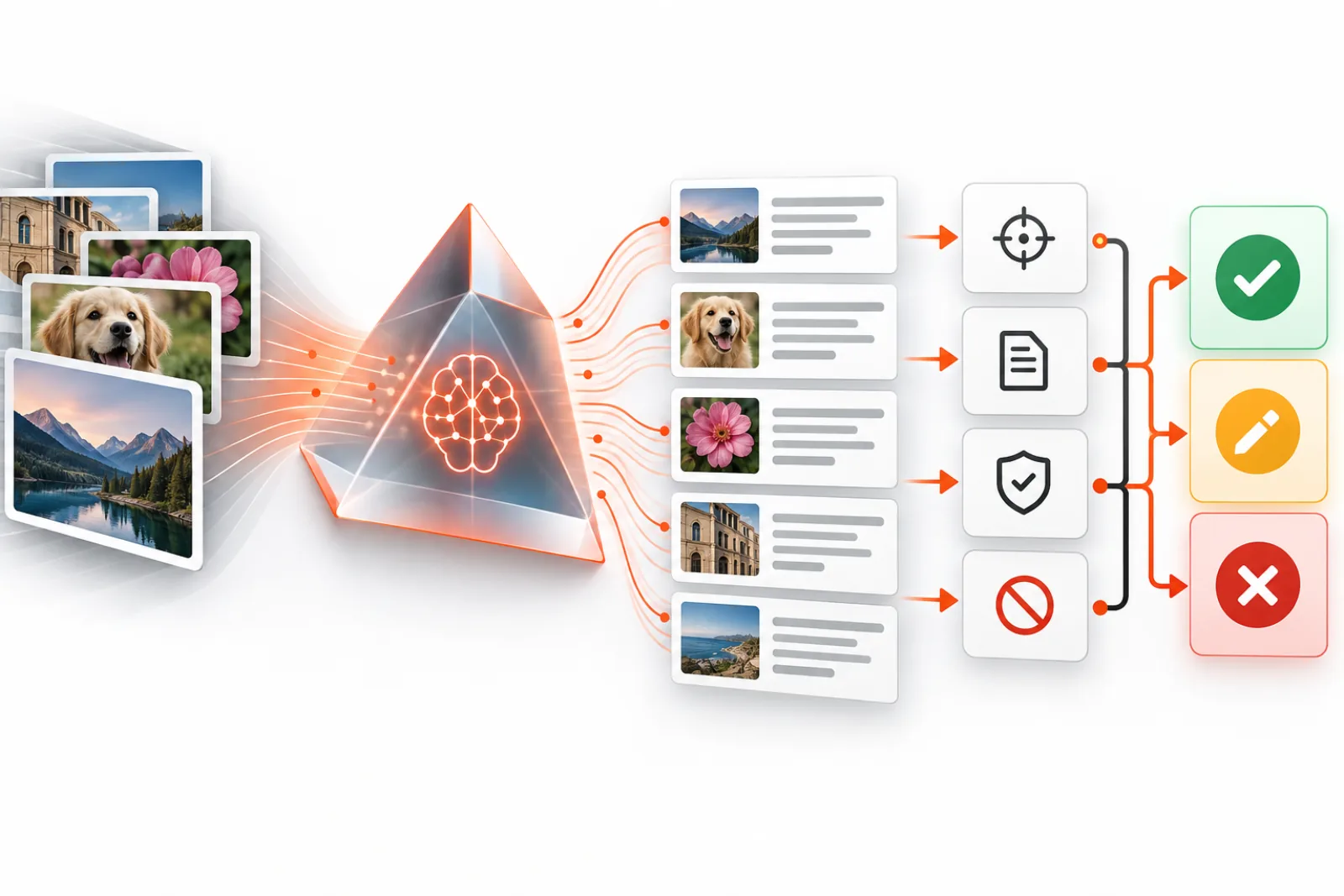
Bulk AI alt text should be managed as a review queue, not a one-click rewrite of the Media Library. Computer vision can reduce blank fields quickly, but it can also invent context, describe decorative assets, expose sensitive details or produce hundreds of repetitive phrases.
The safest workflow separates inventory, generation, confidence-based review, approval and post-render verification.
Define the batch policy first
Write the rules before connecting a model. Decide which MIME types qualify, whether existing alternatives may be changed, which languages are supported, the maximum batch size and who approves edits. Exclude logos, signatures, medical imagery, identity documents, private uploads and images whose purpose cannot be known outside the page.
Inventory by risk and context
| Queue | Examples | Review level |
|---|---|---|
| Low risk | Simple editorial photos with clear nearby context | Fast human approval |
| Medium risk | Product shots, screenshots, diagrams | Open the page and verify purpose |
| High risk | Functional controls, charts, sensitive people or documents | Specialist rewrite or exclusion |
| Decorative | Dividers, flourishes, redundant backgrounds | Set an empty alternative |
Generate against the best available source image, but supply safe editorial context where the system supports it: page title, surrounding heading, caption and intended destination. Do not send private media to a third-party API without confirming data-processing terms, retention and organizational approval.
Make AI output a draft
Store the proposed alternative separately until approval. Preserve the current value, attachment ID, model, prompt version, timestamp and reviewer outcome. This creates a rollback path and reveals whether a model or prompt change introduced a systematic defect.
Review for four failure classes
- Accuracy: Are objects, text, quantities and relationships actually visible?
- Purpose: Does the description explain what the image contributes on this page?
- Safety: Does it avoid guessing identity, disability, emotion, ethnicity, religion or other sensitive attributes?
- Quality: Is it concise, natural, non-repetitive and free from keyword stuffing?
Reject descriptions that merely list objects. A screenshot may contain a browser, sidebar and buttons, but the relevant alternative could be “Checkout settings with guest purchasing disabled.”
Use confidence to route work, not skip responsibility
A high model confidence is not proof of contextual correctness. It may be highly confident about what is pictured and still miss why the image is present. Use confidence thresholds to prioritize review: auto-reject uncertain drafts, fast-track clear low-risk items and require page-level review for functional or complex content.
Publish in small reversible batches
- Export current alt values.
- Approve a limited batch.
- Write only approved changes.
- Sample the database result.
- Inspect rendered HTML on representative pages.
- Run automated accessibility checks, then keyboard and screen-reader spot checks.
- Monitor editor feedback before expanding the batch.
Remember that page builders may copy an alternative into block data. A Media Library update might affect new insertions but leave historical markup untouched. Verify the final page, not only the attachment screen.
Quality metrics that matter
- approval, edit and rejection rates by image class;
- blank-alt reduction excluding intentionally decorative images;
- rate of unsupported claims found in review;
- percentage of functional and complex images escalated;
- rollback rate and time spent per approved image;
- accessibility issues in rendered templates.
Version the generation policy
Keep the instruction sent to the model short, testable and versioned. State that the output is a draft, prohibit identity and sensitive-trait guesses, forbid keyword lists, and require plain language. When context is supplied, delimit it clearly so text extracted from an image or page cannot become an instruction. Cap output length at the application layer and reject empty, malformed or suspicious responses.
Evaluate every model or prompt change on a fixed set containing decorative assets, text-heavy screenshots, charts, products, people and ambiguous images. Score factual accuracy, contextual usefulness, harmful inference, repetition and reviewer edit distance. A cheaper model is not cheaper if it doubles review time.
Plan failures and rollback
API timeouts, rate limits and partial batches must be resumable without duplicating writes. Use stable attachment IDs, job states and idempotent save behavior. Never treat an HTTP success as an approved description; validate the response and keep generation separate from publication.
Before each write batch, export attachment ID and previous alt value. If reviewers discover a systematic issue, restore only the affected batch rather than replacing the entire database. Pause generation when rejection rates or unsupported claims exceed the predefined threshold.
Include multilingual and editorial ownership
Alt text belongs to the language and purpose of the rendered page. Machine-translating one Media Library value may miss local terminology or context. Route each language to an editor who understands the content, and verify whether the translation plugin stores attachment metadata globally or per language.
Assign a named owner for unresolved images and an expiry for the queue. Without ownership, bulk generation produces a large pile of drafts rather than an accessible site.
Sample review rubric
| Criterion | Pass | Fail |
|---|---|---|
| Factual | Every stated detail is visible or supplied as trusted context | Invented brand, identity, emotion or event |
| Purposeful | Explains the information or action the image contributes | Generic object inventory |
| Concise | No redundant “image of,” caption copy or keyword list | Long, repetitive or promotional phrasing |
| Accessible | Correct treatment for decorative, functional or complex role | Description added where empty alt or long description is required |
A safe pilot
Start with 50 low-risk editorial images that have missing alternatives and known page contexts. Have two reviewers independently score a sample, reconcile disagreements, and update the rubric. Publish only approved values, inspect ten rendered pages and monitor editor corrections for two weeks. Expand to the next class only when factual-error and rollback rates remain below the agreed threshold.
Design the workflow as distinct states
A robust queue makes status explicit: discovered, excluded, ready for generation, generated, needs review, approved, rejected, published, verified or rolled back. Do not overload one blank field to represent all of these states. A blank alternative can mean decorative, not reviewed, intentionally excluded or generation failed; those meanings require different next actions.
| State | Entry requirement | Allowed next step |
|---|---|---|
| Discovered | Attachment and rendered uses inventoried | Classify risk, context and eligibility |
| Excluded | Reason recorded, such as decorative or sensitive | Periodic policy review only |
| Generated | Draft, model, prompt version and inputs stored | Human review; no production write |
| Approved | Named reviewer confirms accuracy and purpose | Publish in a defined batch |
| Published | Previous value and result recorded | Rendered verification |
| Verified | Representative page output passes | Close after observation window |
Use stable job and attachment identifiers so retries resume the existing record instead of generating new drafts. Treat publishing as an idempotent operation: if an approved value is already present, a retry should confirm it rather than create a second change.
Inventory rendered usage before generating
The Media Library alone cannot reveal purpose. One attachment may appear as a linked logo, a decorative hero background and an informative image inside an article. Capture each known use with page URL, component, surrounding heading, link destination, current alternative and language. If contexts conflict, route the attachment for page-level handling rather than writing one global value.
Prioritize images that are both important and resolvable: frequently viewed editorial images with a clear purpose, product variations where visible attributes affect selection, and screenshots tied to maintained tutorials. Delay orphaned assets, obsolete campaigns and ambiguous illustrations until the content owner decides whether they should remain.
Exclude private media by default. Membership uploads, identity documents, invoices, medical images, support attachments and unpublished campaign material need an approved data-handling route. A technically public uploads URL does not mean organizational consent exists to send its contents to a model provider.
Minimize and control model inputs
Send only what generation needs. Resize the image when fine detail is irrelevant, strip unnecessary metadata, and provide a short trusted context bundle rather than the entire page. Separate system instructions from captions, OCR output and page text; content extracted from an image can contain instruction-like text and must be treated as untrusted data.
Document provider retention, training use, processing region, subcontractors, deletion controls and incident response. Confirm that API credentials are stored as secrets, scoped to the service and absent from browser code, logs and exported review files. Set request timeouts and maximum payload sizes so a broken image or provider delay cannot stall a whole publishing job.
Create a benchmark set before selecting automation thresholds
Build a fixed evaluation set from the site’s real content: decorative flourishes, linked logos, diverse product angles, people, screenshots, diagrams, charts, text-heavy posters, ambiguous scenes and images with sensitive data. Have qualified editors write expected classifications and acceptable alternatives. Some items can have multiple good phrasings; score preserved meaning rather than exact string equality.
Measure factual error, unsupported inference, contextual usefulness, correct decorative treatment, functional naming, edit distance and reviewer time. Compare the current model and prompt against that baseline whenever either changes. A model that produces fluent prose but misclassifies decoration is not ready for autonomous publication.
Thresholds must map to actions. For example, any sensitive-trait inference can fail the release, while a minor wording edit may simply lower fast-track eligibility. Publish the threshold and owner before the pilot so results are not rationalized after the fact.
Give reviewers the evidence they need
A review screen should show the source image at useful resolution, rendered page context, current value, proposed value, link destination, model confidence, known OCR text and policy reminders. Reviewers need approve, edit, reject, mark decorative, exclude and escalate actions. Keyboard shortcuts can improve throughput, but speed must not hide context.
Randomize a quality-control sample and occasionally send the same item to two reviewers. Disagreement reveals unclear policy, insufficient context or training gaps. Escalate charts, legal imagery, identity-sensitive content and functional controls to appropriate specialists rather than forcing a general editor to decide.
Protect reviewer wellbeing when imagery can be disturbing or private. Warn about content classes, restrict access, minimize exposure and provide an opt-out route. Operational efficiency does not override responsible handling of people and documents.
Control cost, concurrency and failure
Estimate spend from eligible image count, average input size, retries and review labor. Cache generation by a strong hash of the image bytes, prompt version, model and trusted context so unchanged inputs do not incur repeat calls. A visually identical asset in a different context may still need a new draft, so context belongs in the cache key.
Use bounded queues with provider rate limits, exponential backoff and a maximum retry count. Classify failures as transient, permanent or policy-related. A timeout may be retried; an unsupported MIME type should be routed; a safety refusal should not loop. Stop the batch when error or rejection rates exceed the agreed ceiling.
| Signal | Response |
|---|---|
| Rate-limit response | Honor retry guidance, reduce concurrency and resume the same jobs |
| Malformed or empty output | Reject automatically, log the response class and avoid database writes |
| Repeated unsupported claims | Pause the model/prompt version and audit the affected generated set |
| Provider outage | Leave jobs queued; do not substitute an untested model silently |
| Write succeeds but verification fails | Restore the batch’s previous values and investigate rendering |
Publish with least privilege and an audit trail
The generation worker does not need permission to publish. Separate service credentials and roles so drafts can be created without changing content, reviewers can approve without managing plugins, and a controlled publisher can write only the approved attachment metadata. Log who approved and who published each value.
Before a batch, export attachment ID, previous alternative, proposed alternative, language, checksum and every page chosen for verification. During the write, recheck that the source image and current value have not changed since approval. Skip conflicts instead of overwriting newer editorial work.
After publishing, clear only relevant caches and inspect the final HTML. Gutenberg, Elementor, product galleries and custom components may retain copied values or override Media Library metadata. Verify the accessibility tree for functional images and ensure decorative cases still output an empty attribute rather than omitting it.
Worked pilot: 5,000-image editorial archive
A publisher inventories 5,000 attachments and finds 1,900 blank Media Library values. Rendered-use analysis identifies 420 obsolete or unattached files, 310 decorative theme assets, 70 sensitive member uploads and 1,100 eligible editorial images. It does not send all 1,900 images to the model.
The team selects 50 recent, high-traffic editorial images across five templates. Generation produces 50 drafts; reviewers approve 31 unchanged, edit 12, mark five decorative and reject two for unsupported identity claims. The unchanged approval rate looks promising, but the two harmful errors exceed the pilot threshold. The team tightens the prompt, removes names from untrusted page text and reruns the same benchmark before expanding.
On the second version, no sensitive claims appear and median review time falls. The team publishes 100-image batches, verifies ten rendered pages plus every functional image, and keeps prior values for rollback. After two weeks, editor corrections remain below the agreed level, so the next risk class is admitted.
Detect drift after launch
Quality can change when the provider updates a model, the prompt changes, the site’s image mix shifts or reviewers become rushed. Track metrics by model, prompt, language, template, image class and reviewer. Aggregate approval alone can hide a severe failure concentrated in screenshots or one locale.
Re-evaluate a fixed sample on a schedule and whenever the provider version changes. Inspect random approved items, reviewer edits and user-reported accessibility defects. If drift crosses a threshold, pause new publication while keeping the queue and historical audit data intact.
Define completion responsibly
The goal is not 100 percent non-empty alt fields. Completion means every important rendered image has been classified, informative and functional images have useful equivalents, decorative images are intentionally empty, complex images have maintained detail, and the process catches new content. Report intentional empties separately from unresolved blanks.
Add classification to the editorial workflow so the archive does not regress. New templates should pass rendered accessibility checks, and high-risk images should route to a reviewer at upload or publication time. A one-time AI batch is valuable only when governance keeps the result accurate.
Select a model and provider with evidence
Compare providers on the site’s benchmark rather than public demos. Evaluate image formats and maximum dimensions, OCR quality, language coverage, rate limits, deterministic controls, version pinning, data retention, regional processing, accessibility of support and total cost including review. Record the exact model identifier because a marketing product name may silently point to changing versions.
Do not assume the largest model is best. A smaller system may produce concise factual drafts with fewer creative inferences, while a more capable model may use surrounding context better. Run blinded reviewer comparisons. Choose the option that minimizes harmful errors and total human effort while meeting privacy requirements.
Define an exit plan. Store approved text and audit data in formats independent of the provider, and keep queue logic separate from one API response shape. If terms, quality or pricing change, you should be able to stop generation without losing review history or published-value rollback.
Use sampling that can detect rare serious errors
Review every item during early pilots and every high-risk class permanently. For mature low-risk batches, random sampling can supplement—not replace—approval only after a documented accuracy record exists. Stratify samples by template, language, image class and model version so common editorial photos do not hide failures in charts or screenshots.
Maintain a zero-tolerance list for identity invention, sensitive-trait inference, exposed private information and wrong functional destinations. One such defect triggers investigation of the affected model and prompt batch. Lesser style defects can use percentage thresholds, but serious errors require traceability to every potentially affected draft.
Integrate with publishing without blocking editors
New uploads can enter the queue asynchronously. Let editors publish when an image is correctly marked decorative or has a human-written alternative; do not make a provider outage block urgent content. Show status clearly and reserve hard stops for policy-defined cases such as an unlabeled image-only link in a critical journey.
When an editor changes the image, context or link destination after approval, invalidate the draft and request review again. When only surrounding copy changes, decide whether the alteration materially changes purpose. This event-driven approach keeps approved text connected to the situation it was reviewed for.
Create evidence for accessibility stakeholders
Keep the policy, benchmark, prompt versions, exclusions, review decisions, rendered checks, defects and remediations. Report progress as classified and verified images by risk class, not as raw strings generated. Include examples of intentional empty alternatives so stakeholders understand that blank can be correct.
Invite disabled users or accessibility specialists to review representative journeys, particularly commerce, account and publishing workflows. Their feedback can reveal verbosity, repetition and missing context that automated scores overlook. Convert findings into rubric examples and regression tests rather than treating them as a one-time consultation.
Review operational access at the same cadence. Remove former reviewers, rotate provider credentials, test rollback exports and confirm that private-image exclusions still match current content sources. A strong writing rubric cannot compensate for an account that can read or modify more media than its role requires.
Finally, publish a short, accountable and time-bounded exception process. Editors need to know who decides when context is ambiguous, how urgent content can proceed, and when an attachment must remain unchanged. Recorded exceptions reveal recurring platform limitations that deserve a durable template or workflow fix.
Keep one verified example from each queue state as a regression fixture for workflow releases.
How AI ALT Genius helps
AI ALT Genius analyzes Media Library images in batches, produces accessibility-focused drafts and provides preview and editing before changes are committed. Its filter hook also lets a development team normalize generated text before saving.
Keep a human responsible for context and publication. The plugin accelerates inventory and drafting; it does not replace the W3C decision about whether an image needs text at all.
Related WPStack guides
Frequently asked questions
Should AI replace existing alt text?
Default to filling reviewed gaps. Rewriting existing values needs a separate audit because some may be carefully contextualized.
Can decorative images be detected automatically?
Pixels alone cannot reliably establish decoration. That is a relationship between the image and surrounding content.
Should filenames be used as alt text?
No. They often contain internal codes, dimensions or keywords and rarely express purpose.
How large should a first batch be?
Small enough that one reviewer can inspect every result and you can roll back the full batch quickly.
References

Aditya Bhimrajka is a technology entrepreneur, product strategist, and software solutions expert with over a decade of experience building scalable web and mobile applications. His expertise spans SaaS, AI, cloud technologies, custom software development, and digital transformation. Passionate about solving real-world business challenges through technology, Aditya shares practical insights on WordPress, plugins, software development, startup growth, product strategy, and emerging technologies. At WPStack, he writes actionable, experience-driven content that helps developers, businesses, and website owners build secure, high-performing, and future-ready WordPress solutions.