
WooCommerce Product Image Alt Text: Variations, Galleries and Search Intent
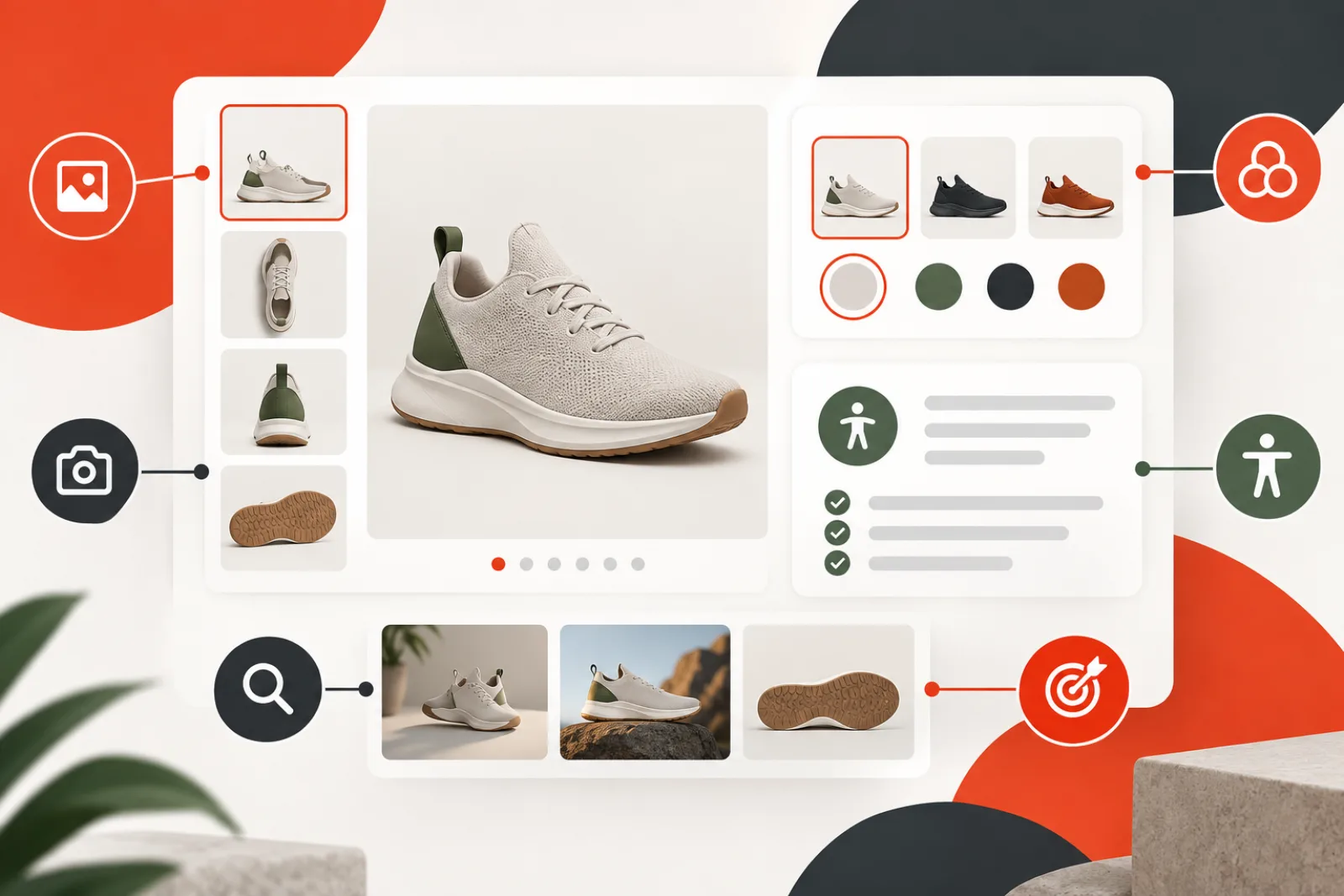
Good WooCommerce product image alt text helps a shopper understand the product, the selected variation and the purpose of each gallery view. It should not repeat a product title six times or become a list of search keywords. Write from the buying decision: what visual information would be missing if this particular image were unavailable?
Map the image to its storefront job
WooCommerce uses product imagery in several contexts: the main product image, shop and category cards, cart thumbnails, product galleries, variation-specific images, zoom/lightbox views and video posters. One Media Library attachment may be reused across them. Audit the rendered alt attribute in each important context rather than assuming one attachment field produces the same result everywhere.
| Image role | Useful alt focus | Avoid |
|---|---|---|
| Main product image | Product type plus visible distinguishing traits | Repeating the full title and sales copy |
| Gallery angle | What this view reveals: back, sole, ports, interior | “Product image 2” |
| Variation image | The selected color, finish, size-relevant view or material | Generic parent-product text |
| Detail close-up | The feature shown: stitching, connector, texture, label | Unrelated SEO modifiers |
| Lifestyle photo | Relevant use context only if it informs the purchase | Inventory of every object in the scene |
| Linked thumbnail | Destination or selection function when link purpose is not otherwise named | Describing appearance but not action |
Use a product-specific writing formula
A practical first draft is: product type + distinguishing visible attributes + view or feature, when useful. For example, “Trail shoe in forest green, side view showing reinforced toe and lugged sole.” Remove details already obvious from adjacent accessible text if repetition makes navigation noisy. Keep only claims the image proves; do not infer waterproofing, organic materials or compatibility from appearance.
Main image versus gallery images
The main image usually establishes identity. Gallery images should add information. If the first alt says “Oak writing desk with two drawers,” later views might say “Back of oak desk showing cable opening” and “Close view of dovetail drawer joint.” Six copies of the product name make a screen-reader user traverse repetition without learning what each thumbnail adds.
WooCommerce recommends quality product imagery and generates different display sizes for single-product, catalog and thumbnail contexts. Image size does not change the semantic job, but a crop can remove the detail named in alt text. Check desktop, mobile, thumbnail, zoom and any theme-specific gallery behavior.
Variation images need variation-aware text
When selecting “navy” changes the product image, the updated rendered alt should identify navy if the change is not already announced programmatically. Do not claim a color or material that belongs to a different variation. Test initial page load, variation selection, reset, unavailable combinations, gallery navigation and lightbox output using keyboard and a screen reader.
Stores may keep one image per variation, extra variation galleries or theme/plugin-owned gallery data. Attachment alt text is commonly shared, so reusing one image for different variants can create ambiguous output. Decide whether the variation name belongs in the surrounding control label, image alt, or both without needless duplication.
Search intent belongs in product content, not keyword stuffing
Google uses alt text with computer vision and page context. Use natural product language a shopper would recognize, but do not append category, location, brand and “buy online” phrases to every image. Put complete specifications, benefits and comparisons in visible product copy where everyone can use them. Alt text should remain an equivalent for the image’s information or function.
Handle swatches, linked images and icons separately
A color swatch is a selection control, not simply a colored circle. Its accessible name should communicate the option and selection state through the control implementation. An image-only wishlist or zoom button needs an accessible name describing the action. Decorative stars, dividers and backgrounds should not flood the accessibility tree with descriptions. Product images themselves are normally informative, not decorative.
Build the inventory before bulk editing
- Export products, variations and their featured/gallery attachment IDs.
- Group images reused across multiple products or variation contexts.
- Capture current attachment alt values and rendered storefront output.
- Prioritize top-selling, high-traffic and high-return products.
- Mark missing, generic, inaccurate and duplicated wording separately.
- Assign a reviewer who understands the product catalog.
Do not overwrite every existing value merely because a generator produced a new sentence. Preserve good human-written text. Keep a before-state export and apply approved changes in batches so they can be reversed.
Review AI drafts against a strict rubric
- Accuracy: every stated attribute is visible or verified.
- Purpose: the text explains what this image contributes.
- Variation: color, finish and view match the selected SKU.
- Context: wording does not unnecessarily repeat the title or caption.
- Restraint: no invented claims, promotional language or keyword list.
- Language: correct locale, terminology and reading order.
Worked example: variable running shoe
A parent product has white, black and rust variations plus side, top and sole views. The old system gives all 12 images “Performance running shoe.” The revised set uses the main white side view to identify the shoe and visible construction, then describes what each gallery angle reveals. The black and rust variation images name their selected color. The size chart receives a short identifier plus an adjacent accessible table containing the measurements. Search terms remain in the product heading and copy, not repeated in every alt attribute.
How AI ALT Genius fits
AI ALT Genius is presented as an assisted drafting workflow for existing WordPress Media Library images. It creates editable starting points and keeps the final decision with the editor rather than publishing generated text automatically. That can accelerate the first pass across a large product catalog.
Its boundary is important: visual analysis may not know the selected WooCommerce variation, product truth, surrounding label, regulatory wording or whether the rendered theme overrides attachment metadata. Review each draft with catalog data and test the live product, gallery and variation states before considering it complete.
Start from the product data model
List simple products, variable products, grouped products, bundles, external products and any custom product types. Record which attachment supplies the catalog card, primary gallery, variation, swatch, zoom and social image. Include translations, marketplace feeds and mobile apps that consume the same catalog.
This map exposes where one attachment alt value cannot represent every context. A shared lifestyle image may illustrate several products, while a variation gallery may store its own metadata outside standard WooCommerce fields. Define the source of truth before editing at scale.
Audit the rendered storefront, not only attachments
Crawl representative product and archive URLs and capture the final alt, link name, selected variation and image URL. JavaScript galleries can replace markup after interaction, so test initial load, thumbnail selection, variation choice, reset and lightbox. Inspect mobile and desktop because themes may render different components.
Compare rendered output with the Media Library value and product data. If many pages ignore the attachment field, fix the shared template or gallery integration first. Editing thousands of unused database values would create work without improving the experience.
Coordinate variation controls and image announcements
When a shopper chooses a color or finish, the control should expose its accessible name and selected state. The image update should not be the only way to learn which variation is active. If the change reveals additional visual information—such as a contrasting sole or port layout—the updated alt can describe it without repeating the full control label.
Test unavailable combinations, default variations, back-button restoration and direct variation URLs. A cached parent image with a child variation’s alt text is misleading even though every field is populated.
Write for gallery sequence and comparison
Review the gallery as a set. The first image establishes identity; later images should explain new information in the order a shopper encounters it. Use consistent terms for front, back, side, interior, scale, packaging and detail views. Avoid numbering that becomes wrong when merchandising reorders images.
For comparison tables or quick-view dialogs, adjacent product names may already identify the item. The alt can focus on the distinguishing visible trait. Test repetitive product grids with a screen reader to make sure image links do not announce long duplicated names before every card.
Treat size charts and technical diagrams as complex images
A size chart embedded as an image needs an equivalent accessible table or structured text nearby. Its alt can identify the chart and direct the reader to that data; it should not attempt to squeeze every measurement into one attribute. Wiring diagrams, ingredient labels and compliance marks may also need transcripts or expanded descriptions.
Keep the alternative synchronized when the graphic changes. Record version or product scope so a chart for one region or sizing system is not reused with inaccurate text on another product.
Protect product truth and regulated claims
Do not infer material, certification, medical benefit, sustainability, dimensions or included accessories from appearance. Pull verified terms from approved catalog data and use them only when the image communicates that detail. A model may describe a leather-like surface as leather or assume a badge is a certification; both can become customer and compliance problems.
Create prohibited-claim and required-terminology rules for regulated catalogs. Route uncertain drafts to product or legal owners. Keep the original and approved value in the change history.
Coordinate alt text with image performance
Semantic quality does not compensate for a slow gallery. Verify responsive candidates, rendered dimensions, zoom originals and the likely primary image’s loading behavior. Do not preload every variation or gallery asset. Load the initial selection promptly and fetch additional views according to actual interaction and performance goals.
Confirm that optimization or CDN transformations preserve the intended crop. If a mobile crop hides the feature named in the alt text, change the crop or the text for that context.
Handle multilingual catalogs deliberately
Translate meaning using the store’s approved product terminology, not word-for-word output. Color names, units, model names and reading order vary by locale. Determine whether translated products share attachment records or maintain localized media metadata before importing changes.
Test the rendered locale and variation together. A correct French attachment value is irrelevant if the English variation gallery overrides it, and a shared alt value may be unsuitable when text embedded in the image is localized.
Use a reviewed bulk-edit workflow
- Freeze a batch by product, locale and image role.
- Export product IDs, variation IDs, attachment IDs and current rendered values.
- Generate or write drafts while preserving approved existing text.
- Review accuracy, purpose, terminology and prohibited claims.
- Apply changes through the owning data source and record before values.
- Purge only affected caches and rebuild search or feeds if required.
- Render the batch, test interactions and sample assistive technology.
- Roll back individual failures from the export rather than rerunning the whole set.
Worked case: one attachment serves four products
A accessories store reuses one neutral packaging photo for four cable lengths. An automated job writes the first product’s length into the shared attachment alt field, causing inaccurate text on the other three pages. The audit identifies the shared attachment and removes the length claim from its default description.
Each product template already names the selected length in accessible HTML, so the image alt describes only the visible packaging and connector type. Product-specific claims remain in product content. The fix addresses the data model instead of producing four conflicting attachment values.
Test the complete buying journey
Sample search results, category cards, quick view, product gallery, variation selection, cart, mini-cart, checkout, order confirmation and account orders. Third-party themes may reuse the same thumbnail with different link behavior. Ensure an image-only link has a useful accessible name and decorative duplicates are hidden where appropriate.
Include keyboard-only use, zoom, carousel controls and screen-reader announcements. Verify no stale alt remains after AJAX fragment updates. A passing product editor screen does not prove the transaction journey works.
Measure quality and maintenance
Track missing rendered alternatives by role, inaccurate variation descriptions, duplicated gallery wording, review rejection reasons and unresolved shared-attachment conflicts. Pair these with conversion and support context without claiming alt edits alone caused commercial changes.
Add image-role and alternative-text review to product launch and seasonal merchandising checklists. Re-audit after theme, gallery, multilingual or feed changes because rendering ownership can move even when attachment data stays constant.
Write alternatives for product bundles and kits
A bundle hero should identify the set and visible contents that matter to the purchase. Gallery images can then show individual components, packaging or assembly. Do not imply that every visible prop is included. Align the description with the approved “what’s in the box” data and state exclusions in visible product copy.
If customers configure a kit, test the image and accessible description after adding or removing components. The selected configuration should be announced in text; the image alternative can describe visual changes that the control labels do not convey.
Handle used, refurbished and one-of-a-kind inventory
Condition-specific photographs may show scratches, wear or included accessories that determine the buying decision. Describe relevant visible condition without minimizing it or using subjective sales language. Keep listing-specific media and text tied to the exact inventory item.
When the item sells, preserve the record according to store policy but prevent its alternative from being reused on a different unit. Automated catalog imports should not replace unique descriptions with a generic parent-product value.
Design for color without relying on color alone
Name the selected color using catalog terminology when it distinguishes the variation, but ensure swatches also expose text labels and state. Customers may perceive colors differently, and screens do not prove exact appearance. Visible product copy can include an approved color disclaimer where needed.
For patterns and finishes, describe meaningful visible traits such as “navy with thin white stripe” or “brushed silver finish” only when accurate. Avoid poetic names that do not help identify the visual difference.
Coordinate with product feeds and marketplaces
External channels may consume titles, descriptions and image URLs but ignore WordPress alt metadata. Inventory each feed’s fields and image selection rules. A correct storefront value does not prove a marketplace card, shopping feed or social catalog uses the same image.
Keep accessible alternatives in the storefront even when a feed cannot accept them. Fix feed titles and image mapping in their own source rather than stuffing promotional text into alt to influence another channel.
Audit search, recommendations and quick views
Product cards often combine an image link, title link, price and quick-view button. Listen to the accessible name sequence. If the linked image repeats a long product title immediately before the visible title, an empty alternative may be appropriate only when the link retains an accessible name from other content and the image adds no distinct information.
Recommendations can render many nearly identical products, making variation accuracy especially important. Test keyboard focus and screen-reader navigation with a realistic card set, not a single isolated product.
Prevent drift during imports and synchronization
Document whether ERP, PIM, supplier feed or marketplace synchronization owns attachment IDs, image URLs and alternative text. Protect approved human edits from being overwritten unless the upstream source is authoritative. Log source changes and flag mass replacements for review.
After an import, sample newly created, updated, shared and removed images. Verify that stale variation media do not remain in galleries and that cache or CDN layers serve the new selection.
Create reusable editorial examples
| Weak | Stronger | Why |
|---|---|---|
| Best blue backpack buy online | Navy hiking backpack, front view with two zip compartments | Visible, specific information without promotion |
| Shoe image 3 | Trail shoe outsole showing deep chevron lugs | Explains the gallery view |
| Red | Red ceramic mug with white interior | Identifies product and visible variation |
| Size chart numbers | Jacket size chart; measurements are provided in the following table | Moves complex data to accessible text |
Use rollback and approval evidence
For each batch, retain product, variation, attachment, locale, image role, previous value, proposed value, reviewer and applied time. If a theme uses a local widget override, record that source rather than pretending the attachment changed. Roll back at the same layer.
After rollback, clear affected fragments and repeat the interaction test. A database value restored successfully can still leave stale markup in page, object or CDN caches.
Definition of done for a catalog segment
- Every image role and owning data source is documented.
- Main, gallery and variation alternatives add accurate distinct information.
- Controls expose option names and state independently of color or imagery.
- Complex charts and labels have visible equivalents.
- Shared attachments and localized contexts are reviewed explicitly.
- Critical storefront, cart and checkout states pass keyboard and screen-reader checks.
- Imports cannot silently overwrite approved work.
- Before-state data, owner and regression sample are retained.
Maintain quality as the catalog changes
Trigger review when a product gains a variation, gallery images are reordered, a supplier replaces photography or merchandising changes a shared attachment. Retire stale alternatives with discontinued imagery and keep approved terminology synchronized with the catalog source.
Sample new imports and top-selling products regularly. The goal is not a one-time field-completion score; it is a storefront where visual product information remains accurate, non-repetitive and usable through every buying state.
Validation checklist
- Main, gallery, variation and poster images have distinct purposes.
- Rendered alt output matches the selected variation.
- Swatches and image buttons expose an accessible action or option name.
- No generated description invents materials, benefits or certifications.
- Mobile crops still show the feature being described.
- Keyboard, screen-reader and lightbox behavior were sampled.
- Approved changes are backed up and traceable by product/attachment ID.
Related WPStack guides
Frequently asked questions
Should product alt text include the SKU?
Only when the SKU is meaningful to the user and the image distinguishes that model. Product copy is usually a better home for internal identifiers.
Can every gallery image use the product name?
It can, but that is rarely useful. Describe the new information contributed by each view and avoid repetitive navigation.
Should color always appear in variation image alt text?
Include it when color is the meaningful change and it is not already clearly conveyed to assistive technology. Test the complete variation control and image update.
Does better alt text guarantee image-search traffic?
No. It supports understanding, but page quality, crawlability, image quality, relevance and delivery also affect search visibility.
Can AI write final product alt text without review?
No. It can draft visible attributes but may hallucinate product facts or miss the variation and buying context. Catalog-aware human review is essential.
References
- WooCommerce product images and galleries
- WooCommerce accessibility tips
- W3C WAI images tutorial
- Google image SEO best practices

Aditya Bhimrajka is a technology entrepreneur, product strategist, and software solutions expert with over a decade of experience building scalable web and mobile applications. His expertise spans SaaS, AI, cloud technologies, custom software development, and digital transformation. Passionate about solving real-world business challenges through technology, Aditya shares practical insights on WordPress, plugins, software development, startup growth, product strategy, and emerging technologies. At WPStack, he writes actionable, experience-driven content that helps developers, businesses, and website owners build secure, high-performing, and future-ready WordPress solutions.