
Multilingual WordPress Alt Text: Translation, Context and Media-Library Pitfalls
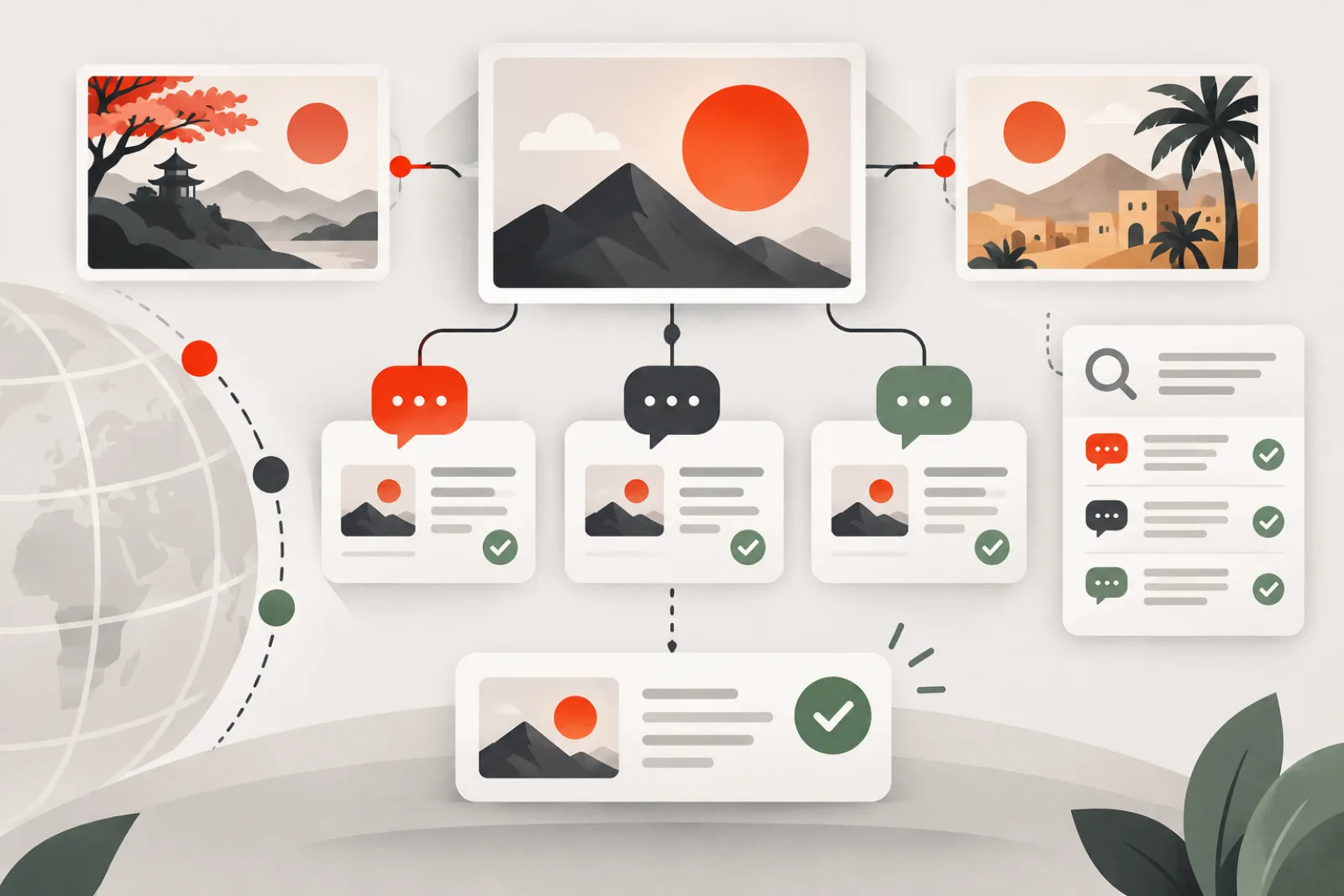
Multilingual WordPress alt text is not a word-for-word metadata exercise. Each language version needs an alternative that matches the image’s purpose, the translated page, regional terminology and any localized visual. Before bulk translation, determine where the rendered alt value comes from: attachment metadata, block markup, a page builder, a translation record or a template.
Start with the rendering model
WordPress stores a default attachment alt value in post meta, but a page can preserve alt text inside saved block markup or builder data. Multilingual plugins then decide whether to translate the page-level value, duplicate media metadata, create language-linked attachment records or use a different image per locale. The same physical file may therefore have several legitimate text alternatives—or one stale default repeated everywhere.
| Scenario | Editorial decision | Technical check |
|---|---|---|
| Same image, same purpose | Translate naturally for each locale | Rendered alt switches with page language |
| Same image, different surrounding message | Adapt to each page’s purpose | Page-level value is not overwritten globally |
| Image contains localized text | Use localized image and equivalent | Correct asset and alt load together |
| Decorative in one layout | Use empty alt in that context | Template permits contextual override |
| Product reused across locales | Use market terminology and exact variant | Translation does not alter SKU truth |
Translate meaning, not syntax
A useful source alt describes the information or function the image contributes. Give translators the page title, nearby heading, caption, target market and image preview. Without context, a translator may choose the wrong meaning for short terms, preserve unnatural English word order or translate a brand/product attribute that should remain unchanged.
Avoid building source text from keyword fragments. Search language differs by locale, but alt text remains an accessibility equivalent, not a hidden keyword field. Put localized search intent in the visible title, headings and copy where it supports the reader.
Account for text embedded in images
If meaningful words are baked into a screenshot, banner or diagram, changing only the alt does not give sighted readers a localized experience. Prefer real HTML text. When a localized image is necessary, manage the asset, alt, caption and rights as one translation unit. Preserve design dimensions so the new language does not crop critical text.
For charts and complex diagrams, translate the short alt and the full visible or linked description. Localize numbers, dates and units where appropriate, while protecting the underlying values from accidental conversion.
Understand WPML and Polylang media behavior
WPML documents translation of alt text, titles, captions and descriptions with page content, and can display different media per language. It also explains that storage behavior depends on how builders source media text. Polylang’s Media module similarly supports translated media metadata without necessarily duplicating the physical file and advises deciding the media strategy before content production.
Do not apply a generic database update across language-linked attachments. First document the active multilingual plugin, its media module settings, page-builder integration and whether the attachment record or page content owns the value. Test changes on staging and keep an export keyed by attachment, content and locale.
Design a safe multilingual inventory
- List active locales and canonical locale codes.
- Export priority pages, images, attachment IDs and current rendered alt values per locale.
- Group same-file reuse separately from different localized files.
- Classify informative, decorative, functional, text-bearing and complex images.
- Identify the system of record for each value.
- Assign language and subject-matter reviewers.
- Track missing, untranslated, identical-but-suspicious and broken outputs separately.
When identical alt text is valid
Brand names, product model numbers and some proper nouns may be identical across languages. An empty alt remains empty when the image is decorative in each version. Therefore, “same string in two locales” is a review signal, not automatic proof of failure. Conversely, a translated string can still be wrong if the localized page uses a different image or purpose.
Review machine and AI translations
- Meaning: does it preserve the important visual information?
- Locale: is vocabulary natural for the market?
- Context: does it complement rather than repeat nearby text?
- Product truth: are model, color, material and claims accurate?
- Function: for linked images, is the destination/action clear?
- Privacy: did OCR expose names, email addresses or identifiers?
Worked example
A travel site reuses a destination photo in English and Spanish articles but uses a culturally adapted banner for Japanese. The English and Spanish pages receive natural descriptions tied to their article headings, not literal mirror translations. The Japanese banner’s visible text and alt are localized together. A global Media Library edit would have overwritten the page-specific context, so the team updates the translation records and verifies all three rendered pages.
How AI ALT Genius fits
AI ALT Genius provides editable image-description drafts intended for human review. It can help establish an accurate visual starting point for an existing Media Library before a translation workflow begins.
Keep locale decisions outside autopilot: visual analysis alone does not know page language, regional terminology, translation ownership or whether a localized asset replaces the source. Confirm the installed workflow supports the relevant multilingual storage model, then have native-language editors review each rendered locale.
Define locale ownership before translation begins
For every site language, assign an editorial owner, fallback policy and approved terminology source. Decide whether a missing translation should use the source value, remain pending or block publication. Silent fallback may be acceptable for a model number but inappropriate for an instructional screenshot containing untranslated controls.
Record language, region and script explicitly. Portuguese for Brazil and Portugal, or Chinese in different scripts, can require distinct terminology and assets. Do not infer locale from a country flag or URL fragment alone.
Map attachment and content relationships
Export source and translated post IDs, attachment IDs, physical file identity and rendered values. Mark whether translations share one attachment, use linked attachment records or select a localized file. Include featured images, galleries, blocks, builders, custom fields, product variations, menus and templates.
This relationship map is the rollback key. A global edit to one shared attachment can affect every language, while a translated block value may affect only one occurrence. Apply changes at the narrowest source that preserves the intended reuse.
Create a terminology and non-translation list
Maintain approved names for products, interfaces, colors, materials, locations and regulated claims. Mark trademarks, model codes and file-format names that stay unchanged. Give translators the image and nearby copy because a short source phrase can be ambiguous without visual context.
Review terminology after product or interface updates. Consistency helps users match the alternative to controls and catalog language; it is more important than mechanically mirroring source word order.
Design safe fallback behavior
Test what happens when a localized alt value, media record or image is missing. The system may inherit source metadata, emit an empty value, keep the previous locale through cache or omit the attribute. Choose behavior by image purpose: a decorative image can remain empty, but an informative checkout graphic may need to block release until reviewed.
Make fallback visible in editorial reports. A page that renders English text on a French URL should not count as translated merely because an alt attribute exists.
Audit right-to-left and non-Latin experiences
Check reading order, punctuation, numbers and mixed-direction product codes in the rendered page. Screenshots and diagrams with directional arrows may need localized artwork when the interface mirrors. An alt description should explain the logical action, not copy a left/right direction that is wrong in the target layout.
Verify fonts and image crops preserve characters in localized banners. Keep meaningful words as HTML when possible so they resize, translate and remain selectable.
Localize functional images and linked purposes
For an image-only link, the accessible name must describe the destination or action in the current language. If an icon sits beside visible link text, avoid a redundant alternative. Buttons created by builder widgets need their labels checked after language switching and AJAX updates.
Test keyboard focus, screen-reader output and destination locale. A Spanish accessible name that opens an English page may be a navigation defect rather than an alt-writing issue.
Handle commerce variations across markets
Catalogs may change color names, packaging, measurements, certifications and included items by market. Tie image descriptions to verified locale-specific product data. Never machine-translate a regulated or commercial claim simply because it appears in source alt text.
Test product gallery, variation selection, cart and feeds in each priority locale. Shared attachments can be correct while a localized variation needs a different image and alternative.
Protect privacy during translation and AI review
Screenshots can contain names, emails, addresses, account IDs or private interface data. OCR may surface information that editors overlooked. Redact before uploading an asset to WordPress or sending it to a translation or AI service. Document which service processes the file, retention and allowed content classes.
Keep private media and customer uploads outside automated workflows unless there is a lawful, controlled need. Logs and translation exports should not include signed URLs or credentials.
Use locale-aware quality assurance
| Check | Question | Evidence |
|---|---|---|
| Semantic | Does the alternative convey the same purpose? | Native reviewer decision |
| Visual | Does it match the actual localized asset? | Rendered page screenshot |
| Technical | Does the correct value render in every state? | DOM and interaction test |
| Terminology | Are product and interface terms approved? | Glossary match |
| Fallback | Is missing content handled deliberately? | Negative test |
Run translation in controlled batches
- Freeze priority pages, locales, occurrences and current values.
- Export the attachment/content relationship map.
- Classify image purpose in the source context.
- Draft with image, nearby copy and terminology guidance.
- Review by a native-language subject owner.
- Apply through the multilingual plugin or owning builder.
- Clear affected caches and render every target locale.
- Record exceptions, approvals and rollback values.
Worked case: cached alt crosses language boundaries
A multilingual store correctly stores German and English product alternatives, but a fragment cache key omits language. The first visitor after expiry determines which version everyone sees. Editors repeatedly correct metadata without fixing the output.
The audit compares stored and rendered values, reproduces the cross-locale cache behavior and fixes the cache variation. It purges affected fragments and tests both request orders. The root cause was delivery context, not translation quality.
Worked case: one diagram needs two localization layers
A setup diagram contains English labels and a numbered flow. Translating only the alt helps nonvisual readers but leaves the visual asset unusable for sighted readers of other languages. The team replaces embedded words with localized artwork and translates the adjacent ordered explanation.
The short alt identifies the diagram and conclusion; the list contains each step. Future terminology changes update both assets and text through one translation task.
Monitor coverage and regression
Track rendered informative images approved per locale, deliberate decorative empties, source-language fallbacks, asset/alt mismatches and stale translated screenshots. Measure high-value templates and pages rather than dividing filled attachment fields by the entire library.
Recheck after multilingual plugin, builder, cache, theme or import changes. A data migration can preserve translations while breaking their relationships. Retain a representative test set for every supported storage model.
Distinguish translation memory from image context
Translation memory can improve terminology consistency, but a previous match may describe a different crop, variation or purpose. Show the translator the actual rendered image and page state before accepting a high-percentage match. Store context notes alongside the segment when the platform supports them.
Do not let a global memory change overwrite reviewed product identifiers or decorative empty values. Treat exact matches as accelerators, not automatic publication approval.
Plan localized image filenames and URLs
Choose whether localized assets share a neutral filename, include locale codes or live in locale-specific paths. Keep URLs stable and avoid renaming established indexed images solely to translate the filename. If a new localized asset replaces an old one, update block, builder, schema, sitemap and CDN references together.
Preserve redirects when an old image has meaningful external use. Verify that language switching does not request a source-locale file because of stale responsive metadata.
Coordinate image sitemaps and metadata by locale
Confirm that localized landing pages expose the intended image URLs in rendered markup and sitemaps. Representative images in structured data and social metadata should match the page language and market when localization changes the visual. A translated alt value cannot compensate for an English promotional banner on a Japanese page.
Check canonical and alternate-language relationships at the page level. Avoid creating separate low-value attachment pages for every translation unless they contain a deliberate user experience.
Handle fallback chains during partial launches
A new locale may launch before every historical image is reviewed. Define which categories can safely inherit source alternatives and which must remain unpublished. Informative legal, safety, payment and instructional graphics deserve stricter gates than decorative editorial photographs.
Show fallback status to editors and create a dated backlog. Do not allow temporary source text to become invisible permanent debt. Monitor the live DOM for fallbacks after each release.
Manage translator and editor permissions
Give language reviewers access to the preview and fields they need without broad media deletion or site-administration rights. Record the reviewer, source version and approval. When one shared attachment affects several locales, require visibility into the scope before saving a global change.
Protect exports containing draft titles, private URLs or personal media data. Delete working files according to the content policy after the batch closes.
Test imports, duplication and migration
Content duplication can copy source block alt values into a new locale before translation. Media synchronization may create new attachment IDs, break language links or retain the wrong parent. After migration, reconcile post, attachment, locale, file and rendered value rather than checking database row counts alone.
Run a dry import on staging with shared files, localized files, translated builder data and decorative images. Verify rollback before importing a full backlog.
Worked case: translated metadata never reaches Gutenberg
A team translates every attachment alt field through its media module, but older Gutenberg posts retain source-language values saved in block markup. Reports show complete media metadata while the frontend remains mixed-language.
The audit compares stored sources with rendered occurrences, then creates a reviewed block migration for affected posts. New publishing guidance ensures editors choose the localized value when inserting media. Attachment translation and content migration remain separate tasks.
Worked case: a shared decorative image becomes informative
A hero photograph is decorative on the source page because the heading supplies all information. A localized campaign removes the heading and places a message inside the image, making the visual informative. Copying the source empty alt would hide the campaign message.
The locale receives a contextual alternative and visible equivalent, while the source remains empty. This is a legitimate divergence based on purpose, not translation inconsistency.
Definition of done for a locale batch
- Page, attachment and asset relationships are exported.
- Every informative occurrence has native-language review.
- Decorative and functional decisions match the rendered context.
- Localized artwork and its alternative change together.
- Fallback behavior is explicit and visible to editors.
- Blocks, builders, templates, caches and dynamic states are tested.
- Privacy, product truth and regulated terminology checks pass.
- Before values, approval and rollback instructions are retained.
Design a multilingual regression set
Keep one example for shared attachments, translated attachment records, localized files, Gutenberg overrides, builder documents, dynamic featured images, product variations, functional icons and complex diagrams. Run the set in every supported locale after plugin, theme, cache or migration changes. Test language switching in both directions so warm cache from one locale cannot conceal a leak.
Include a missing-translation negative case. Confirm the configured fallback or publication gate behaves visibly and does not reuse a prior visitor’s language. Record the expected owner for resolving it.
Report progress without rewarding bad translations
Measure approved rendered informative occurrences, correct decorative empties, functional names, localized-asset matches, source-language fallbacks and unresolved high-risk pages. A percentage of non-empty attachment fields rewards duplicated, inaccurate or unnecessary text.
Show results by locale, content type and source system. A language can appear complete overall while its checkout templates or highest-traffic tutorials remain unreviewed. Pair coverage with native-review status and known technical blind spots.
Maintain a translation decision record
Store source meaning, target value, image purpose, asset version, terminology notes, reviewer, approval date and owning field. When a shared visual changes, use that record to identify affected locales and contexts. Retire accepted exceptions when the page purpose or image changes.
This record makes translation memory safer and prevents repeated debate about model codes, brand names and deliberate empty alternatives. It also gives rollback a precise target instead of another bulk overwrite.
Review the record during content retirement as well as publication. Removing a source page should not silently orphan a localized campaign image, and retiring one market’s asset should not remove a physical file still shared by another locale. Confirm relationships before cleanup.
Use native review on the rendered task
Give reviewers the live or staging page, not an isolated translation spreadsheet. Ask them to complete the relevant reading, purchase or navigation task and note where the image contributes information. They should inspect desktop, mobile and interactive states because a localized value can be accurate in storage yet paired with the wrong crop or variation.
Record whether the reviewer approved language, terminology, image match and functional result separately. This makes rework precise: a technical mapping failure should not send a good translation back for rewriting, and fluent wording should not conceal an inaccurate product image.
Release checklist
- Every locale shows the intended image and text alternative.
- Decorative images remain empty where appropriate.
- Localized screenshots and banners match their visible language.
- Block, builder, template and attachment sources were identified.
- Translation updates survive cache clears and content resaves.
- Language switching does not retain the previous locale’s alt.
- Native-language review covers accuracy, tone and product terms.
- Before-state exports and rollback steps are retained.
Related WPStack guides
Frequently asked questions
Can I translate attachment alt text once for the whole site?
Only when the same image has the same purpose everywhere and your multilingual system uses that attachment value. Page-level blocks and builders may store their own alternatives.
Does translating alt text duplicate image files?
Not necessarily. WPML and Polylang can translate media text while reusing a file, though different localized visuals may require separate media.
Should brand names be translated?
Usually follow the brand’s market guidance. Keep model identifiers exact and translate the surrounding descriptive language naturally.
Can identical alt across locales be correct?
Yes for proper nouns, model codes or empty decorative alternatives. Review it rather than automatically replacing it.
Who should approve AI-generated multilingual alt?
A native-language reviewer who understands the page and subject should approve it after checking the rendered image and surrounding copy.
References

Aditya Bhimrajka is a technology entrepreneur, product strategist, and software solutions expert with over a decade of experience building scalable web and mobile applications. His expertise spans SaaS, AI, cloud technologies, custom software development, and digital transformation. Passionate about solving real-world business challenges through technology, Aditya shares practical insights on WordPress, plugins, software development, startup growth, product strategy, and emerging technologies. At WPStack, he writes actionable, experience-driven content that helps developers, businesses, and website owners build secure, high-performing, and future-ready WordPress solutions.