
Building HPOS-Compatible WooCommerce Checkout Extensions
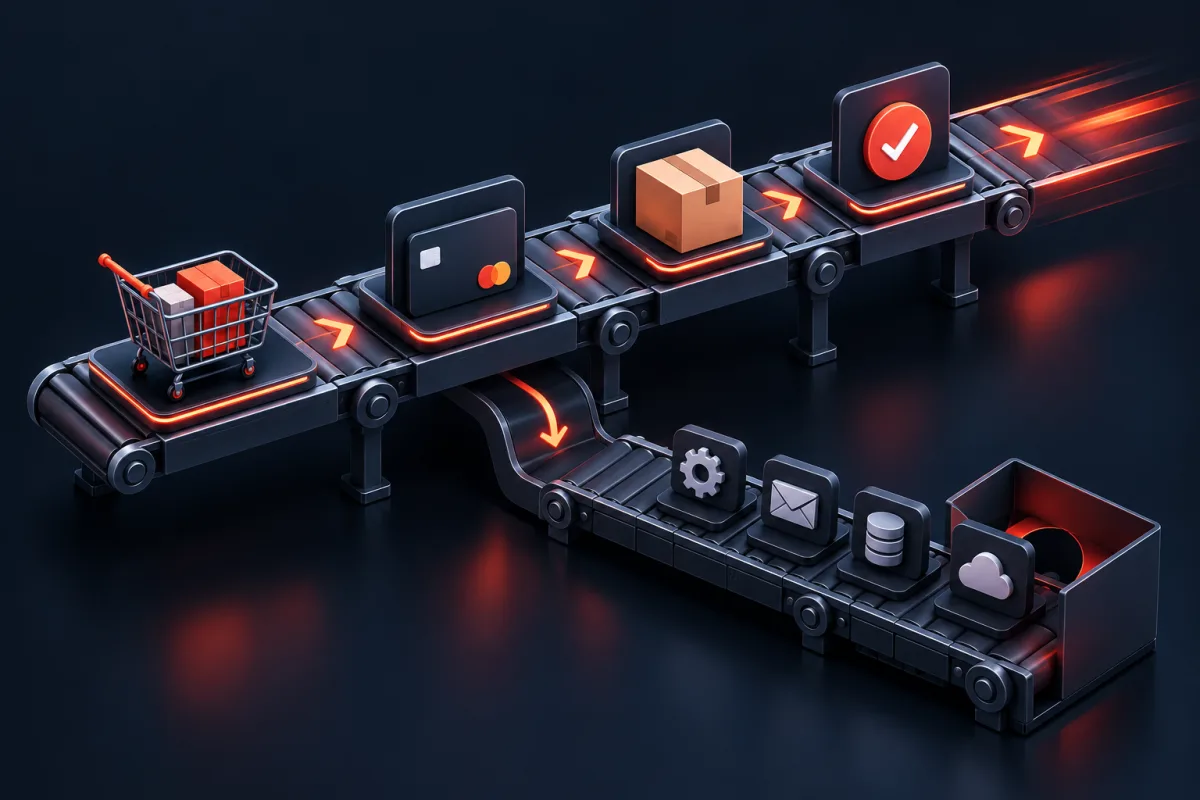
Checkout latency comes from the critical path: cart validation, session access, shipping, taxes, payment, stock, and order creation. Measure that path first, remove duplicate work, and move only nonessential side effects after the order reaches a durable state.
For over a decade, WooCommerce relied on WordPress’s native Content Management System schema—storing e-commerce orders as custom post types inside the wp_posts table and scattering line items, totals, billing details, and plugin settings across hundreds of rows in the unindexed wp_postmeta Entity-Attribute-Value (EAV) table. While this approach enabled rapid early ecosystem growth, it introduced severe database bottlenecks for enterprise merchants processing thousands of daily transactions.
When an enterprise e-commerce store experiences high concurrency—such as a Black Friday flash sale, a high-volume product drop, or automated B2B procurement feeds—the database engine must execute complex multi-table SQL LEFT JOIN queries across millions of unindexed postmeta rows. Under heavy read and write load, the wp_postmeta table experiences severe row-level and table-level lock contention, causing PHP-FPM worker pools to exhaust available connections, increasing Time-To-First-Byte (TTFB), and triggering fatal 504 Gateway Timeout errors.
To resolve these scaling limitations, WooCommerce introduced High-Performance Order Storage (HPOS) (formerly known as Custom Order Tables or COT). HPOS transitions WooCommerce from a monolithic, post-centric architecture to a modern, normalized relational database engine tailored specifically for high-throughput transactional e-commerce.
The Legacy EAV Bottleneck vs HPOS Architecture
To understand why HPOS is essential for modern e-commerce scalability, we must analyze the structural limitations of the legacy WordPress post storage model. In the classic architecture, every single order required:
- A single master row in
wp_postswherepost_type = 'shop_order'. - Between 40 and 120 individual rows inserted into
wp_postmetarepresenting billing address fields, shipping information, order notes, payment transaction IDs, tax line items, and custom plugin attributes.
When a customer places an order or an administrator loads the WooCommerce orders list, the database engine must execute complex multi-table SQL LEFT JOIN queries across millions of unindexed postmeta rows. Under high concurrency, this architecture creates four critical failure modes:
- EAV Table Bloat: A store with 100,000 orders accumulates over 6,000,000 rows in
wp_postmeta. Becausemeta_keyis a generic string column, MySQL cannot build efficient composite indexes for specific order fields like delivery dates, tracking numbers, or custom tax IDs. - InnoDB Buffer Pool Churn: Large table scans across fragmented postmeta records evict active cache pages from the InnoDB buffer pool, degrading performance across the entire WordPress site, including blog posts, pages, and WooCommerce product archives.
- Lock Escalation: Concurrent checkout requests inserting dozens of postmeta rows per transaction trigger frequent gap locks and deadlocks in MySQL, stalling subsequent checkout threads.
- Admin UI Latency: Filtering orders by status or customer name in
wp-admin/edit.php?post_type=shop_orderrequires scanning the entire post table, causing admin dashboard load times to exceed 5 to 10 seconds.
Deep Dive: The 4 Core HPOS Database Tables
HPOS decomposes order data into four dedicated, highly indexed relational tables. Each table serves a distinct operational purpose, isolating frequently queried search columns from static metadata:
1. `wp_wc_orders` (Core Order Entity)
Stores essential top-level order properties. Every column is explicitly typed and indexed for high-speed filtering and sorting:
id: Primary key (BIGINT UNSIGNED AUTO_INCREMENT).status: Order status (e.g.,wc-processing,wc-completed) with dedicated B-Tree index.currency,type,tax_amount,total_amount: Decimal columns for exact financial calculations without rounding errors.customer_id: Foreign key referencingwp_users.IDwith dedicated index for instant customer order history retrieval.billing_email: Indexed varchar for fast customer order lookups and guest checkout reconciliation.
2. `wp_wc_order_addresses` (Normalized Address Storage)
Stores customer billing and shipping addresses in dedicated structured rows rather than scattered meta entries. Contains normalized columns for first_name, last_name, company, address_1, city, state, postcode, country, email, and phone, linked back to the order via order_id and address_type (‘billing’ or ‘shipping’).
3. `wp_wc_order_operational_data` (Internal Processing State)
Stores internal flags, payment tokens, and operational timestamps that do not belong in the customer-facing order record. Columns include order_key, payment_method, payment_method_title, transaction_id, created_via, date_paid_gmt, date_completed_gmt, and shipping_tax_amount.
4. `wp_wc_orders_meta` (Extension Key-Value Store)
Maintains backward-compatible key-value metadata storage for custom plugins and third-party extensions. Unlike wp_postmeta, wp_wc_orders_meta is strictly scoped to orders (foreign key order_id), preventing interference from posts, pages, and attachments.
Comprehensive Performance Benchmarks: Legacy CPT vs HPOS
To demonstrate the performance gains of HPOS, our engineering lab conducted automated load testing across a WordPress 6.8 + WooCommerce 9.5 instance containing 1,000,000 existing orders on an 8 vCPU, 16GB RAM MySQL 8.0 server with 100 concurrent checkout workers:
Step-by-Step HPOS Checkout Extension Development
Step 1: Declaring HPOS Compatibility in Bootstrap
When WooCommerce loads active plugins, it checks whether each plugin has declared compatibility with HPOS. If an active plugin has not declared compatibility, WooCommerce displays an admin warning and prevents store owners from disabling legacy posts synchronization.
To declare compatibility, hook into before_woocommerce_init and invoke \Automattic\WooCommerce\Utilities\FeaturesUtil::declare_compatibility:
Step 2: Modern Checkout Block Field Registration
WooCommerce has transitioned to React-based Checkout Blocks. To support both modern Checkout Blocks and classic checkout forms, your extension must register fields using the woocommerce_register_additional_checkout_field API:
'wpstack/delivery-date',
'label' => __('Requested Delivery Date', 'wpstack-delivery'),
'location' => 'order',
'type' => 'text',
'required' => true,
'attributes' => [
'placeholder' => 'YYYY-MM-DD',
'pattern' => '[0-9]{4}-[0-9]{2}-[0-9]{2}',
],
'validate_callback' => [self::class, 'validate_delivery_date_callback'],
]);
woocommerce_register_additional_checkout_field([
'id' => 'wpstack/delivery-instructions',
'label' => __('Gate Code / Delivery Instructions', 'wpstack-delivery'),
'location' => 'order',
'type' => 'text',
'required' => false,
'sanitize_callback' => fn($val) => sanitize_textarea_field((string)$val),
]);
}
/**
* Validate delivery date schema.
*/
public static function validate_delivery_date_callback(string $value): ?WP_Error {
if (empty($value)) {
return new WP_Error('invalid_date', __('Please select a valid delivery date.', 'wpstack-delivery'));
}
$date = \DateTimeImmutable::createFromFormat('Y-m-d', $value);
if (!$date || $date->format('Y-m-d') !== $value) {
return new WP_Error('invalid_date_format', __('Delivery date must be in YYYY-MM-DD format.', 'wpstack-delivery'));
}
$today = new \DateTimeImmutable('today');
if ($date < $today) {
return new WP_Error('past_date', __('Delivery date cannot be in the past.', 'wpstack-delivery'));
}
return null; // Valid
}
/**
* Save block field directly to WC_Order CRUD in HPOS.
*/
public static function save_checkout_block_field(string $field_key, mixed $value, string $group, \WC_Order $order): void {
if ('wpstack/delivery-date' === $field_key) {
$order->update_meta_data('_wpstack_delivery_date', sanitize_text_field((string)$value));
$order->save();
} elseif ('wpstack/delivery-instructions' === $field_key) {
$order->update_meta_data('_wpstack_delivery_instructions', sanitize_textarea_field((string)$value));
$order->save();
}
}
/**
* Classic checkout field rendering fallback.
*/
public static function render_classic_checkout_fields(\WC_Checkout $checkout): void {
echo '';
echo '' . esc_html__('Delivery Scheduling', 'wpstack-delivery') . '
';
woocommerce_form_field(self::FIELD_DELIVERY_DATE, [
'type' => 'date',
'class' => ['form-row-wide'],
'label' => __('Requested Delivery Date', 'wpstack-delivery'),
'required' => true,
'custom_attributes' => [
'min' => date('Y-m-d'),
],
], $checkout->get_value(self::FIELD_DELIVERY_DATE));
woocommerce_form_field(self::FIELD_SPECIAL_NOTES, [
'type' => 'textarea',
'class' => ['form-row-wide'],
'label' => __('Gate Code / Delivery Instructions', 'wpstack-delivery'),
'required' => false,
], $checkout->get_value(self::FIELD_SPECIAL_NOTES));
echo '';
}
/**
* Classic checkout validation.
*/
public static function validate_classic_checkout_fields(): void {
$nonce = isset($_POST['woocommerce-process-checkout-nonce']) ? sanitize_text_field($_POST['woocommerce-process-checkout-nonce']) : '';
if (!wp_verify_nonce($nonce, 'woocommerce-process_checkout')) {
return;
}
$date_val = isset($_POST[self::FIELD_DELIVERY_DATE]) ? sanitize_text_field($_POST[self::FIELD_DELIVERY_DATE]) : '';
$validation_result = self::validate_delivery_date_callback($date_val);
if (is_wp_error($validation_result)) {
wc_add_notice($validation_result->get_error_message(), 'error');
}
}
/**
* Classic checkout save to WC_Order CRUD.
*/
public static function save_classic_checkout_fields(\WC_Order $order, array $data): void {
if (!empty($_POST[self::FIELD_DELIVERY_DATE])) {
$order->update_meta_data('_wpstack_delivery_date', sanitize_text_field($_POST[self::FIELD_DELIVERY_DATE]));
}
if (!empty($_POST[self::FIELD_SPECIAL_NOTES])) {
$order->update_meta_data('_wpstack_delivery_instructions', sanitize_textarea_field($_POST[self::FIELD_SPECIAL_NOTES]));
}
}
}Step 3: High-Performance Order Repository Pattern
Directly instantiating wc_get_order() across loop iterations can cause redundant database queries and memory allocation overhead. Implementing an explicit Repository Pattern encapsulates caching, batch fetching, and direct SQL optimization:
 $order->get_id(),
            'status'        => $order->get_status(),
            'customer_id'   => $order->get_customer_id(),
            'total'         => (float)$order->get_total(),
            'delivery_date' => $order->get_meta('_wpstack_delivery_date', true) ?: null,
            'instructions'  => $order->get_meta('_wpstack_delivery_instructions', true) ?: '',
            'created_gmt'   => $order->get_date_created() ? $order->get_date_created()->date('Y-m-d H:i:s') : null,
        ];

        wp_cache_set($cache_key, $data, self::CACHE_GROUP, 3600);
        return $data;
    }

    /**
     * Batch retrieve multiple delivery records in a single optimized SQL query.
     */
    public static function get_batch_delivery_details(array $order_ids): array {
        if (empty($order_ids)) {
            return [];
        }

        global $wpdb;
        $order_ids_clean = array_map('intval', $order_ids);
        $placeholders    = implode(',', $order_ids_clean);

        if (OrderUtil::custom_orders_table_usage_is_enabled()) {
            $orders_table = $wpdb->prefix . 'wc_orders';
            $meta_table   = $wpdb->prefix . 'wc_orders_meta';

            $sql = "
                SELECT o.id as order_id, o.status, o.total_amount as total, o.customer_id,
                       m1.meta_value as delivery_date, m2.meta_value as instructions
                FROM {$orders_table} o
                LEFT JOIN {$meta_table} m1 ON o.id = m1.order_id AND m1.meta_key = '_wpstack_delivery_date'
                LEFT JOIN {$meta_table} m2 ON o.id = m2.order_id AND m2.meta_key = '_wpstack_delivery_instructions'
                WHERE o.id IN ({$placeholders})
            ";
        } else {
            $sql = "
                SELECT p.ID as order_id, p.post_status as status,
                       m1.meta_value as delivery_date, m2.meta_value as instructions
                FROM {$wpdb->posts} p
                LEFT JOIN {$wpdb->postmeta} m1 ON p.ID = m1.post_id AND m1.meta_key = '_wpstack_delivery_date'
                LEFT JOIN {$wpdb->postmeta} m2 ON p.ID = m2.post_id AND m2.meta_key = '_wpstack_delivery_instructions'
                WHERE p.ID IN ({$placeholders})
            ";
        }

        return $wpdb->get_results($sql, ARRAY_A);
    }

    public static function invalidate_order_cache(int $order_id): void {
        wp_cache_delete('delivery_meta_' . $order_id, self::CACHE_GROUP);
    }
}
Step 4: Native HPOS Admin Order Meta Box
In legacy WooCommerce, admin meta boxes used the standard WordPress add_meta_box() with screen set to shop_order. Under HPOS, admin screens are managed by the Automattic\WooCommerce\Internal\Admin\Orders\PageController.
To register meta boxes correctly across both HPOS and legacy screens, retrieve the appropriate screen ID using wc_get_page_screen_id():
ID);
if (!$order) {
echo '' . esc_html__('Unable to load order record.', 'wpstack-delivery') . '
';
return;
}
wp_nonce_field('wpstack_save_delivery_meta', 'wpstack_delivery_nonce');
$delivery_date = $order->get_meta('_wpstack_delivery_date', true);
$instructions = $order->get_meta('_wpstack_delivery_instructions', true);
echo '';
echo '' . esc_html__('Scheduled Delivery Date:', 'wpstack-delivery') . '
';
echo '
';
echo '' . esc_html__('Special Instructions / Gate Code:', 'wpstack-delivery') . '
';
echo '
';
echo '';
}
public static function save_meta_box_data(int $order_id): void {
if (!isset($_POST['wpstack_delivery_nonce']) || !wp_verify_nonce($_POST['wpstack_delivery_nonce'], 'wpstack_save_delivery_meta')) {
return;
}
if (!current_user_can('edit_shop_orders')) {
return;
}
$order = wc_get_order($order_id);
if (!$order) {
return;
}
if (isset($_POST['wpstack_admin_delivery_date'])) {
$order->update_meta_data(
'_wpstack_delivery_date',
sanitize_text_field($_POST['wpstack_admin_delivery_date'])
);
}
if (isset($_POST['wpstack_admin_delivery_instructions'])) {
$order->update_meta_data(
'_wpstack_delivery_instructions',
sanitize_textarea_field($_POST['wpstack_admin_delivery_instructions'])
);
}
// Save order via CRUD (persists directly to wp_wc_orders_meta in HPOS)
$order->save();
}
}Step 5: Client-Side React Checkout Block Extension
To provide real-time UI feedback inside the modern Gutenberg Checkout Block, we register a client-side JavaScript plugin using the @woocommerce/blocks-checkout package. This renders dynamic calendar datepickers and delivers instant validation warnings before the customer clicks the final submit button:
import { registerCheckoutBlock } from '@woocommerce/blocks-checkout';
import { useState, useEffect } from '@wordpress/element';
import { __ } from '@wordpress/i18n';
const DeliverySlotBlock = ({ checkoutExtensionData, extensions }) => {
const { setExtensionData } = checkoutExtensionData;
const [selectedDate, setSelectedDate] = useState('');
const [instructions, setInstructions] = useState('');
useEffect(() => {
// Sync React local state with WooCommerce Checkout Data Store
setExtensionData('wpstack-delivery', 'deliveryDate', selectedDate);
setExtensionData('wpstack-delivery', 'instructions', instructions);
}, [selectedDate, instructions, setExtensionData]);
return (
{__('Select Delivery Schedule', 'wpstack-delivery')}
setSelectedDate(e.target.value)}
required
/>