
Safe WordPress Database Migrations with Online DDL and Bounded Backfills
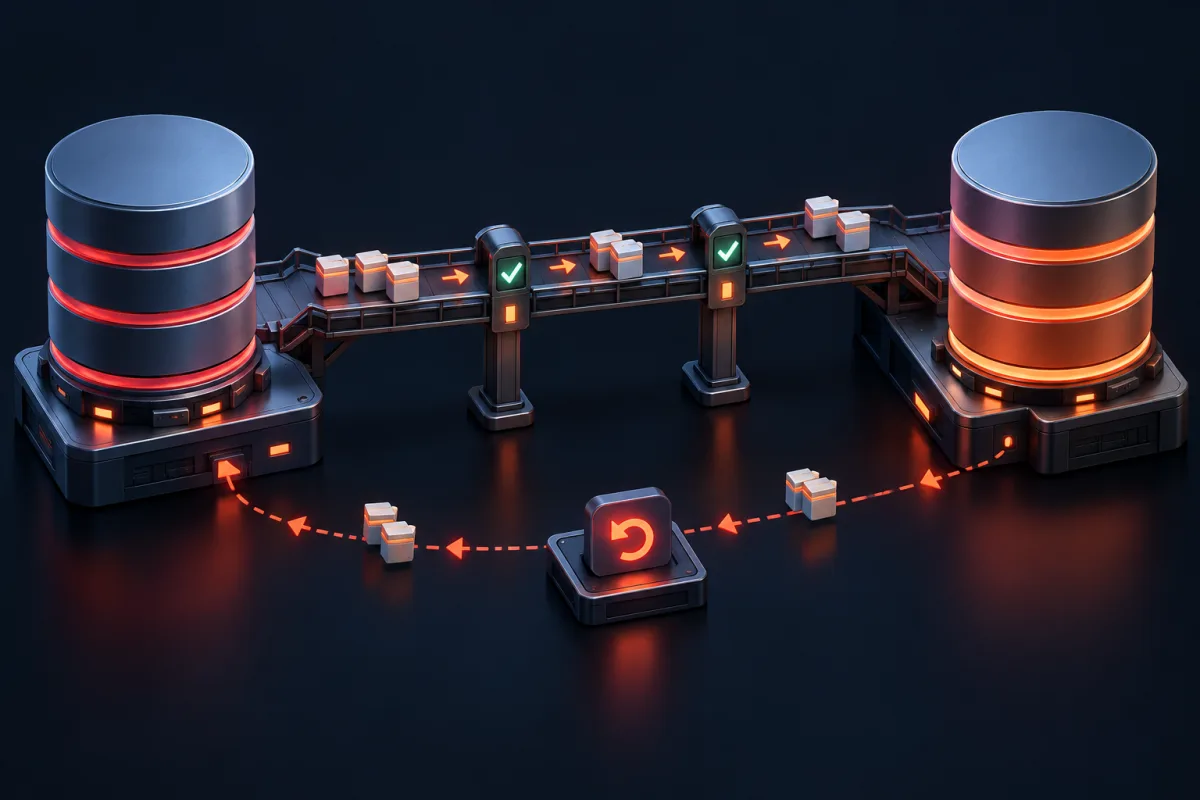
A safe WordPress schema change is a staged product change, not one large ALTER TABLE hidden inside a page request. Add compatible structures first, migrate data in bounded batches, switch reads only after verification, and keep a tested rollback path.
When building bespoke enterprise WordPress applications or commercial extensions, the default WordPress data model (posts, postmeta, terms, options) quickly reaches architectural scalability limits. For high-volume transactional workflows—such as financial ledger logging, multi-vendor commission accounting, webhook event streaming, and IoT sensor telemetry—senior engineers create dedicated custom MySQL database tables.
However, creating a custom database table upon initial plugin activation is only the first step. As your plugin matures, business requirements evolve: you must add new columns, modify data types, create composite indexes, deprecate legacy structures, and backfill millions of rows. In single-tenant custom development, a failed database migration can permanently corrupt customer data, lock critical database tables during active checkout sessions, or trigger fatal PHP exceptions.
The Strict Syntax Rules of `dbDelta()`
Under the hood, dbDelta() (located in wp-admin/includes/upgrade.php) does not use an actual SQL grammar lexer. Instead, it relies on complex regular expressions to compare the current MySQL table schema against the SQL string passed to the function. If your SQL string deviates by even a single whitespace or capitalization discrepancy, dbDelta() will fail silently or execute redundant ALTER TABLE statements on every page load.
The Mandatory `dbDelta()` Rules Checklist
| Syntax Requirement | Correct Format | Incorrect Format (Causes Failure) |
|---|---|---|
| Separate Line Per Field | Each column definition on its own separate line. | Multiple fields declared on a single line separated by commas. |
| PRIMARY KEY Whitespace | PRIMARY KEY (id) (Must have TWO spaces after KEY). | PRIMARY KEY (id) (Single space causes regex failure). |
| Index Keyword | KEY idx_user_id (user_id) | INDEX idx_user_id (user_id) (`INDEX` is often ignored). |
| SQL Keyword Casing | CREATE TABLE wp_custom ( in uppercase. | create table wp_custom ( in lowercase. |
| Field Type Casing | varchar(255) NOT NULL (Types in lowercase, attributes uppercase). | VARCHAR(255) not null |
| Charset & Collate | Append $wpdb->get_charset_collate(); at the end. | Hardcoding DEFAULT CHARSET=utf8 (Breaks emojis / 4-byte UTF-8). |
The Perfect `dbDelta()` DDL Template
Here is the exact syntactical structure required for a robust table definition:
<?php
declare(strict_types=1);

function wpstack_get_invoices_schema(): string {
    global $wpdb;
    $table_name = $wpdb->prefix . 'wpstack_invoices';
    $charset_collate = $wpdb->get_charset_collate();

    return "CREATE TABLE {$table_name} (
        id bigint(20) unsigned NOT NULL AUTO_INCREMENT,
        order_id bigint(20) unsigned NOT NULL,
        customer_id bigint(20) unsigned NOT NULL,
        invoice_number varchar(64) NOT NULL DEFAULT '',
        total_amount decimal(12,4) NOT NULL DEFAULT '0.0000',
        currency varchar(3) NOT NULL DEFAULT 'USD',
        status varchar(32) NOT NULL DEFAULT 'pending',
        created_at datetime NOT NULL DEFAULT '1000-01-01 00:00:00',
        updated_at datetime NOT NULL DEFAULT '1000-01-01 00:00:00',
        PRIMARY KEY  (id),
        KEY idx_order_id (order_id),
        KEY idx_customer_status (customer_id, status),
        KEY idx_created_at (created_at)
    ) {$charset_collate};";
}
What `dbDelta()` Cannot Do
While dbDelta() is effective at creating new tables and adding missing columns, it has critical architectural limitations that enterprise developers must design around:
- Cannot Drop Columns: If you remove a field definition from your SQL schema string,
dbDelta()simply ignores it. It will never issueDROP COLUMNto prevent accidental data loss. - Cannot Rename Columns: If you change
user_idtocustomer_idin the schema,dbDelta()treatscustomer_idas a completely new column, adding it with default values while leaving the olduser_idcolumn intact with orphaned data. - Cannot Modify Primary Keys: Changing an existing primary key from a single column to a composite key is unsupported.
- Cannot Manage Foreign Keys:
dbDelta()does not parse or maintainFOREIGN KEY ... REFERENCESconstraints. - Cannot Safely Execute Heavy Migrations on Multi-Million Row Tables: Running
dbDelta()synchronously during admin page requests on large tables will trigger PHP execution timeouts and HTTP 504 Gateway errors.
Collation and Character Set Pitfalls in MySQL 8.0
One of the most insidious errors in custom table development occurs when performing SQL JOIN operations between a custom table and WordPress core tables (e.g. INNER JOIN wp_users ON wp_wpstack_invoices.customer_id = wp_users.ID). If the character set or collation of the custom table differs from the core table, MySQL throws a fatal error:
-- Fatal Database Error
Error: 1267 SQLSTATE: HY000 (ER_CANT_AGGREGATE_2COLLATIONS)
Illegal mix of collations (utf8mb4_unicode_ci,IMPLICIT) and (utf8mb4_unicode_520_ci,IMPLICIT) for operation '='
This mismatch occurs when developers hardcode collation strings or rely on MySQL server defaults. In WordPress 6.x running on MySQL 8.0, core tables typically default to utf8mb4_unicode_520_ci or utf8mb4_0900_ai_ci. By dynamically appending $wpdb->get_charset_collate() to your table DDL string, WordPress automatically ensures exact collation parity across all database objects.
Architecting a Versioned PSR-4 Migration Engine
To overcome the shortcomings of dbDelta(), enterprise WordPress engineering teams encapsulate database evolution inside a versioned Migration Framework. This architecture tracks every applied migration in a dedicated metadata store and executes schema diffs and data transforms sequentially.
1. The Migration Interface (`MigrationInterface.php`)
<?php
declare(strict_types=1);

namespace WPStack\EnterprisePlugin\Database\Migrations;

interface MigrationInterface {
    /**
     * Unique semantic version or timestamp (e.g. "2026_10_01_001").
     */
    public function getVersion(): string;

    /**
     * Human-readable description of migration purpose.
     */
    public function getDescription(): string;

    /**
     * Execute forward migration logic.
     */
    public function up(): void;

    /**
     * Optional rollback logic for staging test environments.
     */
    public function down(): void;
}
2. Concrete Initial Table Migration (`Migration_2026_10_01_CreateInvoicesTable.php`)
<?php
declare(strict_types=1);

namespace WPStack\EnterprisePlugin\Database\Migrations;

use wpdb;

class Migration_2026_10_01_CreateInvoicesTable implements MigrationInterface {
    public function __construct(private readonly wpdb $db) {}

    public function getVersion(): string {
        return '2026_10_01_001';
    }

    public function getDescription(): string {
        return 'Create initial custom invoices table with composite indexes.';
    }

    public function up(): void {
        require_once ABSPATH . 'wp-admin/includes/upgrade.php';

        $tableName = $this->db->prefix . 'wpstack_invoices';
        $charsetCollate = $this->db->get_charset_collate();

        $sql = "CREATE TABLE {$tableName} (
            id bigint(20) unsigned NOT NULL AUTO_INCREMENT,
            order_id bigint(20) unsigned NOT NULL,
            customer_id bigint(20) unsigned NOT NULL,
            invoice_number varchar(64) NOT NULL DEFAULT '',
            total_amount decimal(12,4) NOT NULL DEFAULT '0.0000',
            status varchar(32) NOT NULL DEFAULT 'pending',
            created_at datetime NOT NULL DEFAULT '1000-01-01 00:00:00',
            PRIMARY KEY  (id),
            KEY idx_order_id (order_id),
            KEY idx_customer_status (customer_id, status)
        ) {$charsetCollate};";

        dbDelta($sql);
    }

    public function down(): void {
        $tableName = $this->db->prefix . 'wpstack_invoices';
        $this->db->query("DROP TABLE IF EXISTS {$tableName}");
    }
}
3. Advanced Migration Handling Column Renames & Data Backfill
When a schema update requires renaming a column or restructuring data, we combine dbDelta() with raw transactional DDL queries:
<?php
declare(strict_types=1);

namespace WPStack\EnterprisePlugin\Database\Migrations;

use wpdb;

class Migration_2026_10_15_AddTaxColumnsAndRenameStatus implements MigrationInterface {
    public function __construct(private readonly wpdb $db) {}

    public function getVersion(): string {
        return '2026_10_15_002';
    }

    public function getDescription(): string {
        return 'Add tax_rate column and safely migrate legacy status codes.';
    }

    public function up(): void {
        require_once ABSPATH . 'wp-admin/includes/upgrade.php';

        $tableName = $this->db->prefix . 'wpstack_invoices';
        $charsetCollate = $this->db->get_charset_collate();

        // 1. Use dbDelta to add new columns safely
        $sql = "CREATE TABLE {$tableName} (
            id bigint(20) unsigned NOT NULL AUTO_INCREMENT,
            order_id bigint(20) unsigned NOT NULL,
            customer_id bigint(20) unsigned NOT NULL,
            invoice_number varchar(64) NOT NULL DEFAULT '',
            total_amount decimal(12,4) NOT NULL DEFAULT '0.0000',
            tax_rate decimal(5,2) NOT NULL DEFAULT '0.00',
            tax_amount decimal(12,4) NOT NULL DEFAULT '0.0000',
            status varchar(32) NOT NULL DEFAULT 'pending',
            created_at datetime NOT NULL DEFAULT '1000-01-01 00:00:00',
            PRIMARY KEY  (id),
            KEY idx_order_id (order_id),
            KEY idx_customer_status (customer_id, status)
        ) {$charsetCollate};";

        dbDelta($sql);

        // 2. Execute transactional data transform
        $this->db->query("START TRANSACTION");
        try {
            // Transform legacy status values
            $this->db->query(
                "UPDATE {$tableName}
                 SET status = 'paid_in_full'
                 WHERE status = 'complete'"
            );

            // Compute default tax amounts for existing rows
            $this->db->query(
                "UPDATE {$tableName}
                 SET tax_amount = total_amount * 0.20, tax_rate = 20.00
                 WHERE tax_amount = 0.0000 AND status = 'paid_in_full'"
            );

            $this->db->query("COMMIT");
        } catch (\Throwable $e) {
            $this->db->query("ROLLBACK");
            throw $e;
        }
    }

    public function down(): void {
        $tableName = $this->db->prefix . 'wpstack_invoices';
        $this->db->query("ALTER TABLE {$tableName} DROP COLUMN tax_rate, DROP COLUMN tax_amount");
    }
}
4. The Central Migration Manager (`SchemaMigrationManager.php`)
The central coordinator manages the execution sequence, checks the applied migration versions stored in the database, and prevents duplicate runs:
<?php
declare(strict_types=1);

namespace WPStack\EnterprisePlugin\Database;

use wpdb;
use WPStack\EnterprisePlugin\Database\Migrations\MigrationInterface;

class SchemaMigrationManager {
    private const OPTION_KEY = 'wpstack_applied_schema_migrations';

    /** @var list */
    private array $migrations = [];

    public function __construct(private readonly wpdb $db) {}

    public function registerMigration(MigrationInterface $migration): void {
        $this->migrations[] = $migration;
    }

    /**
     * Execute all pending migrations in chronological order.
     *
     * @return array{executed: list, skipped: list}
     */
    public function migrate(): array {
        $applied = $this->getAppliedMigrations();
        $executed = [];
        $skipped = [];

        // Sort migrations by version string
        usort($this->migrations, static fn(MigrationInterface $a, MigrationInterface $b) => strcmp($a->getVersion(), $b->getVersion()));

        foreach ($this->migrations as $migration) {
            $version = $migration->getVersion();

            if (in_array($version, $applied, true)) {
                $skipped[] = $version;
                continue;
            }

            // Execute migration step
            $migration->up();

            // Record version as applied
            $applied[] = $version;
            update_option(self::OPTION_KEY, $applied, false);
            $executed[] = $version;
        }

        return [
            'executed' => $executed,
            'skipped'  => $skipped,
        ];
    }

    /**
     * Retrieve list of previously applied migration version tags.
     *
     * @return list
     */
    public function getAppliedMigrations(): array {
        $applied = get_option(self::OPTION_KEY, []);
        return is_array($applied) ? $applied : [];
    }
}
Asynchronous Data Backfilling with Action Scheduler
When a schema migration introduces a new computed column across an enterprise table containing 2,000,000+ rows, executing a single UPDATE wp_custom SET column = calc() query locks the entire table for 45+ seconds, stopping all write traffic and triggering database replication lag.
We decouple schema modification from heavy data transformation using an asynchronous Action Scheduler cursor queue:
<?php
declare(strict_types=1);

namespace WPStack\EnterprisePlugin\Database\Queue;

use wpdb;

class SchemaBackfillWorker {
    public const HOOK_NAME = 'wpstack_async_schema_backfill';
    public const GROUP_NAME = 'wpstack_migrations';
    private const BATCH_SIZE = 500;

    public function __construct(private readonly wpdb $db) {}

    public function register(): void {
        add_action(self::HOOK_NAME, [$this, 'processBatch'], 10, 1);
    }

    public function dispatchInitialJob(): void {
        if (!as_has_scheduled_action(self::HOOK_NAME, ['last_id' => 0], self::GROUP_NAME)) {
            as_schedule_single_action(time(), self::HOOK_NAME, ['last_id' => 0], self::GROUP_NAME);
        }
    }

    public function processBatch(int $lastId): void {
        $tableName = $this->db->prefix . 'wpstack_invoices';

        // Fetch primary keys of next batch using cursor pagination (avoids OFFSET performance cliff)
        $ids = $this->db->get_col(
            $this->db->prepare(
                "SELECT id FROM {$tableName}
                 WHERE id > %d AND tax_amount = 0.0000
                 ORDER BY id ASC
                 LIMIT %d",
                $lastId,
                self::BATCH_SIZE
            )
        );

        if (empty($ids)) {
            // Backfill finished! Mark migration flag as complete
            update_option('wpstack_tax_backfill_completed', true, false);
            return;
        }

        $idPlaceholders = implode(',', array_map('intval', $ids));
        $maxProcessedId = max(array_map('intval', $ids));

        // Execute batch update on small subset of locked rows
        $this->db->query(
            "UPDATE {$tableName}
             SET tax_amount = total_amount * 0.20, tax_rate = 20.00
             WHERE id IN ({$idPlaceholders})"
        );

        // Schedule next batch immediately
        as_schedule_single_action(time(), self::HOOK_NAME, ['last_id' => $maxProcessedId], self::GROUP_NAME);
    }
}
Zero-Downtime Shadow Table Atomic Swaps
When a major architectural change requires altering primary keys, modifying column storage engines, or removing multi-gigabyte bloat, standard in-place alterations are too risky for mission-critical e-commerce stores. Enterprise teams use the Shadow Table Atomic Swap pattern:
- Create Shadow Table: Provision a new table
wp_wpstack_invoices_v2with the desired final schema. - Enable Dual-Writing: In plugin repository services, write newly created records to both
v1andv2tables simultaneously. - Backfill Historical Data: Copy historical records from
v1tov2in chunks using Action Scheduler. - Atomic Table Swap: Execute an instantaneous MySQL table rename in a single atomic statement:
RENAME TABLE wp_wpstack_invoices TO wp_wpstack_invoices_legacy_backup, wp_wpstack_invoices_v2 TO wp_wpstack_invoices; - Decommission Legacy Table: After verifying telemetry for 7 days, drop
wp_wpstack_invoices_legacy_backup.
When designing custom high-availability architectures or leveraging custom plugin development, the shadow table pattern eliminates any chance of downtime or data loss during complex structural evolutions.
Foreign Key Constraints and Application-Level Cascading
WordPress Core avoids database-level foreign key constraints (such as FOREIGN KEY (user_id) REFERENCES wp_users(ID) ON DELETE CASCADE) to maintain compatibility with MyISAM and legacy storage engines. However, in enterprise plugins, relying purely on MySQL foreign keys can create deadlocks with WordPress Core’s deletion hooks.
We implement a hybrid approach: robust database-level indexing combined with application-level cascading lifecycle listeners hooked to WordPress core deletion actions:
<?php
declare(strict_types=1);

namespace WPStack\EnterprisePlugin\Database;

use wpdb;

class DatabaseCascadeIntegrityManager {
    public function __construct(private readonly wpdb $db) {}

    public function register(): void {
        // Listen for WordPress user deletions
        add_action('deleted_user', [$this, 'handleUserDeleted'], 10, 2);
        // Listen for WooCommerce order deletions
        add_action('woocommerce_delete_order', [$this, 'handleOrderDeleted'], 10, 1);
    }

    public function handleUserDeleted(int $userId, ?int $reassignId): void {
        $tableName = $this->db->prefix . 'wpstack_invoices';

        if ($reassignId !== null && $reassignId > 0) {
            // Reassign customer invoices to target user
            $this->db->update($tableName, ['customer_id' => $reassignId], ['customer_id' => $userId]);
        } else {
            // Soft-delete or mark invoices as orphaned for accounting compliance
            $this->db->update($tableName, ['status' => 'anonymized_gdpr'], ['customer_id' => $userId]);
        }
    }

    public function handleOrderDeleted(int $orderId): void {
        $tableName = $this->db->prefix . 'wpstack_invoices';
        // Delete child invoices when parent order is permanently removed
        $this->db->delete($tableName, ['order_id' => $orderId]);
    }
}
Multisite Network Migration Orchestration
In WordPress Multisite networks with thousands of sub-sites, running migrations synchronously across the entire network during network plugin activation will inevitably crash PHP workers. We orchestrate sub-site migrations using cursor-based batches:
<?php
declare(strict_types=1);

namespace WPStack\EnterprisePlugin\Database\Multisite;

use WP_Site;
use WPStack\EnterprisePlugin\Database\SchemaMigrationManager;

class MultisiteMigrationOrchestrator {
    public const ASYNC_HOOK = 'wpstack_multisite_batch_migrate';
    private const SITE_CHUNK_SIZE = 50;

    public function register(): void {
        add_action('wp_initialize_site', [$this, 'migrateNewSite'], 10, 1);
        add_action(self::ASYNC_HOOK, [$this, 'processSiteBatch'], 10, 1);
    }

    public function migrateNewSite(WP_Site $site): void {
        switch_to_blog((int) $site->blog_id);
        try {
            global $wpdb;
            $manager = new SchemaMigrationManager($wpdb);
            $manager->migrate();
        } finally {
            restore_current_blog();
        }
    }

    public function processSiteBatch(int $lastSiteId): void {
        $sites = get_sites([
            'number'   => self::SITE_CHUNK_SIZE,
            'site__gt' => $lastSiteId,
            'public'   => 1,
            'spam'     => 0,
            'deleted'  => 0,
        ]);

        if (empty($sites)) {
            update_site_option('wpstack_network_migration_complete', true);
            return;
        }

        $highestId = $lastSiteId;

        foreach ($sites as $site) {
            $siteId = (int) $site->blog_id;
            $highestId = max($highestId, $siteId);

            switch_to_blog($siteId);
            try {
                global $wpdb;
                $manager = new SchemaMigrationManager($wpdb);
                $manager->migrate();
            } finally {
                restore_current_blog();
            }
        }

        // Enqueue next subsite chunk
        as_schedule_single_action(time() + 2, self::ASYNC_HOOK, ['last_site_id' => $highestId], 'wpstack_migrations');
    }
}
Zero-Downtime Migrations for High-Traffic Tables
When a custom table exceeds 500,000 rows, executing standard ALTER TABLE statements via dbDelta() can lock the entire table for several minutes, blocking incoming WooCommerce checkouts and triggering widespread 504 Gateway Timeouts.
| DDL Operation | MySQL 8.0 Algorithm | Locking Behavior | Production Impact |
|---|---|---|---|
| Add Column at Table End | ALGORITHM=INSTANT | LOCK=NONE | Zero downtime (Completes in < 10ms regardless of table size). |
| Add Secondary Index | ALGORITHM=INPLACE | LOCK=NONE | Reads and concurrent writes remain fully active during build. |
| Modify Column Data Type | ALGORITHM=COPY | LOCK=SHARED | High Risk: Locks table writes. Must use Action Scheduler batching. |
| Add Foreign Key Constraint | ALGORITHM=INPLACE | LOCK=NONE | Requires validation scan; minimal concurrency impact. |
Production Incident Case Study: Resolving Black Friday Table Lockout
A premier online luxury goods marketplace running custom order fulfillment plugins experienced total checkout failure during Black Friday. At 00:05 UTC, an automated plugin update executed dbDelta() inside a plugins_loaded hook to add an index on an 8-million row table.
1. Incident Telemetry & Root Cause
- Metadata Lock Queue: The
ALTER TABLEstatement requested an exclusive table metadata lock. Active checkout transactions held open read locks, forcing MySQL to queue the DDL statement and block all subsequent incoming order writes. - Thread Pool Exhaustion: Within 40 seconds, PHP-FPM reached its maximum capacity of 256 child workers, resulting in 504 Gateway Timeouts across the entire store.
2. Remediation Procedure
- Killed Blocking DDL: SREs executed
SHOW PROCESSLISTand killed the blockedALTER TABLEthread, immediately restoring checkout functionality. - Transitioned to Online DDL: Added the required composite index using
ALTER TABLE wp_orders ADD KEY idx_status (status), ALGORITHM=INPLACE, LOCK=NONE;during a controlled off-peak maintenance window. - Architectural Policy Enforcement: Banned synchronous
dbDelta()calls inside generic page load hooks, mandating the versionedSchemaMigrationManagerexecuted strictly via WP-CLI deploy scripts.
WP-CLI Schema Management Command
We expose schema migration commands to DevOps automation pipelines via WP-CLI:
<?php
declare(strict_types=1);

namespace WPStack\EnterprisePlugin\Cli;

use WP_CLI;
use WPStack\EnterprisePlugin\Database\SchemaMigrationManager;
use WPStack\EnterprisePlugin\Database\Migrations\Migration_2026_10_01_CreateInvoicesTable;
use WPStack\EnterprisePlugin\Database\Migrations\Migration_2026_10_15_AddTaxColumnsAndRenameStatus;

class SchemaCliCommand {
    /**
     * Run all pending custom database schema migrations.
     *
     * ## EXAMPLES
     *
     *     wp wpstack-schema migrate
     */
    public function migrate(array $args, array $assocArgs): void {
        global $wpdb;
        $manager = new SchemaMigrationManager($wpdb);
        $manager->registerMigration(new Migration_2026_10_01_CreateInvoicesTable($wpdb));
        $manager->registerMigration(new Migration_2026_10_15_AddTaxColumnsAndRenameStatus($wpdb));

        WP_CLI::log('Starting database schema migration check...');
        $result = $manager->migrate();

        if (empty($result['executed'])) {
            WP_CLI::success('Database schema is already up to date. No pending migrations.');
            return;
        }

        foreach ($result['executed'] as $version) {
            WP_CLI::log("Successfully applied migration: [{$version}]");
        }

        WP_CLI::success('All pending schema migrations completed successfully.');
    }

    /**
     * Display status of applied and pending migrations.
     *
     * ## EXAMPLES
     *
     *     wp wpstack-schema status
     */
    public function status(array $args, array $assocArgs): void {
        global $wpdb;
        $manager = new SchemaMigrationManager($wpdb);
        $applied = $manager->getAppliedMigrations();

        WP_CLI::line('Applied Schema Migrations:');
        if (empty($applied)) {
            WP_CLI::line('  (None)');
            return;
        }

        foreach ($applied as $version) {
            WP_CLI::line("  - [X] {$version}");
        }
    }
}

if (defined('WP_CLI') && WP_CLI) {
    WP_CLI::add_command('wpstack-schema', SchemaCliCommand::class);
}
Automated Testing with PHPUnit
We test the entire migration lifecycle in PHPUnit to guarantee that tables are created properly, column modifications apply seamlessly, and indexes exist:
<?php
declare(strict_types=1);

namespace WPStack\EnterprisePlugin\Tests\Integration;

use WP_UnitTestCase;
use WPStack\EnterprisePlugin\Database\SchemaMigrationManager;
use WPStack\EnterprisePlugin\Database\Migrations\Migration_2026_10_01_CreateInvoicesTable;
use WPStack\EnterprisePlugin\Database\Migrations\Migration_2026_10_15_AddTaxColumnsAndRenameStatus;

class Test_SchemaMigrationsIntegration extends WP_UnitTestCase {
    private SchemaMigrationManager $manager;
    private string $tableName;

    public function setUp(): void {
        parent::setUp();
        global $wpdb;

        $this->tableName = $wpdb->prefix . 'wpstack_invoices';
        $wpdb->query("DROP TABLE IF EXISTS {$this->tableName}");
        delete_option('wpstack_applied_schema_migrations');

        $this->manager = new SchemaMigrationManager($wpdb);
        $this->manager->registerMigration(new Migration_2026_10_01_CreateInvoicesTable($wpdb));
        $this->manager->registerMigration(new Migration_2026_10_15_AddTaxColumnsAndRenameStatus($wpdb));
    }

    public function tearDown(): void {
        global $wpdb;
        $wpdb->query("DROP TABLE IF EXISTS {$this->tableName}");
        parent::tearDown();
    }

    public function test_migrations_create_table_and_apply_incremental_columns(): void {
        global $wpdb;

        // 1. Execute migrations
        $result = $this->manager->migrate();
        $this->assertCount(2, $result['executed']);

        // 2. Verify table exists
        $tableExists = $wpdb->get_var("SHOW TABLES LIKE '{$this->tableName}'");
        $this->assertSame($this->tableName, $tableExists);

        // 3. Verify columns exist
        $columns = $wpdb->get_col("DESCRIBE {$this->tableName}", 0);
        $this->assertContains('id', $columns);
        $this->assertContains('order_id', $columns);
        $this->assertContains('tax_rate', $columns);
        $this->assertContains('tax_amount', $columns);

        // 4. Verify re-running migration performs zero duplicate executions
        $secondRun = $this->manager->migrate();
        $this->assertEmpty($secondRun['executed']);
        $this->assertCount(2, $secondRun['skipped']);
    }
}
Production Troubleshooting and Diagnostics
When managing complex custom database migrations across multi-site and enterprise architectures, consult this operational matrix:
| Issue Symptom | Root Cause | Resolution Procedure |
|---|---|---|
dbDelta() fails to add index or executes duplicate ALTERs | Single space after PRIMARY KEY or using INDEX keyword instead of KEY. | Ensure PRIMARY KEY (id) has exactly two spaces between `KEY` and `(` and all indexes use `KEY name (col)`. |
Foreign key constraint creation fails | Data type mismatch between child and parent column (e.g. INT(11) vs BIGINT(20) UNSIGNED). | Verify that referenced ID columns share exact data types and collations with parent WordPress tables. |
Character corruption / emojis broken in custom table | Table created with default latin1 rather than WordPress table collation. | Always append $wpdb->get_charset_collate() to the end of your CREATE TABLE DDL string. |
Table lock timeout on ALTER TABLE | Long-running read query on custom table blocking DDL statement execution. | Use MySQL 8.0 ALGORITHM=INSTANT or schedule schema changes during off-peak maintenance windows. |
Migration runs on every page load | Missing version persistence in wp_options or version comparison logic flaw. | Ensure update_option('wpstack_applied_schema_migrations', $applied, false) persists version tags. |
Multisite sub-sites missing custom table schemas | Migration only executed on main site (Blog ID 1) during network activation. | Hook migration manager into wp_initialize_site to provision schemas whenever new sub-sites are created. |
Frequently Asked Questions
`dbDelta()` is a WordPress Core utility function that compares an SQL CREATE TABLE statement with the existing database schema and executes the necessary ALTER TABLE statements to bring the database schema up to date without dropping existing data.
`dbDelta()` relies on specific regex patterns to parse SQL statements. Its internal parser expects `PRIMARY KEY (` with two spaces; omitting the second space causes the regex match to fail and primary keys to be ignored.
No. To protect against accidental data loss, `dbDelta()` never issues `DROP COLUMN` commands. Obsolete columns must be removed manually using explicit `ALTER TABLE table_name DROP COLUMN column_name` SQL queries.
Use a two-phase migration: first add the new column with `dbDelta()`, run a background Action Scheduler task to copy data from the old column to the new column, update your application code to read from the new column, and finally drop the old column in a subsequent release.
`ALGORITHM=INSTANT` allows MySQL 8.0 to add new columns to a table metadata dictionary instantly (in milliseconds) without copying table data to temporary files or locking table reads/writes.
It ensures your custom table inherits the identical character set and collation (e.g. `utf8mb4_unicode_520_ci`) defined in `wp-config.php`, guaranteeing seamless emoji storage and preventing collation conflict errors during SQL JOINs with WordPress core tables.
Use PHPUnit with `WP_UnitTestCase` to run your migration classes sequentially against a fresh MySQL test database, asserting with `SHOW TABLES` and `DESCRIBE table_name` that expected columns and indexes exist.
For per-site prefixed custom tables, execute migrations on the current site during plugin activation, hook into `wp_initialize_site` for newly created sub-sites, and use an asynchronous Action Scheduler batch worker to migrate existing sub-sites across the network.
Primary references

Aditya Bhimrajka is a technology entrepreneur, product strategist, and software solutions expert with over a decade of experience building scalable web and mobile applications. His expertise spans SaaS, AI, cloud technologies, custom software development, and digital transformation. Passionate about solving real-world business challenges through technology, Aditya shares practical insights on WordPress, plugins, software development, startup growth, product strategy, and emerging technologies. At WPStack, he writes actionable, experience-driven content that helps developers, businesses, and website owners build secure, high-performing, and future-ready WordPress solutions.
Post a Comment