
Elementor Widget Bloat and Document Complexity: A Safe Editor Audit
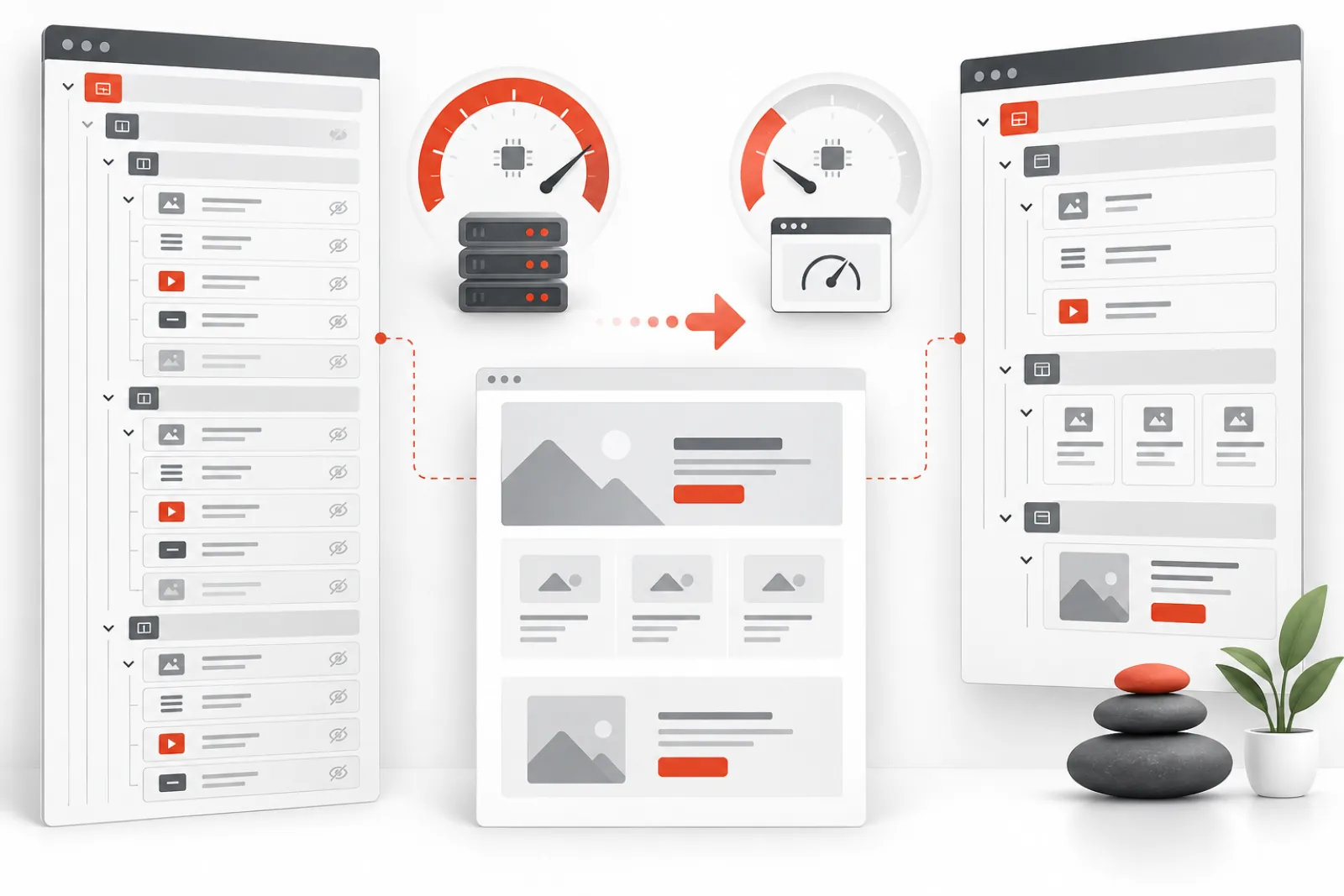
Elementor editor lag often grows with the document, not only with the website. Deeply nested containers, duplicated mobile layouts, global controls, third-party widget packs and large repeater data all increase the amount of state the editor must load, render and reconcile. Disabling random plugins may hide the symptom without teaching you which page structure is expensive.
This audit identifies document and widget costs while protecting the published design.
Establish a comparable baseline
Clone the affected page to staging and record five timings: editor open, canvas ready, first control interaction, responsive-mode switch and save completion. Also capture browser memory, long tasks, key network requests, document element count and PHP peak memory. Use the same browser, account and cache state for every run.
Map complexity before simplifying
| Complexity source | Typical symptom | Safe experiment |
|---|---|---|
| Deep nested containers | Slow navigator and drag operations | Flatten one isolated section on a clone |
| Duplicated desktop/mobile sections | Large document despite hidden output | Replace one pair with responsive controls |
| Large widget packs | Slow panel initialization | Disable unused modules using the vendor’s manager |
| Heavy repeaters or carousels | Lag when controls change | Reduce sample items and compare |
| Custom CSS/JS integrations | Console errors or reflows | Remove from a cloned section and retest |
Count is not cost. Fifty simple headings may be cheaper than one third-party widget that performs remote work or adds hundreds of controls. Rank experiments by measured impact.
Audit third-party widgets safely
- Inventory widget packs and the specific widgets used in published templates.
- Export or back up the affected templates.
- Disable only demonstrably unused modules, not entire packs.
- Open representative pages and global templates.
- Verify the editor, responsive breakpoints, dynamic tags and public output.
- Retest after clearing the appropriate generated files and caches.
A widget can exist in a popup, loop template, header or footer even if it is absent from normal pages. Search all Elementor document types before disabling it. A staging crawl and visual comparison are stronger than memory.
Flatten structure without changing semantics
Remove containers that exist only to provide spacing when gap, padding or alignment on the parent can do the same job. Consolidate repeated typography and color settings into global styles. Prefer one responsive structure over separate hidden copies where the design permits.
Do not flatten blindly. Containers may provide stacking context, positioning, background layers or accessibility structure. Change one section, inspect every breakpoint and compare generated output.
Separate editor optimization from document repair
Editor-scoped memory, script deferral and Heartbeat adjustments can reduce ambient overhead. They do not make a corrupted document small or remove the cost of a complex widget. Use them after—or alongside—a content audit, with separate before/after measurements.
Find the expensive section with reduction tests
On a cloned document, remove half the top-level sections and retest editor interaction. Keep narrowing the slow half until one section or widget group dominates. This binary-reduction method is faster and more reliable than guessing from visual complexity. Never perform it on the live canonical page, and keep named revisions so every removal is reversible.
Once isolated, rebuild the section with core widgets, reduce repeater rows, remove obsolete responsive copies, or ask the third-party widget vendor to profile its controls. Compare the reconstructed section with the original using the same timings.
Audit browser constraints
Editor performance depends on the administrator’s device as well as the server. Capture browser version, available memory, extension state, display scale and whether the problem reproduces on a second machine. The Network panel shows delivery; the Performance and Memory tools show long JavaScript tasks, layout work and growing heaps.
A browser extension that injects scripts can make only one editor’s experience slow. Conversely, identical lag across clean devices points back to the document or server. Avoid setting hardware requirements from one developer workstation.
Prevent future complexity
Create approved section patterns, global style tokens and a short list of supported widget packs. Require a reason for duplicated breakpoint-specific layouts and review global templates before installing another widget library. Add editor-open and save timings to acceptance checks for high-value landing pages, not just public Core Web Vitals.
Example audit worksheet
| Test | Baseline | Changed result | Conclusion |
|---|---|---|---|
| Empty page opens | 2.1 s | — | Shared editor path is healthy |
| Affected page opens | 11.8 s | 6.4 s after one carousel is removed | Profile that widget and its data |
| Widget pack disabled | 11.8 s | 11.5 s | Pack initialization is not the main cause |
| Nested section flattened | 6.4 s | 5.9 s | Useful but secondary improvement |
The numbers are illustrative, but the logic is the point: retain changes only when the expected mechanism produces a repeatable result.
Know when to split a page
Very long landing pages can become difficult to edit and govern even after cleanup. Reusable templates, loop items, popups and global components may reduce duplication, but they introduce dependency and publishing risks. Split only where content ownership, navigation and analytics still make sense; do not fragment a coherent page solely to make an editor benchmark look better.
Measure document complexity with more than an element count
Record top-level sections, total elements, maximum nesting depth, serialized document bytes, unique widget types, third-party widgets, repeater items, responsive-only duplicates, custom CSS blocks, dynamic tags and global-template dependencies. These measures describe different kinds of cost. A page with modest element count can still be expensive if one widget exposes hundreds of controls or fetches remote data in the editor.
| Metric | What an increase may mean | Limitation |
|---|---|---|
| Total elements | More models, controls and rendered nodes | Does not weight widget cost |
| Nesting depth | More traversal, layout and selection complexity | Some nesting is semantically or visually required |
| Document bytes | Larger transfer, parse and save payload | Compression and data shape affect runtime differently |
| Unique widget types | More control definitions and asset owners | Core and third-party widgets are not equally expensive |
| Repeater rows | Repeated controls, DOM and serialized settings | Server and browser effects depend on the widget |
| Global dependencies | Shared change and failure surface | Reuse can still reduce duplication overall |
Capture these values before and after each experiment. The goal is not a universal “good” element count; it is to learn which dimension predicts slow interaction for this site’s stack and hardware.
Create a complete widget usage inventory
List every Elementor document type: pages, posts, headers, footers, loop items, popups, saved sections, theme-builder templates and unpublished drafts that matter. Search stored document data for widget identifiers, then verify with the provider’s supported usage tools where available. Dynamic rendering and shortcodes can hide dependencies from a simple page search.
For each widget pack, record enabled modules, used modules, document count, business owner, license, asset footprint and editor behavior. Classify widgets as required, replaceable, unused or unknown. Unknown is not permission to disable; it is a queue for investigation.
Include global templates and conditional display rules. A widget used only in a checkout popup can be commercially critical despite appearing on few URLs. Test logged-in, logged-out, mobile, commerce and multilingual states before declaring it unused.
Profile the editor cost of one widget
On staging, create a blank page and add one instance of the candidate widget using representative data. Measure panel initialization, selection latency, responsive switching, save time, JavaScript long tasks, network calls and memory. Compare it with a simple core widget and with the affected production section cloned in isolation.
Then increase repeated items or duplicate the widget to observe scaling. Linear growth suggests predictable per-instance cost; a sharp curve may indicate repeated global listeners, layout thrashing or controls that reprocess the whole document. Record the smallest reproduction before contacting the vendor.
Do not infer front-end cost from editor cost. Some widgets load heavy editing controls but render lean public markup; others are responsive in the editor yet ship large scripts to visitors. Maintain separate editor and visitor budgets.
Flatten containers with a visual and semantic checklist
Before removing a wrapper, record what it owns: width, gap, alignment, positioning, overflow, background, border, transform, animation, responsive visibility, stacking context and semantic tag. Move only the required settings to the retained element. Test normal, hover, focus and sticky states at every breakpoint.
Watch for absolute positioning and z-index. Removing a seemingly empty parent can change the containing block or stacking context and move overlays. Overflow settings may clip decorative elements or establish scroll behavior. A wrapper may also carry an HTML tag such as nav, main or section; preserve meaningful landmarks and heading structure.
Use the Navigator to identify one-child wrappers and repeated spacer patterns, but review them manually. Replace empty spacer widgets with gap or padding where it preserves layout. Consolidate identical local styles into global tokens only after checking that a future global change should affect every consumer.
Replace duplicated breakpoint layouts carefully
Separate desktop and mobile sections often double document state even when one is hidden to visitors. Determine why duplication exists. Different order, image crop or interaction may be achievable with responsive controls; materially different content or accessibility requirements may justify separate structures.
Build one consolidated section on a clone. Test breakpoints just above and below each configured threshold, portrait and landscape orientations, long translated text, keyboard order and screen-reader reading order. CSS visual reordering can make the tab or reading sequence illogical, so a smaller document is not automatically more accessible.
Compare generated HTML and public performance as well as editor timings. If the consolidated structure requires complicated overrides that nobody can maintain, retaining a documented duplicate may be the lower-risk choice.
Use binary reduction to isolate a slow branch
Duplicate the document and remove half of its top-level sections. If latency remains, the expensive branch is in the retained half or the cost is global. If it disappears, restore and test the other half. Repeat until one section, widget or interaction remains. For a very large page, this needs far fewer experiments than disabling items one at a time.
Keep test conditions identical and measure more than page-open time. A carousel may initialize quickly but make every control change slow; a repeater may affect save rather than selection. Once isolated, test its data volume, third-party add-on and custom code independently.
If removing any half produces only proportional improvement, the document may have cumulative complexity rather than one offender. In that case, prioritize repeated structural patterns and set a page budget instead of searching forever for a single bug.
Manage global widgets and templates as dependencies
Global reuse can reduce duplication and improve consistency, but it widens the blast radius of changes. Map every consumer before editing or deleting a shared template. Use staging, named versions and visual tests on representative conditions. A faster local page is not a win if a shared header, popup or product loop breaks elsewhere.
Decide who owns each global component and how releases are approved. Avoid nesting global templates recursively or building chains that editors cannot understand. Document dynamic tags and required plugins so a future cleanup does not remove their providers as “unused.”
Worked audit: a slow campaign landing page
A landing page contains 1,480 elements, five hidden mobile copies, two third-party carousels and a 40-row testimonial repeater. It takes 15 seconds to become interactive. A blank page opens in two seconds, so shared editor boot is not the primary cause.
Binary reduction identifies the testimonial section as six seconds of the delay. Reducing its sample to five rows cuts selection and save time, showing a data-volume effect. The team converts testimonials to a query-backed loop rather than serializing all 40 into one page. It then replaces four duplicated breakpoint sections with responsive controls and leaves one separate mobile hero because the content order is materially different.
After three runs, canvas-ready time falls to 6.8 seconds, save time falls from 9.2 to 3.1 seconds and browser peak memory drops. Visual checks cover phone, tablet and desktop, and the original template export remains available through the observation window.
Set maintainable page and widget budgets
Budgets should trigger review, not automatic deletion. Define expected editor-open and save times on representative hardware, a maximum comfortable nesting depth, a review threshold for serialized bytes, and an approved widget-pack list. Allow exceptions when a business owner accepts the measured cost and documents why the design cannot be simplified.
Add the checks to template review. Before copying an entire desktop section for mobile, editors should attempt responsive controls. Before installing a widget pack, inventory whether core or existing widgets cover the requirement. Before adding a large repeater, test how it scales with realistic content.
Diagnose cleanup regressions
| Regression | Likely cause | Response |
|---|---|---|
| Overlay moved behind content | Removed wrapper created a stacking context | Restore it, map positioning ownership and refactor with a focused test |
| Mobile order is confusing by keyboard | Visual CSS order differs from document order | Change source structure or retain a justified variant |
| Widget disappears from popup | Usage inventory omitted a conditional template | Restore the module and expand inventory coverage |
| Editor improves but public page slows | Replacement widget ships heavier front-end assets | Compare both paths and revert until an alternative meets both budgets |
| Global style change alters unrelated pages | Local styles were consolidated without shared intent | Restore scoped tokens and document consumers |
Keep the original template, change log and before screenshots until editors and analytics complete a normal traffic cycle. Roll back the smallest affected change. Then add the missed condition to the audit checklist so the same regression does not recur.
Compare rebuild, replacement and retention
| Option | Use it when | Main risk |
|---|---|---|
| Rebuild with core widgets | The layout is ordinary and the add-on adds little unique value | Small visual or dynamic behavior differences |
| Replace with another maintained widget | A required feature is missing from core and the alternative tests better | New dependency, migration effort and future lock-in |
| Reduce data or instances | Cost scales with repeater rows, slides or duplicated sections | Editorial compromise or incomplete content |
| Retain with an exception | The business value exceeds measured cost and no safe substitute exists | Known performance debt requiring ownership |
Estimate the full change surface before choosing. Replacing one widget may affect responsive controls, dynamic tags, styles, analytics events, schema, accessibility and editor training. A measured exception is sometimes safer than a hurried migration. Give it an owner, performance budget and review date.
Validate generated assets after structural changes
Elementor can regenerate CSS and data when document structure or global settings change. Use its supported regeneration tools on staging, then clear only relevant page, object and CDN caches. Confirm that public HTML references existing stylesheets and that authenticated previews do not load stale generated files.
Test a cold public request, a warm request and the editor preview. A cache can make the public page look correct while origin assets are missing, or preserve old CSS after a successful editor save. Keep the original template export until caches have expired and uncached requests pass.
Audit accessibility while reducing markup
Fewer containers do not guarantee better semantics. Preserve heading order, landmarks, list structure, accessible names, focus sequence and visible focus. When replacing tabs, accordions, sliders or menus, test keyboard interaction and announced state. Removing a wrapper can also remove an ID used by an aria-labelledby relationship or skip link.
Include reduced-motion settings, zoom to 200 percent, long text and screen-reader navigation in representative checks. A visually identical screenshot cannot prove these behaviors. Record accessibility checks beside performance results so optimization does not trade one user problem for another.
Create a change manifest for every optimized page
Record page ID, source revision, template export, baseline measurements, isolated cause, widgets disabled or replaced, containers removed, global styles changed, generated assets refreshed, verification URLs and reviewer. This makes rollback precise and prevents a later editor from reintroducing the same pattern unknowingly.
Link the manifest from the maintenance ticket and note accepted exceptions. If an add-on module was disabled, include the inventory evidence. If a responsive duplicate was retained, explain the functional or content reason. Future audits can then focus on new complexity rather than reopening settled decisions.
Run a post-release observation window
Watch editor save failures, JavaScript errors, PHP errors, support reports and public-page visual checks. Ask the people who edit the page whether selection, navigation and responsive changes remain reliable. Automated timings can show improvement while a renamed global component or missing control disrupts real work.
Recheck after normal caches expire and after one routine content update. Close the change only when the page remains within budget, no dependent template is broken and rollback artifacts are retrievable. Feed the successful pattern into approved section templates so new pages begin with a leaner structure.
Review the budget when editorial needs change, not merely when the threshold is exceeded. A new localization, personalization or commerce requirement can justify more document state, but its cost should be measured on representative hardware and balanced by removing obsolete structures elsewhere. Explicit tradeoffs keep the page maintainable.
Keep the current measurement sheet with the template so every future duplication starts from known performance costs.
How Miracuves Editor Optimizer helps
Miracuves Editor Optimizer focuses on active Elementor editor sessions: editor memory allocation, deferred non-essential editor scripts and less frequent background Heartbeat requests. Because it avoids front-end delivery changes, you can judge editor responsiveness without intentionally altering the visitor experience.
It is not a widget-usage scanner or automatic document rewriter. The safest result combines measured editor-path optimization with deliberate page-structure cleanup.
Definition of done
- Median editor timings improve on at least three comparable runs.
- Browser and PHP memory peaks stay within planned limits.
- No missing widgets, styles, dynamic data or responsive sections.
- Save, autosave and revisions remain reliable.
- Visual regression checks pass for key templates and breakpoints.
- The change log records what was disabled or flattened and how to reverse it.
Related WPStack guides
Frequently asked questions
Does hiding a section on mobile remove its editor cost?
Usually not completely. The document still contains the section and the editor still manages its settings.
Should I disable all unused Elementor widgets?
Disable only after inventorying pages, templates, popups and dynamic layouts, then verify on staging.
Will fewer DOM elements always speed the editor?
Often it helps, but expensive scripts, controls or server requests may dominate. Measure rather than using element count alone.
Can optimization repair a corrupted page?
No. Restore a known-good revision or isolate the corrupt element and investigate the underlying widget or data.
References
- Elementor Safe Mode
- Elementor performance features
- Elementor troubleshooting guide
- WordPress Heartbeat API

Aditya Bhimrajka is a technology entrepreneur, product strategist, and software solutions expert with over a decade of experience building scalable web and mobile applications. His expertise spans SaaS, AI, cloud technologies, custom software development, and digital transformation. Passionate about solving real-world business challenges through technology, Aditya shares practical insights on WordPress, plugins, software development, startup growth, product strategy, and emerging technologies. At WPStack, he writes actionable, experience-driven content that helps developers, businesses, and website owners build secure, high-performing, and future-ready WordPress solutions.