
How to Tune WordPress Heartbeat for Elementor Without Breaking Autosave
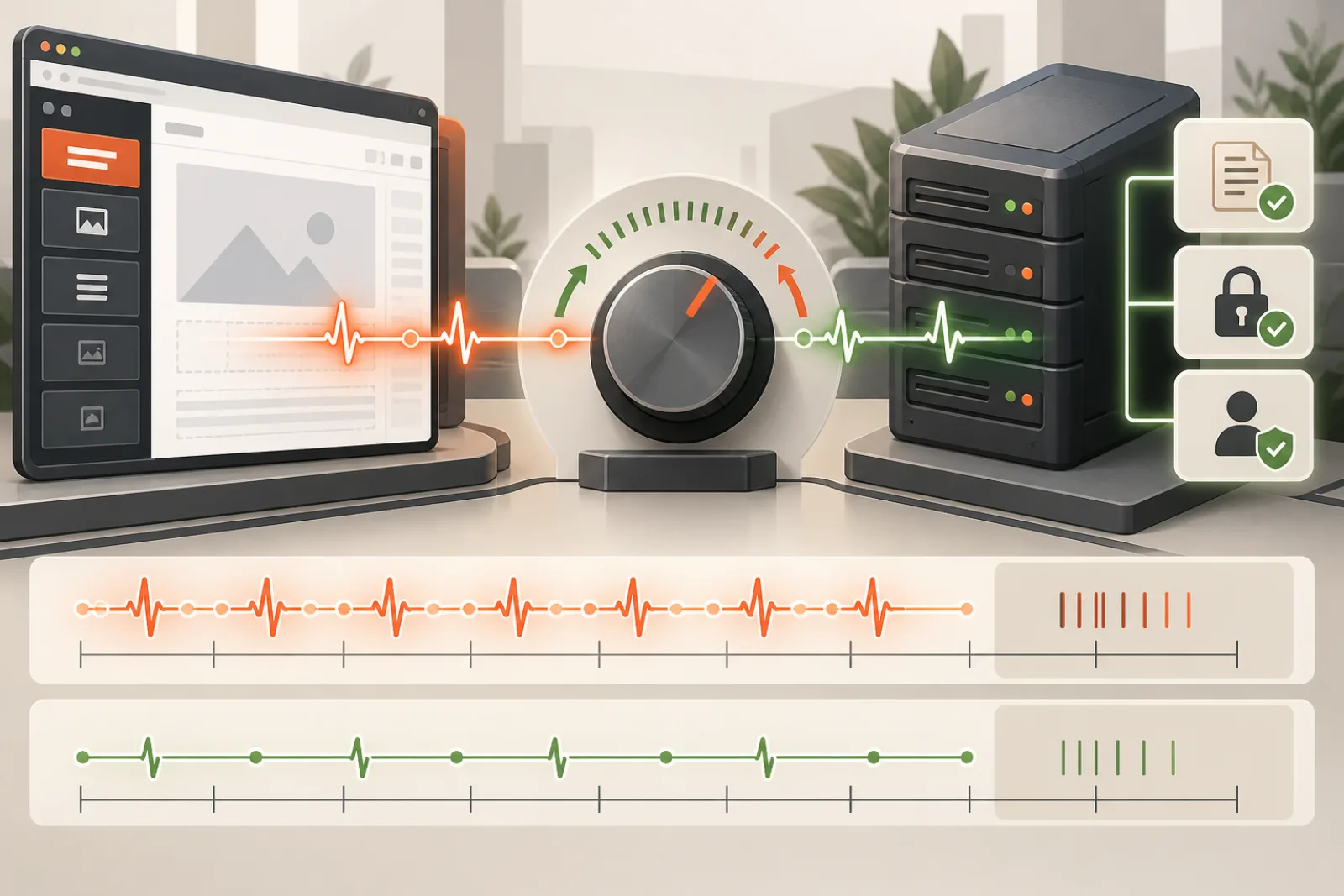
Do not disable WordPress Heartbeat just because admin-ajax.php appears regularly while Elementor is open. Heartbeat supports near-real-time admin features and is tied to autosave, post locking and session/security refresh behavior. Tune it only after measuring its actual server cost and testing that editing safety still works.
Understand what the request does
The WordPress Heartbeat API polls the server at an interval and exchanges JSON through an admin AJAX handler. Plugins can add data and work to each tick. WordPress’s documentation describes intervals in the range of 15–120 seconds, while autosave can use Heartbeat to store changes. A small regular request is not inherently a performance problem.
| Observation | Interpretation | Next step |
|---|---|---|
| Fast small heartbeat every interval | Normal background activity | Leave it alone |
| Slow heartbeat with large response | Plugin-added payload or server delay | Profile callbacks and response fields |
| Many editors create worker pressure | Concurrency amplifies per-tick cost | Measure aggregate capacity |
| 403 or nonce refresh errors | Session/security problem | Fix auth/cache/WAF layer |
| Autosave or lock breaks after tuning | Optimization removed required behavior | Rollback immediately |
Baseline before changing frequency
Record heartbeat interval, request duration, response bytes, PHP time, database queries and concurrent active editors for a representative session. Inspect request/response keys in a safe environment to identify which plugin adds work, but redact nonces and private content. Measure total cost per minute; frequency alone is not enough.
Find the expensive callback
WordPress exposes client events and server filters/actions around Heartbeat. Use staging profiling or targeted instrumentation to attribute time to callbacks. A plugin performing a remote API call or broad database query on every tick should fix that work rather than forcing the entire site to poll less often.
Choose scope before interval
The admin dashboard, post editor and Elementor session do not necessarily need identical behavior. Scope any tuning to the affected screen and authenticated context. Keep the documented WordPress range and avoid global deregistration. If a plugin offers a supported editor-specific control, prefer that over a blanket code snippet.
Protect autosave and post locking
WordPress’s wp_autosave() is intended for Heartbeat and autosave JavaScript. Multi-user editing also depends on timely lock information. After each change, confirm:
- unsaved edits create recoverable autosave data;
- a second user receives appropriate edit-lock information;
- session expiration and nonce refresh do not strand the editor;
- Update/Publish still saves the intended document;
- browser sleep and network reconnection recover cleanly.
Model concurrency, not one tab
A 200 ms request every minute is minor for one editor but can become meaningful across many editors if it occupies scarce PHP workers or runs expensive queries. Test expected simultaneous editors and observe worker queue, CPU and database load. Staggering naturally occurs, but do not assume perfect distribution.
Avoid common “optimizations”
- Do not dequeue Heartbeat across all wp-admin screens.
- Do not set an unsupported extreme interval without testing.
- Do not cache authenticated Heartbeat responses at a CDN.
- Do not remove nonce checks or authorization to reduce cost.
- Do not change autosave/revision policy without a recovery decision.
- Do not declare success from lower request count while editors lose work.
Test failure and recovery
Simulate a slow response, brief offline period, expired login, second editor and server error. Confirm the user sees a useful warning and that reconnection does not overwrite newer content. Keep revision and autosave recovery documented. Performance is not improved if the editor appears quiet but silently loses work.
Worked example
Twenty editors produce noticeable worker occupancy. Profiling shows each Heartbeat takes 1.8 seconds because a third-party activity plugin rebuilds a large summary on every tick. The team fixes the callback to cache its summary and return only changed data. Heartbeat remains enabled at a normal interval, autosave and locks continue working, and aggregate PHP occupancy drops. Disabling Heartbeat would have hidden the inefficient callback and created editing risk.
Inspect request and response keys
In a safe staging session, record the names and approximate sizes of Heartbeat data contributed by core, Elementor and plugins. Do not log post bodies, nonces or personal values. A growing response may reveal an activity feed, notification system or custom status calculation that runs on every tick.
Remove only the owning unnecessary payload or make it incremental. Emptying the entire exchange can break core editor state.
Calculate occupied server time
Estimate requests per minute multiplied by average and high-percentile PHP duration across active tabs. Add concurrency and worker limits. Ten editors with several tabs can create more load than one synthetic session suggests, especially when a callback waits on a remote service.
Use the calculation to decide whether to fix callback cost, reduce eligible screens or adjust interval within supported behavior.
Trace server hooks by total time
Profile callbacks attached to Heartbeat receive/send filters and related AJAX processing. Rank self time, downstream queries, remote calls and payload size. A callback that takes 20 milliseconds is unlikely to justify a risky global change; one that takes a second needs ownership.
Test the correction with normal plugin state and a representative document.
Separate editor screens and background tabs
Measure post editor, Elementor, dashboard and other admin screens separately. Confirm whether the client changes cadence when the tab is hidden or loses focus. Do not assume every open tab behaves identically across browser versions.
Scope changes through documented screen identifiers and verify navigation does not leave a stale override active elsewhere.
Protect post locking across two users
Open the same document with two test accounts. Confirm the second user receives timely lock information, takeover behavior is understandable and the first user’s unsaved work is not silently overwritten. Repeat after browser sleep and reconnection.
If a longer interval delays warnings beyond the editorial risk tolerance, roll it back and optimize the expensive server callback instead.
Test autosave recovery, not only autosave requests
Make an unsaved change, wait through the configured window, then interrupt the session deliberately. Reopen and verify the correct autosave can be restored. Include a large Elementor document and ordinary block post because save mechanisms may differ.
A lower request count with no usable recovery is a failed optimization.
Check session expiry and nonce refresh
Leave a test editor open past normal authentication and nonce lifetimes. Observe warning, refresh and recovery. Cache and WAF layers must not replay another user’s Heartbeat response or block the authenticated refresh.
Never cache personalized Heartbeat JSON in a shared CDN. Preserve cookies and security validation.
Review admin-ajax congestion
Heartbeat shares admin-ajax.php with many unrelated actions. Group requests by action and payload before blaming the endpoint. Image search, plugin dashboards, autosuggest and background imports may dominate worker time while Heartbeat merely appears regularly.
Fix the expensive action and measure queue time. Endpoint totals without action context are weak evidence.
Audit remote calls inside a tick
License checks, messaging, analytics and presence integrations should not perform unbounded remote requests on every Heartbeat. Record destination, call count, latency, timeout and failure behavior. Cache stable public data and move noncritical work to a durable queue.
Keep user-visible state honest if remote delivery is delayed. A faster tick must not report success for work that can be lost.
Coordinate with PHP worker capacity
A slow tick occupies a worker even when CPU is low. Compare worker busy count, queue time, database connections and interactive request latency under realistic editors. Increasing the interval may reduce frequency, but fixing a two-second callback benefits every invocation.
Do not add workers beyond memory or downstream connection limits. Test recovery from a traffic or editor burst.
Handle multisite and role differences
Network Admin, subsite dashboards and different roles may load distinct callbacks. Include blog ID, screen and role in evidence. A network-wide filter can break workflows on sites that never had the performance issue.
Apply per-site or per-screen policy where possible and verify super-admin operations separately.
Use a reversible tuning rollout
- Record interval, cost and feature baseline.
- Identify the expensive callback or affected screens.
- Change one variable on staging.
- Test autosave, locks, expiry, sleep and reconnect.
- Load-test expected editors and tabs.
- Deploy to a small group with rollback ready.
- Monitor aggregate load and editing incidents.
Worked case: an activity plugin inflates responses
A membership team sees 150-kilobyte Heartbeat responses. An activity plugin returns an entire notification history on each tick. The owner changes it to send only a version and new items, with pagination for history. PHP time and transfer fall while core cadence remains unchanged.
Two-user locking and autosave recovery still pass. The improvement comes from payload ownership, not a universal interval guess.
Worked case: a CDN caches authenticated JSON
Editors intermittently receive nonce errors and another user’s status. The CDN cache rule includes admin-ajax.php and ignores cookies. Heartbeat tuning seems to help by reducing exposure but does not remove the privacy defect.
The team bypasses authenticated admin requests correctly, purges the bad objects and verifies cache headers. Security and correctness are restored before performance is remeasured.
Monitor Heartbeat health
Track duration, bytes, failures and callback cost by screen, plus active editors, PHP queue and database time. Alert on sustained regression or lost autosave, not raw request existence. Protect logs from tokens and content.
Review after editor, activity, security and caching plugin changes. New callbacks can change cost without changing interval.
Definition of done
The expensive work is attributed, the smallest scoped correction is deployed, and aggregate worker/database load improves under representative concurrency. Autosave recovery, post locking, session refresh, reconnect and manual Update all pass. Cache and authorization remain correct, and the former configuration can be restored immediately.
Compare frequency changes with callback fixes
Model both choices. Doubling the interval roughly reduces request count, but a slow callback still delays every tick and can collide with autosave. Reducing callback time benefits all screens and preserves responsiveness. Choose the change that addresses measured cost with the least functional risk.
Recalculate under peak editors and high-percentile duration, not only an average quiet session.
Handle sleeping laptops and suspended tabs
Browsers can throttle background timers or suspend a tab. On wake, requests may fire late or together. Test an editor after sleep, network change and long background period. Confirm session warning, lock state and autosave recovery remain coherent.
A tuning rule should not create a burst that overwrites newer work or floods a limited worker pool.
Check editor add-ons that use presence data
Collaboration, activity and notification plugins may use Heartbeat for presence or counters. Identify their fields and business need. Make responses incremental and permission-aware, and avoid rebuilding a complete activity history every tick.
Test users with different capabilities so private presence or content does not leak through a shared payload.
Review database queries for each tick
Count queries, duplicates, rows examined and lock waits. A query that is cheap with ten posts may become expensive after years of activity data. Add the right index or bound the query at its owner rather than increasing the interval indefinitely.
Validate query changes on representative data and confirm results stay current enough for the feature.
Use caching only for cacheable callback data
Stable plugin status or a shared count may be cached briefly, but nonce, lock and user-specific data must remain correct for the session. Build keys from every relevant site and permission context, and define invalidation.
Never place the full personalized Heartbeat response in a public page cache. Test two users in alternating order.
Coordinate Heartbeat with load shedding
During severe backend pressure, nonessential plugin payloads can degrade or pause while core safety data continues. Design that behavior in advance and show an accurate editor warning. Do not silently drop autosaves or locks.
Monitor accepted, reduced and failed ticks so a prolonged degraded state receives operational attention.
Audit custom interval filters
Inventory theme, must-use plugin and ordinary plugin filters that alter settings. Multiple filters can compete, making the final browser interval different from any settings screen. Record callback priority and final localized configuration.
Remove obsolete snippets and keep one documented owner. Test after upgrades because hook timing can change.
Prepare rollback evidence
Store the original interval by screen, callback configuration, benchmark results and feature-test outcomes. A rollback should restore code or setting and clear only relevant caches. Confirm the browser receives the previous configuration in a fresh session.
If content loss or locking failure appears, roll back immediately before continuing analysis.
Create an editorial incident procedure
Editors should know how to preserve current work, avoid repeated Update clicks, check revision/autosave recovery and notify an operator with page ID and time. They should not clear all storage or disable security plugins during an incident.
The operator can correlate the report with Heartbeat, save requests and worker metrics without exposing page content.
Review after infrastructure changes
A new CDN, cache, PHP pool, database, SSO provider or reverse proxy can change latency and authentication behavior. Rerun the concurrency and recovery tests. Do not carry an old interval assumption into a topology with different worker capacity.
Keep one healthy trace and one failure drill as comparison evidence.
Test ordinary WordPress editing beside Elementor
Compare a block-editor post and an Elementor document with the same account. Core autosave and post locking provide a baseline, while Elementor may add screen-specific payload or callbacks. A global filter that helps one editor can harm the other.
Keep separate acceptance results and scope changes by screen rather than assuming a universal admin workload.
Check interaction with revisions policy
Autosave, manual revisions and Heartbeat cadence are related but distinct. Document how long an editor can work before recoverable state exists and how many revisions policy retains. Do not reduce safety controls solely to lower database writes.
Test restoring an autosave and a manual revision after the change. Recovery evidence matters more than an empty request graph.
Review frontend Heartbeat use
Some plugins enqueue Heartbeat for logged-in frontend sessions, dashboards or collaborative features. Identify those pages separately from wp-admin. A backend-only tuning rule may not touch the real load, while a broad frontend removal can break carts, presence or session behavior.
Record route, role and feature before changing client settings.
Measure response bytes and change rate
Large repeated payloads deserve compression and incremental design only after semantics are understood. Determine which fields change between ticks and which repeat unchanged. Return stable data only when clients need it, and avoid embedding full HTML panels or histories.
Validate JSON shape and client recovery when a field is absent or delayed.
Check database contention during editorial peaks
A normally fast tick may slow behind imports, product updates or cleanup jobs. Align request timestamps with database locks and scheduled work. Move or batch heavy maintenance, and ensure Heartbeat callbacks use bounded indexed queries.
Do not lengthen every editor interval to conceal a database incident that also affects saves and checkout.
Prepare a rollback-first code change
If custom tuning is required, keep it in one documented, version-controlled site component with exact screen conditions and supported bounds. Avoid scattered snippets in theme files. Include a self-check that confirms final interval and core payload on the regression pages.
Remove the code when the owning plugin fixes its callback; permanent complexity needs permanent justification.
Report results honestly
Show request count, occupied PHP seconds, bytes, query time, worker queue and editing safety outcomes before and after. Lower frequency is not equivalent to lower user latency, and no visible errors is not proof that autosave works.
Include editor count, tabs, document types and test window so others can reproduce the conclusion.
Run a scheduled revalidation
Repeat the baseline after WordPress core, Elementor, major editor add-ons, authentication or caching changes. Use the same screens, user roles and concurrency so trends remain comparable. Remove old tuning when the original expensive callback is fixed; otherwise a workaround can outlive its need and continue reducing editor responsiveness.
Include one failure drill with a temporary network interruption and one two-user lock test. Record recovery time, visible warning and restored content. These functional results belong beside request and CPU metrics because the Heartbeat API exists to support live administrative state, not merely to create traffic.
Finally, verify the configured interval in the browser rather than trusting a settings label. Another plugin or custom filter can override it later in the lifecycle. Capture the final client configuration, two consecutive request gaps and the server callback list. If observed behavior differs from policy, resolve filter ownership before drawing conclusions about capacity or autosave safety.
Keep the change small enough to explain. A site with several competing heartbeat snippets cannot be operated confidently during an incident, even when the current request rate looks acceptable.
How Miracuves Editor Optimizer fits
Miracuves Editor Optimizer is marketed as an editor-focused performance companion. Its repository description mentions Heartbeat throttling, while the live product positions the plugin more generally around responsive complex editing sessions and frontend preservation.
Verify the installed release before relying on that specific behavior. Confirm the exact version, inspect its settings/changelog, measure the interval and payload, and run autosave, lock and session tests. If there is no measurable Heartbeat cost, additional tuning is unnecessary.
Acceptance checklist
- Baseline includes duration, bytes, queries and editor concurrency.
- Expensive callbacks are identified before global frequency changes.
- Tuning is scoped to the relevant editor screen.
- Autosave recovery works after a realistic edit interval.
- Two-user locking and session refresh still work.
- Update/Publish and reconnect behavior are verified.
- Aggregate worker and database load improve measurably.
- A rollback restores prior behavior immediately.
Related WPStack guides
Frequently asked questions
Is WordPress Heartbeat malware or wasted traffic?
No. It is a core polling API used by admin features. Plugins can add inefficient work, so profile the request rather than judging its existence.
Can I disable Heartbeat only in Elementor?
Screen-specific control is safer than global removal, but full disabling may still break editor features. Use supported controls and test autosave, locks and sessions.
Does changing AUTOSAVE_INTERVAL tune Heartbeat?
They are related in editing workflows but not interchangeable. Changing autosave policy does not automatically remove other Heartbeat uses.
What interval is safe?
There is no universal value. Stay within supported behavior, measure workload, and choose the least change that preserves all required editing functions.
Why is one Heartbeat request slow?
A plugin callback, database query, remote request, worker queue or general server pressure may own the delay. Trace the server-side work.
References

Aditya Bhimrajka is a technology entrepreneur, product strategist, and software solutions expert with over a decade of experience building scalable web and mobile applications. His expertise spans SaaS, AI, cloud technologies, custom software development, and digital transformation. Passionate about solving real-world business challenges through technology, Aditya shares practical insights on WordPress, plugins, software development, startup growth, product strategy, and emerging technologies. At WPStack, he writes actionable, experience-driven content that helps developers, businesses, and website owners build secure, high-performing, and future-ready WordPress solutions.