
WPStack Sandbox Manager Community vs Pro: Which Edition Fits?
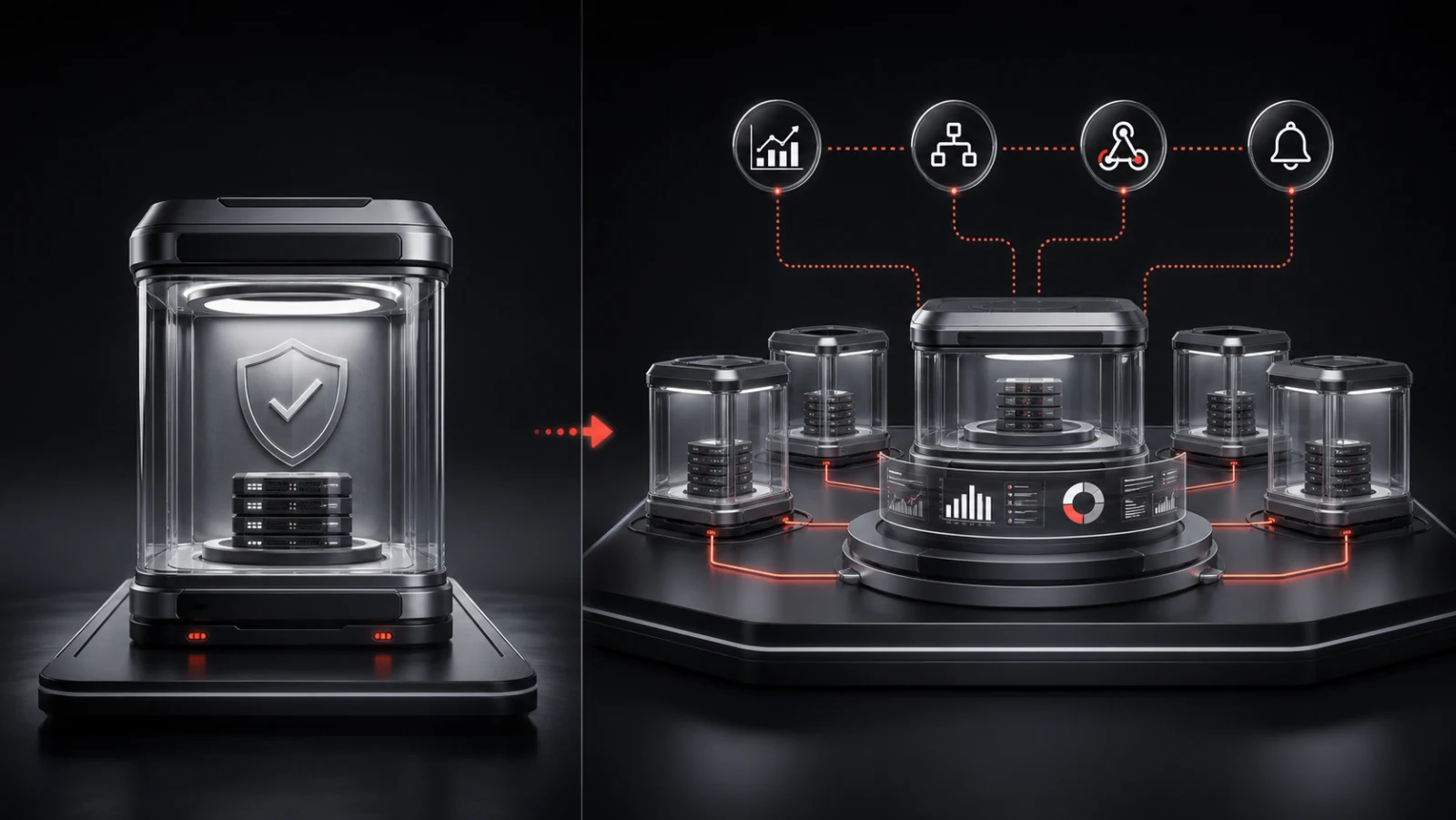
WPStack Sandbox Manager Community and Pro use the same central idea: turn a customer-controlled WordPress Multisite network into a platform for private, temporary plugin demonstrations. The editions differ primarily in catalogue scale, branding, reporting, integrations, and commercial delivery.
The free edition is not a non-functional trial. It is intended to let a developer operate one real demo product and evaluate the complete visitor lifecycle before deciding whether broader commercial capabilities are needed.
Key takeaways
- Choose Community when one configured demo product is enough.
- Choose Pro for unlimited products, white-labelling, analytics, webhooks, and import/export.
- Licensing applies to Multisite networks, not every disposable subsite.
- Hosting and server capacity are not included in either edition.
- Upgrade according to operational need rather than visitor count alone.
Table of contents
- What both editions require
- What Community includes
- What Pro adds
- Pricing and network licensing
- What neither edition provides
- When to choose Community
- When to choose Pro
- How the refund condition works
- Frequently asked questions
What both editions require
Both editions require WordPress 6.4 or newer, PHP 8.1 or newer, and WordPress Multisite. The customer provides and administers the hosting environment, domain, HTTPS, cron, backups, monitoring, updates, and capacity.
Both editions create temporary product demonstrations inside that network. A visitor can receive automatic access, view session timing, and leave an environment that expires and is cleaned up according to the configured lifecycle.
What Community includes
Community supports one configured demo product. It includes disposable Multisite sandboxes, initial session duration, visible countdown, manual expiration, configurable extension and maximum duration, dependency support, and standard WPStack branding.
This fits an independent developer launching one plugin, a team validating the operating model before rollout, or a product that needs only one public demonstration workflow.
- One configured demo product
- Temporary private subsites
- Automatic access
- Countdown and expiry
- Bounded extension rules
- Dependency support
- Standard branding
What Pro adds
Pro removes the one-product catalogue limit and adds capabilities used by commercial programmes: white-labelling, analytics, webhooks, import and export, premium downloads, updates, and commercial support.
Unlimited products matter when one network demonstrates several plugins or distinct configurations. Webhooks and analytics matter when the demonstration must connect with product operations, reporting, or a wider customer journey.
- Unlimited products
- White-labelling
- Analytics
- Webhooks
- Import and export
- Premium downloads and updates
Pricing and network licensing
Pro is priced by the number of WordPress Multisite networks: one network at $6 per month or $60 per year, three at $12 per month or $120 per year, and ten at $18 per month or $180 per year. Confirm current checkout pricing on the product page before purchasing.
A temporary subsite created for a visitor does not consume another licence. The activation applies to the Multisite network where the manager is installed.
What neither edition provides
WPStack Sandbox Manager is software, not a hosted sandbox service. Neither edition includes a server, managed WordPress operations, domain, email service, third-party API allowance, or guaranteed concurrency.
Capacity depends on the customer’s infrastructure and the demonstrated plugins. The operator must test representative load and define responsible launch limits.
When to choose Community
Choose Community when you have one product, accept standard branding, and do not require the Pro reporting or integration features. Use it to validate provisioning speed, seed data, session duration, cleanup, visitor guidance, and server capacity.
A successful Community deployment also produces a clearer Pro decision because the team can identify which limitation is operationally meaningful rather than upgrading from a feature checklist alone.
When to choose Pro
Choose Pro when the network must demonstrate multiple products, present a white-labelled journey, report on demo activity, send lifecycle events to other systems, move configuration between environments, or receive commercial update and support access.
Do not choose Pro as a substitute for adequate infrastructure. The commercial features expand the programme; they do not remove the need for monitoring, security, backups, and Multisite administration.
How the refund condition works
The refund is not an unconditional seven-day trial. If a plugin problem makes WPStack Sandbox Manager Pro unusable and the WPStack team cannot resolve it within the first seven days, the customer may be eligible for a full refund under the published policy.
Review the current licence and refund terms before purchase, especially when the intended configuration depends on unusual hosting, custom Multisite architecture, or third-party plugins.
Edition decision checklist
Start with Community when the answer to all four questions is yes: you are demonstrating one product, standard WPStack branding is acceptable, you do not need demo analytics or lifecycle webhooks, and configuration does not need to move between multiple managed environments. This produces a complete operating test without a paid commitment.
Consider Pro when a real requirement appears: a second product must be added, the experience needs the company’s own identity, launch and session events must enter another system, reporting is required, or configuration needs controlled import and export. Document that requirement before upgrading so the commercial decision stays connected to operational value.
Frequently asked questions
Is the Community edition time-limited?
No time limit is described for Community; it is limited to one configured demo product and standard branding.
Do temporary demo sites consume Pro activations?
No. Activations apply to Multisite networks, not the disposable subsites created within them.
Does Pro include hosting?
No. Customers provide and operate the WordPress Multisite infrastructure in every edition.
Can I upgrade after testing Community?
Yes. Community is the practical starting point for validating one product before adding Pro catalogue and commercial capabilities.
Try WPStack Sandbox Manager
Review the complete product details, experience the live sandbox, or download the free Community edition. Pro adds unlimited products, white-labelling, analytics, webhooks, import/export, and commercial updates.

Aditya Bhimrajka is a technology entrepreneur, product strategist, and software solutions expert with over a decade of experience building scalable web and mobile applications. His expertise spans SaaS, AI, cloud technologies, custom software development, and digital transformation. Passionate about solving real-world business challenges through technology, Aditya shares practical insights on WordPress, plugins, software development, startup growth, product strategy, and emerging technologies. At WPStack, he writes actionable, experience-driven content that helps developers, businesses, and website owners build secure, high-performing, and future-ready WordPress solutions.