
WordPress Admin Notice Triage: What to Keep, Route, or Suppress
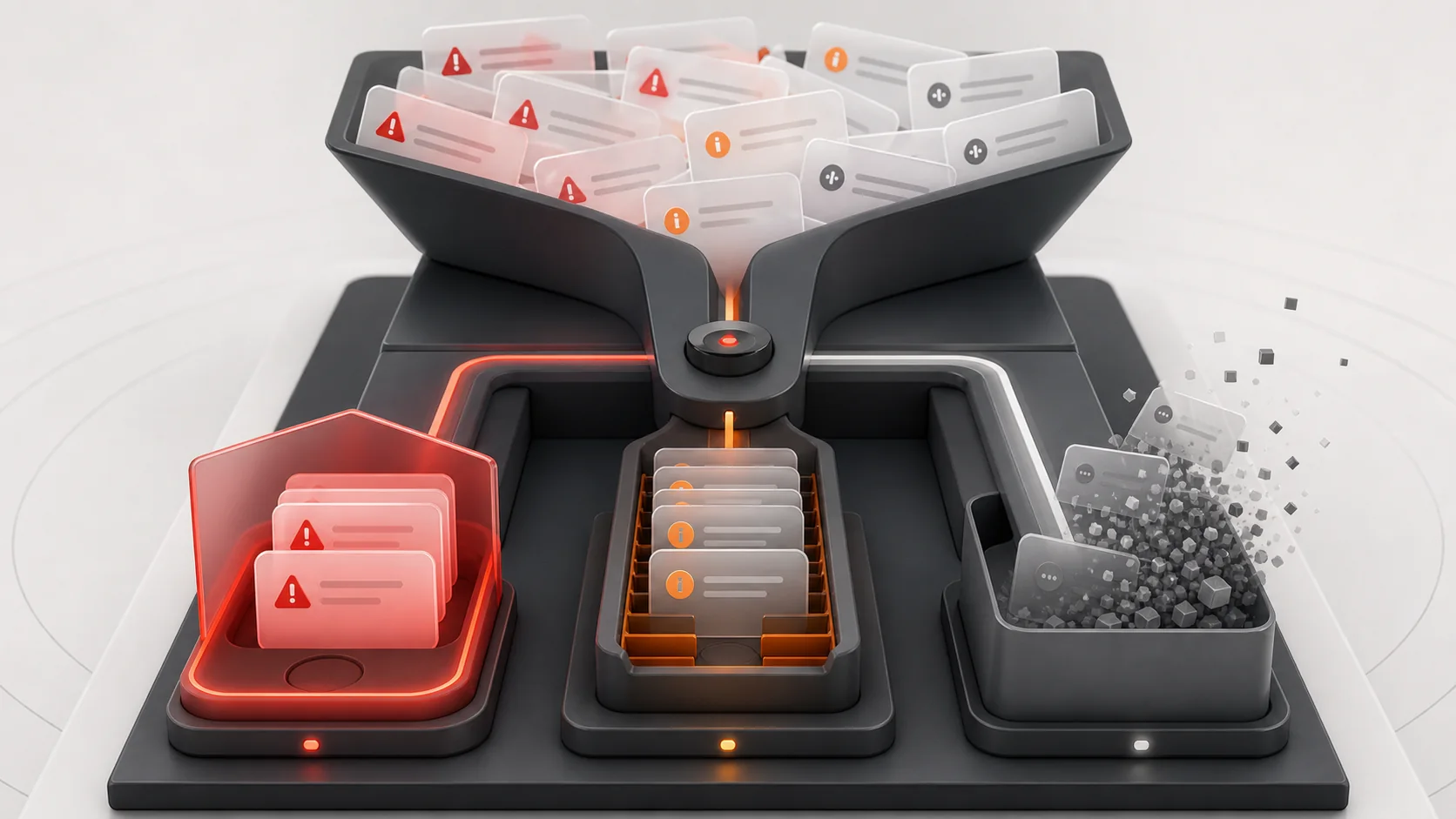
WordPress admin notices serve two different jobs. Some communicate real operational state, such as a failed update. Others promote upgrades, request reviews, or repeat onboarding messages on every screen.
A blanket CSS rule hides both. The safer approach classifies notices by source and purpose, then suppresses only the categories your team has decided are noise.
Classify before suppressing
Record the text, plugin source, affected screens, user roles, and whether the message can be dismissed. Separate security, update, error, and data-integrity warnings from promotions and recurring review requests.
Prefer source-aware rules
Broad selectors can hide core and unrelated messages. Source-aware rules use plugin-specific classes, screen context, IDs, or render hooks. MeNoAds focuses on promotional banners, upgrade nags, and review requests while leaving plugin functionality active.
Match visibility to responsibility

Administrators may need update and licensing information that editors do not. Store managers need operational alerts without developer diagnostics. Document suppression rules and provide a way to reveal hidden notices during troubleshooting.
- Preserve core errors and updates
- Preserve security and integrity warnings
- Suppress promotions by known source
- Apply rules by role where practical
- Keep an audit list of active rules
Retest after updates
Notice markup and hooks change. A safe rule should fail narrowly rather than expand and hide unrelated content. Review rules after major plugin or core updates and whenever an expected operational message disappears.
Use clarity as an operational control
A dashboard filled with promotions trains people to ignore every notice. Reducing low-value messages makes important warnings easier to see, but only when suppression is restrained. See our guide to safe admin-notice cleanup.
Create a notice policy
Define categories the organization will always preserve, conditionally show, or suppress. Core update failures, security findings, data migration errors, payment problems, and backup failures normally stay visible. Promotions, repeated review requests, and expired onboarding prompts may be candidates for suppression. Licensing messages need a business decision because they can affect updates even when they look promotional.
Avoid fragile implementation shortcuts
Do not remove the entire admin_notices action because it can suppress every registered message. Do not rely on broad CSS selectors that match future notices. Prefer narrow source-aware logic and scope it to appropriate screens and roles. Keep the rules in a maintained plugin or configuration layer rather than a theme file that may be replaced.
Audit the quieter dashboard
After suppression, sign in with each relevant role and visit updates, plugins, Site Health, WooCommerce status, and business-critical plugin screens. Trigger a safe test warning when possible. Record the rules and review them during maintenance. The goal is not zero notices; it is a higher signal-to-noise ratio.
Create a Cleaner, Safer WordPress Dashboard
Struggling with promotional banners, repeated review requests, and distracting upgrade notices in WordPress? WPStack can help you create a safer admin-notice policy that reduces unnecessary clutter while preserving critical security alerts, update failures, payment warnings, and operational messages. Our team can review notice sources, user roles, dashboard screens, and existing suppression rules to improve visibility without hiding information your team needs.
Need a tailored solution for your website or client projects? Contact WPStack for custom WordPress plugin development, admin dashboard optimization, role-based notice management, and ongoing plugin maintenance. Book a free consultation with WPStack to discuss your requirements and build a cleaner, more reliable WordPress administration experience.
Frequently asked questions
You can, but should not. Blanket CSS also hides security, update, error, and data-integrity warnings.
A targeted presentation rule should not, but some plugins combine notices with required controls. Test before rollout.
Not always. Match visibility to the user’s responsibility and ability to act.
Review them after major updates and during routine maintenance. Remove rules for notices or plugins that no longer exist.
Official references
Need help with a production WordPress plugin? Discuss the requirement with WPStack.

Aditya Bhimrajka is a technology entrepreneur, product strategist, and software solutions expert with over a decade of experience building scalable web and mobile applications. His expertise spans SaaS, AI, cloud technologies, custom software development, and digital transformation. Passionate about solving real-world business challenges through technology, Aditya shares practical insights on WordPress, plugins, software development, startup growth, product strategy, and emerging technologies. At WPStack, he writes actionable, experience-driven content that helps developers, businesses, and website owners build secure, high-performing, and future-ready WordPress solutions.
Post a Comment