
WP-Cron vs a System Cron: Choosing Reliable Scheduling for WordPress
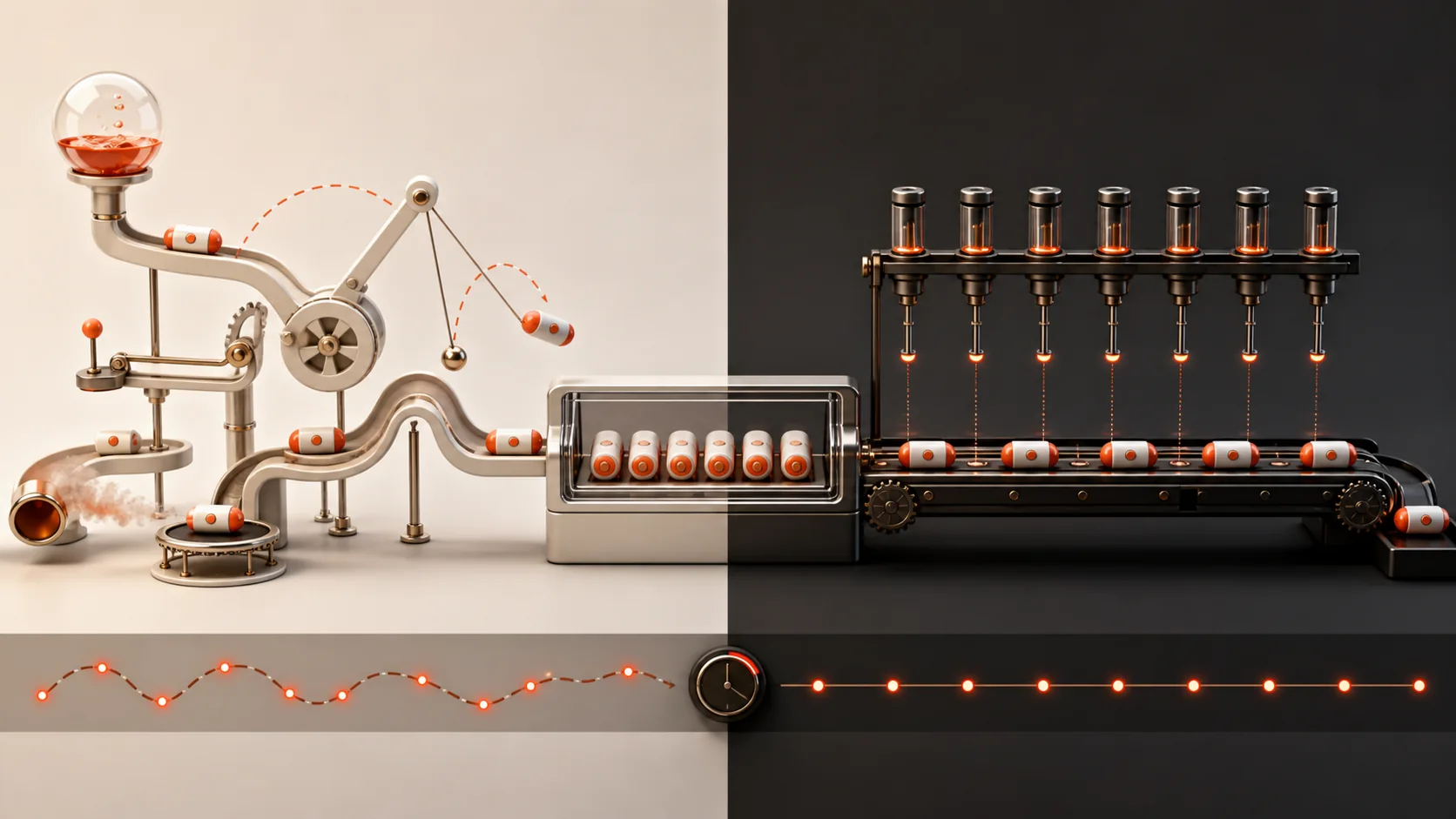
WP-Cron is a scheduling system triggered by WordPress requests. It is convenient because it works without server-level configuration, but it is not a real-time daemon and does not guarantee execution at an exact second.
That difference matters when a task sends a digest, renews a subscription, processes a queue, imports inventory, or publishes scheduled content.
How WP-Cron is triggered
WordPress checks for due events when requests reach the site. On a low-traffic site, an event can run late because no request arrives. On a busy site, cron spawning and locking still need monitoring so long jobs do not overlap or block useful work.
When WP-Cron is sufficient
Non-critical maintenance, cache cleanup, and tasks that tolerate delay often work well with default scheduling. The event should be idempotent, bounded, and safe to retry.
When a system scheduler helps
A server scheduler can call WordPress cron at a predictable interval. WordPress documentation recommends disabling request-triggered WP-Cron when it is intentionally replaced by a system task. Confirm hosting support before changing configuration.
- Choose an interval based on task needs
- Prevent overlapping runs
- Log duration and failures
- Batch large datasets
- Keep tasks safe to retry
Design the task, not only the trigger
A reliable trigger cannot rescue a task that processes unlimited records, ignores timeouts, or loses state. Store progress, use locks carefully, and expose operational status. For business-critical workflows, add alerts and a manual recovery path.
Check scheduled publishing
WordPress scheduled posts depend on the site’s cron behavior. Verify timezone, confirm WP-Cron is not disabled without replacement, and monitor missed schedules. The WPStack site itself uses WordPress future status and active WP-Cron for its editorial calendar.
Monitor the queue, not only the trigger
A cron event can fire successfully while the job it starts fails, times out, or leaves records unprocessed. Track last start, last success, duration, processed count, remaining count, and error state. Critical jobs need alerts that reach an operator outside WordPress.
Avoid work on every page load
Do not perform the entire scheduled task during ordinary visitor requests. The cron hook should claim a bounded unit of work or enqueue processing. Long imports, image jobs, reports, and synchronizations should checkpoint progress and yield before hosting time limits.
Test missed and repeated runs
Simulate a delayed trigger, a duplicate trigger, an API timeout, and a process terminated halfway through a batch. Confirm the task resumes without duplicate emails, orders, charges, or data corruption. Scheduling reliability comes from both the trigger and the job’s recovery design.
Frequently asked questions
Not necessarily. It is triggered by requests and may run after the due time, especially on low-traffic sites.
No. Default WP-Cron is sufficient for many sites. Replace it when task timing and reliability justify server configuration.
Yes, especially when jobs run longer than the schedule interval or locking is weak. Design for idempotency and concurrency.
Verify the site timezone, WP-Cron configuration, traffic or system trigger, and errors from the publishing event.
Related WPStack guides
Official references

Aditya Bhimrajka is a technology entrepreneur, product strategist, and software solutions expert with over a decade of experience building scalable web and mobile applications. His expertise spans SaaS, AI, cloud technologies, custom software development, and digital transformation. Passionate about solving real-world business challenges through technology, Aditya shares practical insights on WordPress, plugins, software development, startup growth, product strategy, and emerging technologies. At WPStack, he writes actionable, experience-driven content that helps developers, businesses, and website owners build secure, high-performing, and future-ready WordPress solutions.
Post a Comment