
Autoloaded Options Manager
Inspect, safely offload, clean up, and monitor the WordPress options loaded on every request, with ownership detection, safety analysis, snapshots, and rollback.
Email me important plugin updates
Optional. Get security notices and meaningful release updates for Autoloaded Options Manager. The download does not require an email or account.
About the plugin
Autoloaded Options Manager gives WordPress administrators and developers clear control over the options loaded into memory on every frontend, admin, AJAX, REST, and cron request. It exposes the real byte size of each autoloaded option, identifies where it came from, and helps you reduce database bloat without guessing.
Every risky action is protected by a hardened critical-options list and an automatic snapshot. Changes remain reversible, persistent object caches are invalidated correctly, and the Safety Analyzer combines runtime usage tracking with static code inspection to classify options as Safe, Caution, or Keep.
What it helps you do
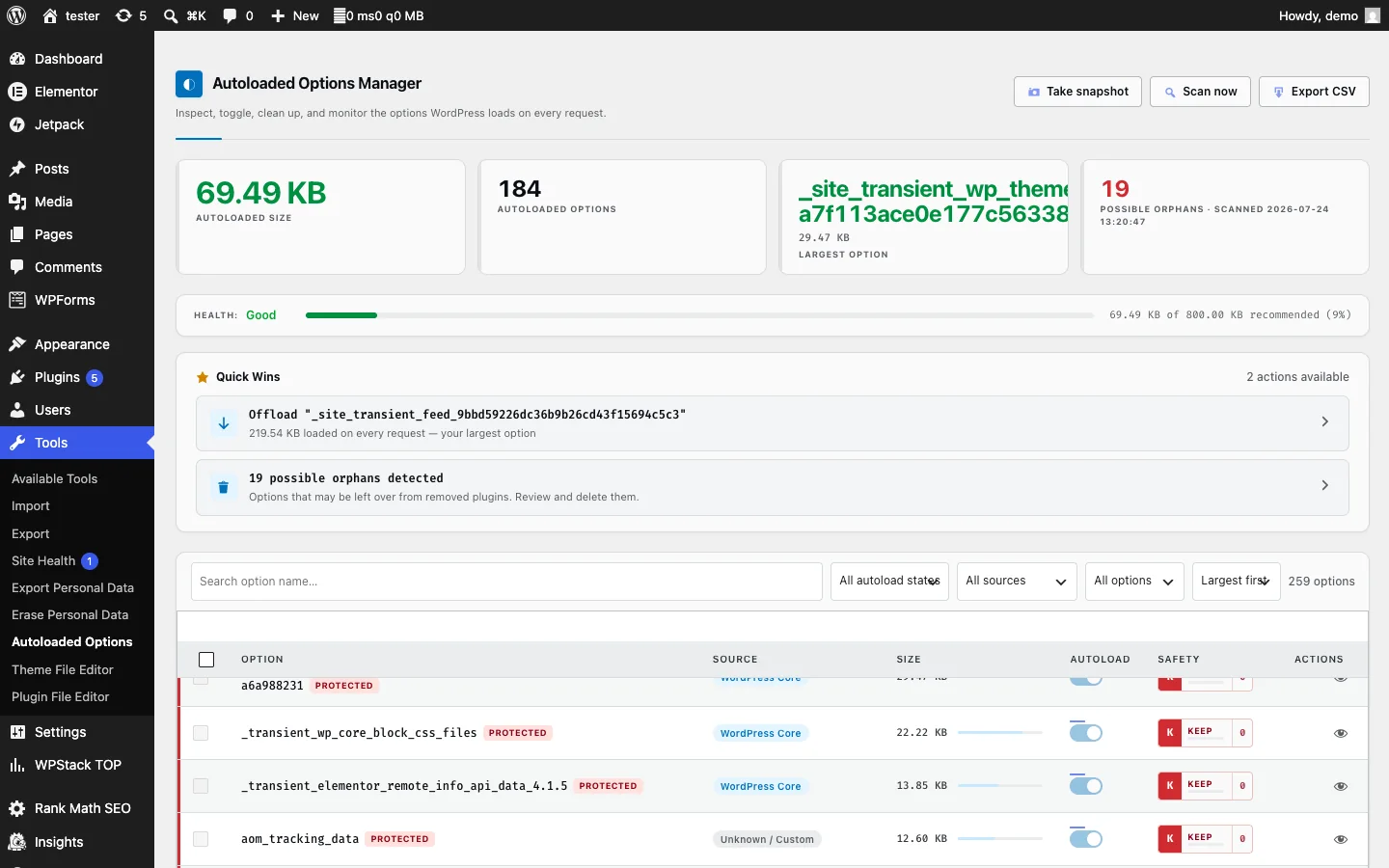
See what WordPress loads on every request
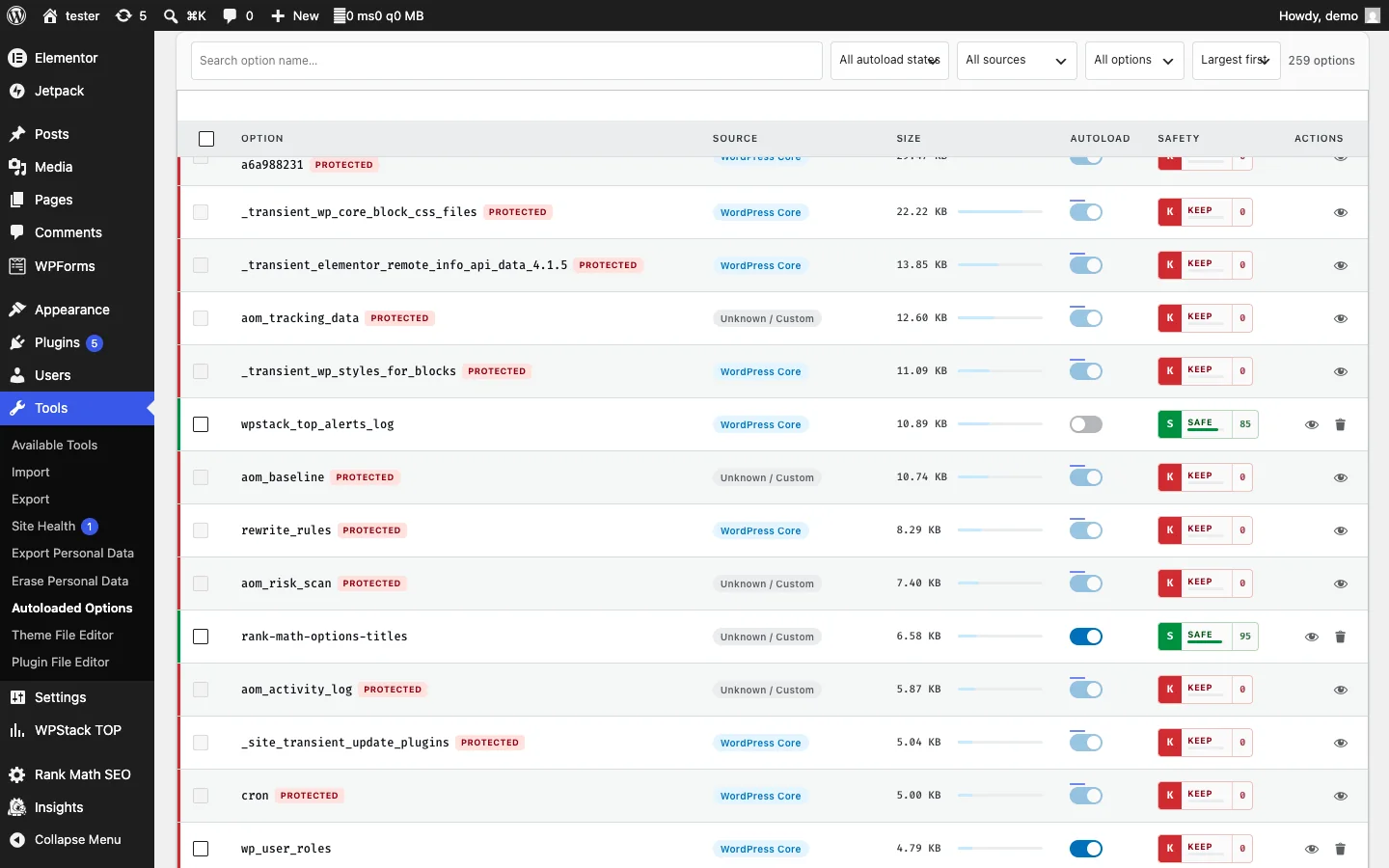
- Lists every autoloaded option with its real MySQL byte size.
- Sorts and filters the options table so the largest entries are easy to identify.
- Displays an at-a-glance health bar for the total autoloaded-options footprint.
- Surfaces Quick Wins that prioritize the highest-impact cleanup opportunities.
- Integrates with WordPress Site Health using size-based recommendations.
Understand ownership and risk
- Attributes options to WordPress Core, individual plugins, the active theme, or an unknown source.
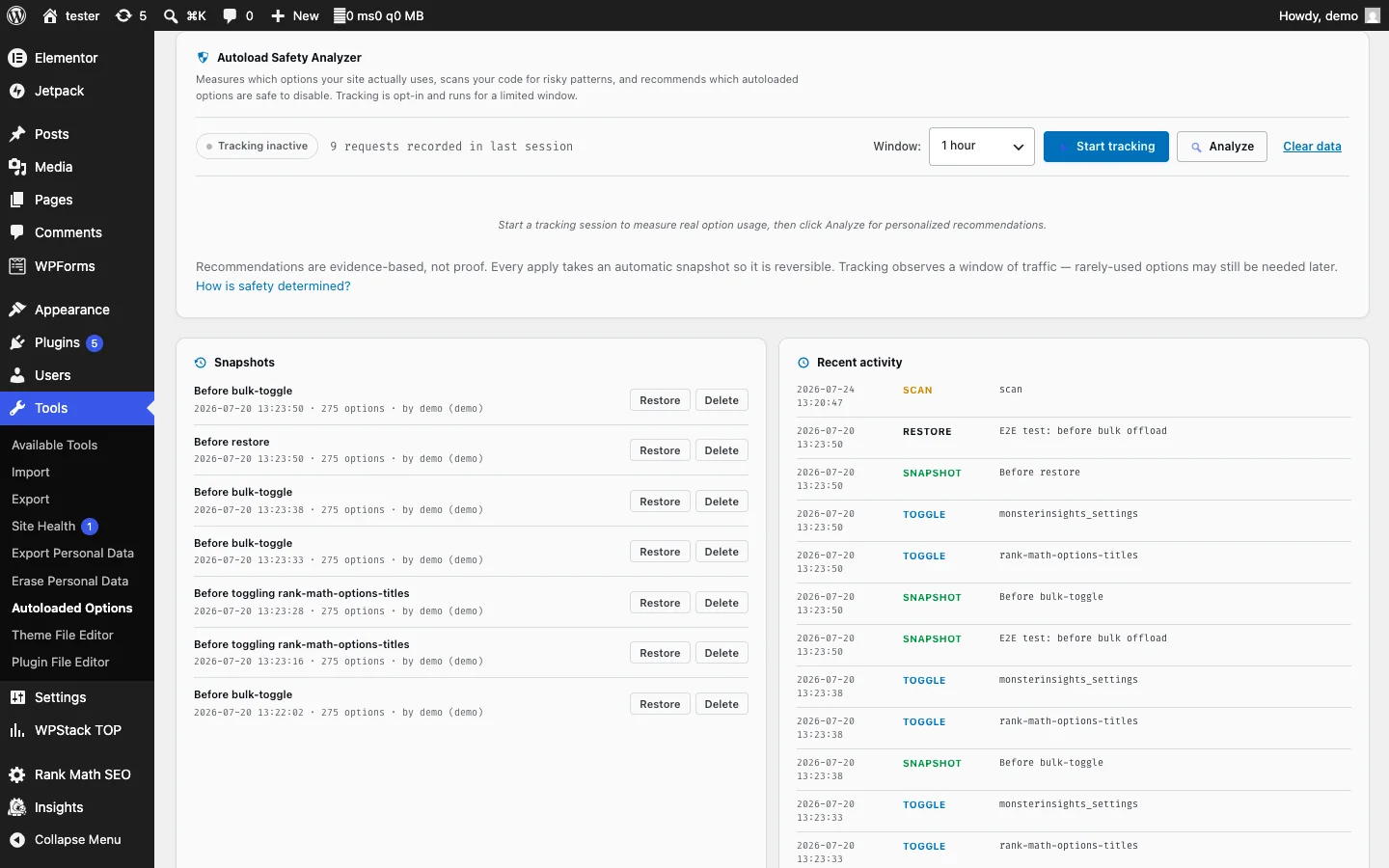
- Tracks runtime access during a time-limited Safety Analyzer session.
- Scans plugin and theme code for risky option usage patterns.
- Combines runtime and static signals into Safe, Caution, and Keep verdicts.
- Shows text labels alongside status colors for accessible risk communication.
Change autoload behavior safely
- Toggles an option’s autoload flag with one click while leaving the value in the database.
- Correctly invalidates the per-option,
alloptions, andnotoptionscaches. - Works with persistent Redis and Memcached object caches.
- Enforces a hardened protected list for critical values including site URLs, active plugins, cron data, salts, widgets, and transients.
- Applies protected-option rules in the repository, REST controller, and interface layers.
- Supports bulk autoload changes and bulk deletion with confirmation.
Snapshots, rollback, and accountability
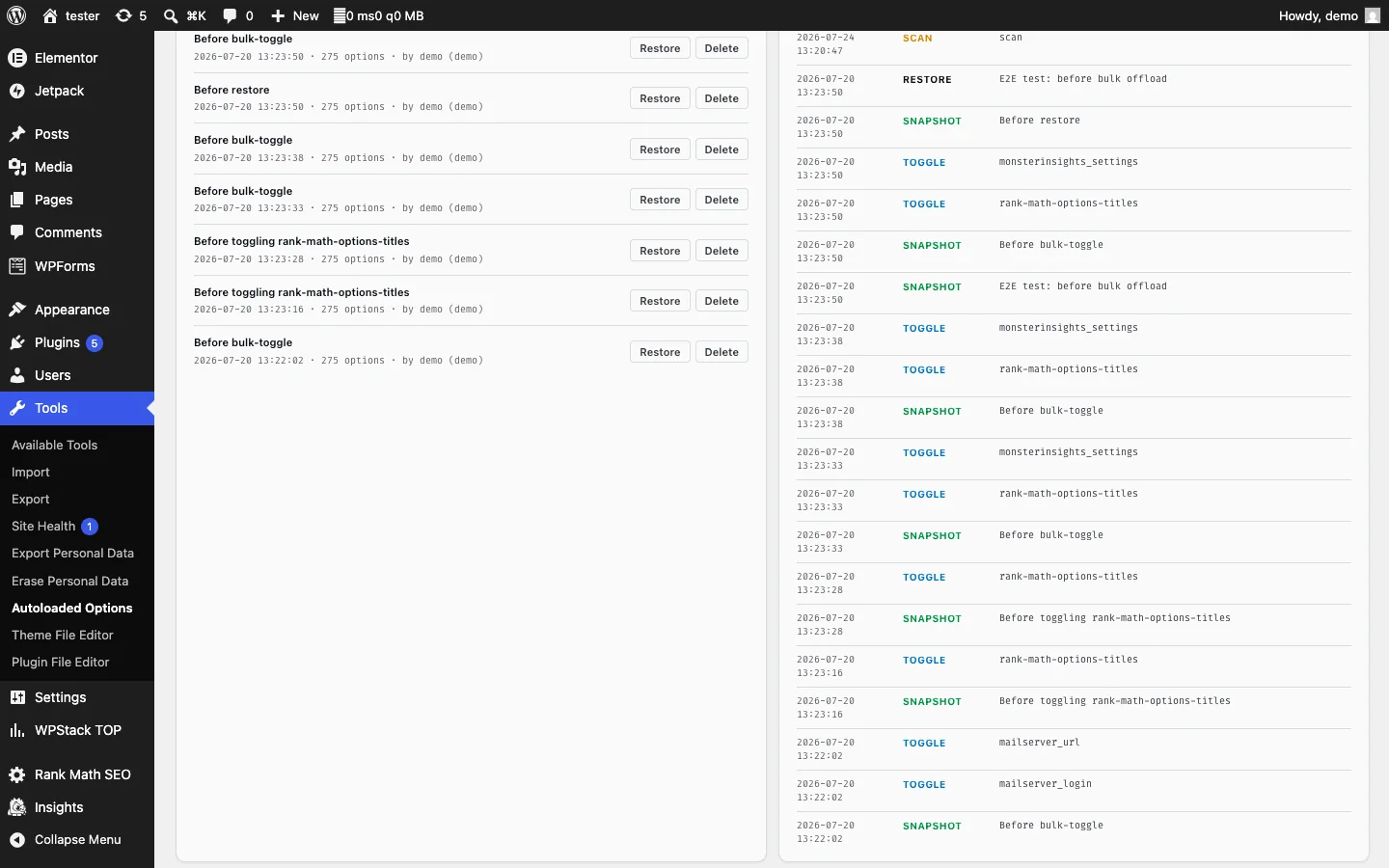
- Creates an automatic snapshot before toggles, bulk operations, deletions, and restores.
- Restores a previous autoload state with one click.
- Keeps a detailed activity log showing who changed what and when.
- Exports the complete option inventory as CSV for offline analysis.
Continuous monitoring
- Runs scheduled scans through WP-Cron.
- Detects new bloated or orphaned options without changing them automatically.
- Sends email alerts when the autoloaded footprint crosses a configured threshold.
- Keeps scanner behavior alert-only so monitoring never silently changes production data.
Production-focused engineering
- Uses no Composer packages, JavaScript build system, or external runtime dependencies.
- Loads its own settings without autoloading them.
- Performs dashboard queries only when the management screen is open.
- Wraps hook callbacks defensively so a diagnostic failure cannot cause a blank screen.
- Handles restricted filesystems and disabled functions on managed hosting.
- Supports WordPress 6.6+ autoload values including on, off, auto-on, and auto.
- Protects REST actions with administrator capabilities and nonces.
- Removes its stored plugin data cleanly during uninstall.
Plugin screenshots

Installation
- Download autoloaded-options-manager-1.2.0.zip.
- In WordPress, open Plugins > Add New Plugin > Upload Plugin.
- Select the ZIP, install it, and activate Autoloaded Options Manager.
- Open Tools > Autoloaded Options.
- Review the health summary and largest options before changing anything.
- Run the Safety Analyzer when you need evidence about which options can be safely offloaded.
- Use snapshots and the activity log to review or reverse changes.
Changelog
1.2.0
- Added the Safety Analyzer with runtime access tracking, static code risk scanning, and Safe, Caution, and Keep verdicts.
- Added the Quick Wins panel and autoload-footprint health bar.
- Redesigned the dashboard and improved accessibility.
- Added fail-safe callback handling to protect sites from blank screens.
- Hardened filesystem scanning for managed-host restrictions.
- Added correct WordPress 6.6+ autoload detection.
- Corrected activation-hook registration so activation runs at file-include time.
1.0.0
- Initial release with size analysis, autoload toggles, protected-option handling, source detection, snapshots, scheduled scans, bulk actions, activity logging, CSV export, and Site Health integration.
Support and usage notes
Related reading: How to reduce WordPress autoloaded options safely and the production-readiness guide.
Autoloaded Options Manager FAQs
What are autoloaded WordPress options?
They are rows in the WordPress options table configured to load automatically on requests. Excessive or oversized autoloaded data can add avoidable database and memory work.
Does the plugin automatically delete database options?
The plugin is designed for inspection, safety analysis, snapshots, controlled offloading or cleanup, and rollback. Review ownership and risk evidence before making changes.
How does it identify which plugin owns an option?
It combines naming and code signals to attribute options to WordPress Core, an installed plugin, the active theme, or an unknown source.
Should I use it directly on a production site?
Start with a current database backup and preferably validate changes on staging. Unknown options and options used during runtime should be treated cautiously.