
Let customers test your WordPress plugin before they buy
Turn a Multisite network you control into private, disposable product demos with timed access, automatic login, and reliable cleanup.
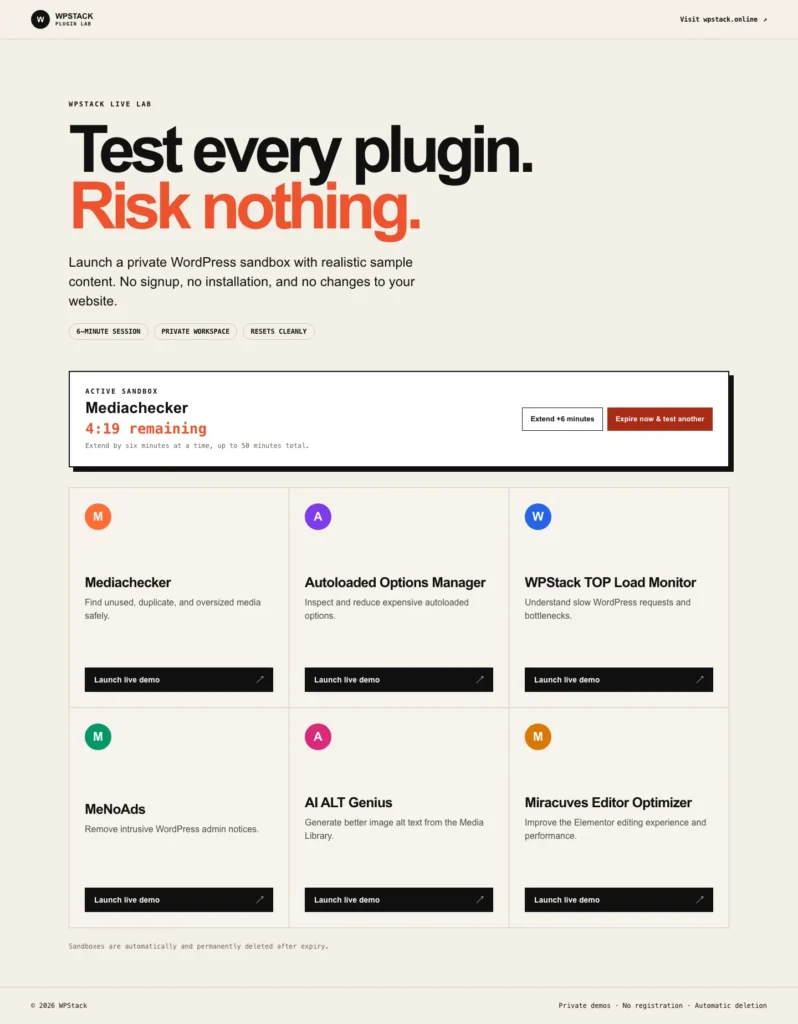
Your infrastructure. Your demos. Your customer data.
WPStack Sandbox Manager turns a WordPress Multisite network you control into a secure, self-cleaning product demo platform. Visitors launch an isolated WordPress site, enter it automatically with a one-time login, test only the selected plugin and its declared dependencies, and leave without registering or changing a production website.
Each sandbox has a visible countdown, controlled extensions, a maximum lifetime, and automatic cleanup. Your team keeps ownership of the hosting, data, capacity, branding, and product catalogue instead of depending on a third-party hosted sandbox service.
The Community edition is a fully functional starting point for one demo product. Pro expands the same operational foundation to unlimited products and adds commercial management features for teams running a larger plugin catalogue.
Try the experience your visitors will receive
Launch a real, temporary WordPress workspace from the WPStack demo board. The session opens automatically, shows the remaining time, supports controlled extensions, and deletes itself after expiration.

A complete demo lifecycle, not just a temporary login
Private disposable sandboxes
- Create an isolated Multisite subsite for each visitor.
- Use one-time automatic login instead of public registration.
- Activate only the chosen product and its declared dependencies.
- Delete temporary sites and users after expiration.
Controlled demo sessions
- Set the initial session duration per product.
- Let visitors extend a session in controlled increments.
- Enforce an absolute maximum lifetime.
- Expire a sandbox immediately and start another test.
Operational safeguards
- Limit concurrent and repeated launches.
- Block outgoing email and external HTTP requests from demo subsites.
- Review recent sessions from Network Admin.
- Run cleanup reliably through WP-Cron or a server cron command.
Start free. Upgrade when the catalogue grows.
| Capability | Community | Pro |
|---|---|---|
| Configured demo products | 1 | Unlimited |
| Disposable Multisite sandboxes | Included | Included |
| Session timing, extensions and limits | Included | Included |
| Product dependencies and landing page | Included | Included |
| Branding | Standard WPStack branding | White-label controls |
| Analytics | — | Included |
| Webhooks | — | Included |
| Import and export | — | Included |
| Premium downloads and updates | — | Included |
Simple recurring pricing by network capacity
- 1 network: $6 per month or $60 per year.
- 3 networks: $12 per month or $120 per year.
- 10 networks: $18 per month or $180 per year.
Annual billing provides two months of savings. All Pro plans are recurring subscriptions; no lifetime license is offered.
See the demo board on desktop and mobile
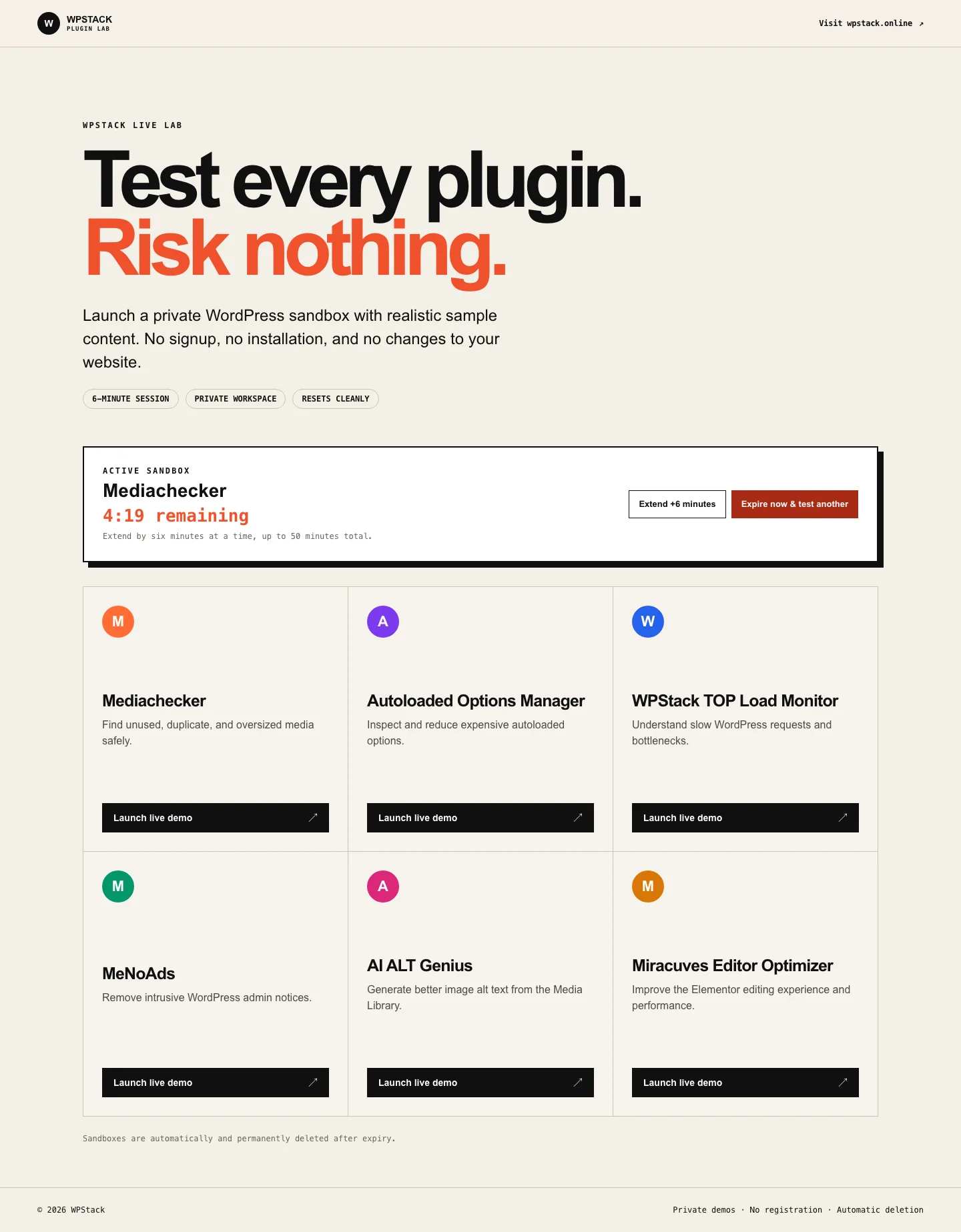


Installation and operational requirements
- Prepare a WordPress Multisite network on a domain or subdomain dedicated to demos.
- Upload the plugin ZIP through Network Admin > Plugins > Add New Plugin.
- Network-activate WPStack Sandbox Manager.
- Open its Network Admin settings and configure the plugin to demonstrate, its landing page, dependencies, initial duration, extension duration, and maximum duration.
- Test the complete launch, one-time login, extension, expiration, and cleanup flow before sharing the public demo board.
- For reliable cleanup, run
wp cron event run wpstack_demo_cleanup --path=/path/to/demofrom server cron.
WPStack Sandbox Manager supplies the WordPress application layer, not hosted sandbox infrastructure. The site owner remains responsible for Multisite hosting, DNS, SSL, server capacity, backups, and operational monitoring.
One network installation uses one license activation. Temporary subsites created inside that network do not consume additional activations. Security controls and cleanup remain active if a Pro license expires.
Release notes
0.3.2
- Current Community release with isolated Multisite sandboxes, controlled extensions, automatic login, product dependencies, and automatic cleanup.
- Includes the Freemius licensing foundation used by the separately distributed Pro build.
Frequently asked questions
Does it include hosting?
No. WPStack Sandbox Manager runs on a WordPress Multisite network that you host and control.
Does every temporary sandbox use a license activation?
No. One network uses one activation. Temporary demo subsites do not consume additional activations.
What can I do with the Community edition?
Run one configured demo product with isolated sandboxes, automatic login, session timing, extensions, dependencies, and cleanup.
What does Pro add?
Unlimited demo products, white-label controls, analytics, webhooks, import and export, plus premium downloads and updates.
What happens if the Pro license expires?
Premium access and updates follow the license state. Security controls and cleanup remain active.
Is Multisite required?
Yes. Install and network-activate the plugin on a WordPress Multisite network.
Build a demo environment customers can trust
Start with one product for free, test the complete workflow, and move to Pro when you need a larger catalogue.